HTML Email Preview Tool

Preview your email on desktop and mobile to catch issues before your recipients do

Upload your HTML email code or drag-and-drop your HTML or AMP HTML file to preview your message in desktop and mobile views. When it looks perfect, send a test email with a custom subject line to experience it like your audience.

Preparing your generator...

What to expect from the Email Preview Tool?

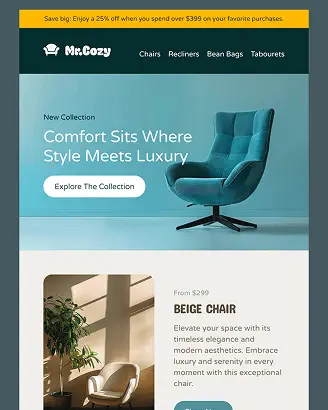
Designmodo's Email Preview Tool allows you to drag & drop your .html or .amp.html file, or you can paste HTML into the code area and preview it as an email recipient.

  • Real-time rendering

    Your email shows up right away. To check layout, fonts, spacing, and responsive behavior, use the Desktop and Mobile toggles.

  • Live code area

    Quickly iterate by pasting your HTML email code. Every modification re-renders the preview, allowing you to fix issues.

  • Test send with Subject Line Control

    Simulate a real send by adding a subject line and email address for final checks and stakeholder sign-offs.

  • Useful debug info

    Spot blocked images, missing fonts, and external assets that didn't load to avoid broken emails and reduced deliverability.

How the email previewer works?

  • 1

    Drag & Drop or Paste Code

    Drag & drop your .html or .amp.html file, or paste HTML into the code area.

  • 2

    Toggle Desktop & Mobile previews

    Check how your layout, fonts, and spacing adapt across devices.

  • 3

    Send a Test Email

    Add a subject line and recipient address to send yourself a real-world version for final checks.

Why use the HTML email previewer

  • Catch layout breaks early

    Debug problems from padding errors to font fallback problems.

  • Validate mobile responsiveness

    Vital when over 64% of email opens now happen on mobile devices.

  • Speed up review cycles

    Send test emails with custom subject lines to increase productivity.

  • Reduce spam risks

    Boost inbox placement rate by spotting broken images, empty links, or heavy code.

Keep the opens coming with email templates that back you up

The preview tool shows you how your code looks, but if the inside of your email feels messy or hard to read, all that effort is wasted.

Fortunately, Designmodo's email template library is here for you. They are mobile-ready by default and proven to perform.

Choose the one that fits your needs, customize it as you wish, then hit the Send button without worrying about anything broken. Your email will keep recipients engaged long enough to click.

Try a Designmodo email template after your next preview and see how it changes your results.

Explore Email Templates
Hey there 👋 Friends from designmodo are here to help!