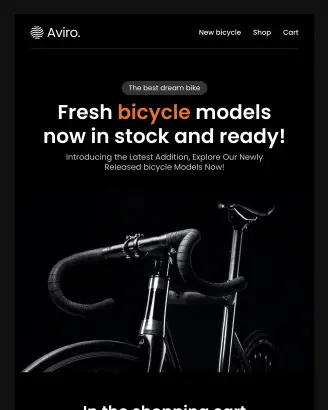
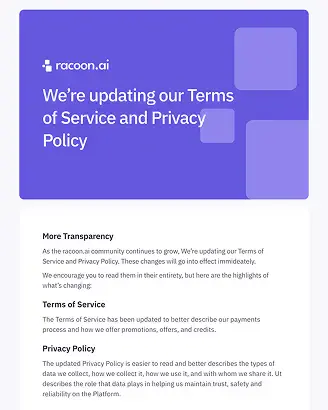
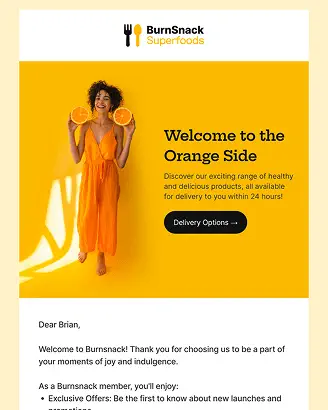
Preview your email on desktop and mobile to catch issues before your recipients do
Upload your HTML email code or drag-and-drop your HTML or AMP HTML file to preview your message in desktop and mobile views. When it looks perfect, send a test email with a custom subject line to experience it like your audience.
Preparing your generator...
What to expect from the Email Preview Tool?
Designmodo's Email Preview Tool allows you to drag & drop your .html or .amp.html file, or you can paste HTML into the code area and preview it as an email recipient.
-
Real-time rendering
Your email shows up right away. To check layout, fonts, spacing, and responsive behavior, use the Desktop and Mobile toggles.
-
Live code area
Quickly iterate by pasting your HTML email code. Every modification re-renders the preview, allowing you to fix issues.
-
Test send with Subject Line Control
Simulate a real send by adding a subject line and email address for final checks and stakeholder sign-offs.
-
Useful debug info
Spot blocked images, missing fonts, and external assets that didn't load to avoid broken emails and reduced deliverability.
How the email previewer works?
-
1
Drag & Drop or Paste Code
Drag & drop your .html or .amp.html file, or paste HTML into the code area.
-
2
Toggle Desktop & Mobile previews
Check how your layout, fonts, and spacing adapt across devices.
-
3
Send a Test Email
Add a subject line and recipient address to send yourself a real-world version for final checks.
Why use the HTML email previewer
-
Catch layout breaks early
Debug problems from padding errors to font fallback problems.
-
Speed up review cycles
Send test emails with custom subject lines to increase productivity.
-
Reduce spam risks
Boost inbox placement rate by spotting broken images, empty links, or heavy code.
Keep the opens coming with email templates that back you up
The preview tool shows you how your code looks, but if the inside of your email feels messy or hard to read, all that effort is wasted.
Fortunately, Designmodo's email template library is here for you. They are mobile-ready by default and proven to perform.
Choose the one that fits your needs, customize it as you wish, then hit the Send button without worrying about anything broken. Your email will keep recipients engaged long enough to click.
Try a Designmodo email template after your next preview and see how it changes your results.
Explore Email TemplatesDesignmodo Inc. 169 Madison Ave, #79627, New York, NY 10016, United States
Copyright © 2010-2026