Describe the Email. Watch it Build.
Type what you want: a new template type, a seasonal palette, a restyled button, four more product blocks, and Postcards AI Suite changes the design, not just the words.
AI Suite is included on every paid plan. See plans →
 Build full emails from a prompt
- Generate with your brand presets
- Spin up any template type
- Restyle every element at once
- Translate to any language in one prompt
AI email design that works at the design layer.
AI Suite is the name for every AI-powered capability in Postcards. It's not a chatbot bolted onto the side; it's woven into the email design engine, so it understands structure, not just sentences. Creation and transformation are where the value lives. Postcards itself is an AI email builder. This page covers everything its AI design tools can do.
convert this newsletter to a password reset email
switch to a dark luxury theme with gold accents, center all headlines
translate to German, adjust the layout for text expansion
add 4 product blocks matching the existing 2-column grid style
set all button corners to 10px border-radius across the entire email
rewrite all copy in a casual, direct tone for a Gen Z audience
transform this into a CEO annual letter, preserve the brand design
move social proof above the product grid, lead with the testimonials
optimize for mobile: single column, larger buttons, tighter spacing
create a dark mode version with inverted colors and lighter typography
generate a shorter version of this email for an A/B split test
add merge tags for first name and company name throughout
restructure this as a win-back email for inactive subscribers
improve accessibility: higher contrast, larger fonts, descriptive alt text
apply a summer sale theme with warm colors and bold discount highlights
-
AI Creation
Generate complete, production-ready email templates from a description. Describe your campaign goal, audience, or email type. Postcards AI Suite builds the structure, layout, and copy from scratch.
-
AI Editing & Transformation
Change email template types, apply seasonal themes, restyle elements globally, expand content blocks, translate to any language, and restructure layouts. All through a single plain-language prompt.
-
AI Design Analysis
Before you send, run a full design audit. AI Suite flags contrast, alignment, design and imagery consistency, and even copyright issues, with specific one-click fixes.
-
AI HTML Import
Upload any existing HTML email, or send it to your dedicated Postcards address, and AI Suite converts it into a fully editable Postcards template. Structure, layout, and styles are preserved, ready to edit, restyle, or export.
-
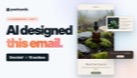
AI vs by hand: the same email, timed.
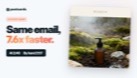
AI built a ten-section launch email from one design brief in 2:48. By hand, the same email took 21:17. That’s 7.6x faster.
-
Watch the Comparison


What the AI email design generator handles in one prompt
These aren't hypothetical features. They're the specific things that would have taken 20 minutes manually. Each one happens in a single prompt.
-
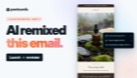
Repurpose any template
Repurpose an email template into a completely different format while keeping your design system intact. Newsletter becomes CEO annual letter. Product update becomes editorial deep-dive.
Email format transformationtransform this into a CEO annual letter, preserve the brand design
-
Convert to any email type
Turn a promotional newsletter into a transactional email: password reset, shipping confirmation, order receipt. Layout logic, copy structure, and CTA hierarchy all restructure automatically.
Template type conversionconvert this newsletter to a password reset email
-
Restyle every element at once
Describe a style change once: button radius, card borders, divider weight, image treatment. AI Suite applies it uniformly across every matching element. Not one. All of them.
Global element restylingset all button corners to 10px border-radius
-
Add matching content blocks
Add product cards, testimonials, feature rows, or FAQ sections that match your existing design system. Generated and inserted by AI.
Content block expansionadd 4 more product blocks matching the existing 2-column grid style
-
Translate to any language
Translate the entire email: copy, labels, CTAs, and alt text into any language, with automatic layout adjustments for text expansion. Not just copy, the layout too.
Language translation & localizationtranslate to Spanish, adjust the two-column layout for longer text
-
Switch brand or campaign identity
Restyle an email template for a different brand, sub-brand, or campaign identity in one prompt. Color system, typography pairing, and tone all shift together without starting over.
Brand theme switchingswitch to a dark luxury theme with gold accents
-
Restructure the whole layout
Reorder sections, flip column configurations, move the hero, adjust spacing proportions, or completely restructure the email hierarchy.
Layout reorganizationmove social proof above the product grid, lead with the testimonials
-
Change the voice of your email
Change the entire voice of the email without touching the layout. Formal to conversational, sales-heavy to educational. Great for rapid A/B variant creation.
Copy tone & voice shiftsrewrite all copy for a Gen Z audience in a casual, direct tone
-
Optimize for mobile in one prompt
Restructure any desktop-first email for optimal mobile rendering: collapse columns, resize type, increase tap targets, simplify visual hierarchy for small screens.
Mobile-first redesignoptimize for mobile. single column, larger buttons, tighter spacing
How AI Suite Works
From idea to exported HTML template in four steps. Creation and editing are the two steps where AI Suite does its most powerful work. Analysis happens later as a quality check, not a starting point.
-
1
Open your email in Postcards
Start from scratch: describe your email goal and AI Suite generates a complete template. Or open any existing email campaign and start from there.
-
2
Transform with chat
Type what you need. Change template types, apply seasonal themes, expand product grids, restyle elements globally, or translate.
-
3
Run the design audit
Optional but useful. AI Suite scans your finished email for layout, readability, and contrast issues, then serves one-click fixes before you export.
-
4
Export & send
One-click export to your ESP or download production-ready HTML to upload anywhere. Done.
A finished email, without leaving the editor.
Each change lands in the design itself: structure, type, color, and copy move together, not one piece at a time.
-
-
-
-
Start from a prompt
Describe the email you want and AI Suite builds the whole template in seconds: layout, copy, and clean HTML.
-
Your brand, built in
Import your logo, colors, and fonts straight from your website URL, so every template starts on-brand.
-
Translate, rewrite, restyle
Ask AI Suite to translate the whole template into any language, or rewrite and restyle any part of it.
-
Export clean code anywhere
Preview it in Gmail, Outlook, Apple Mail and Yahoo, then one-click export to your email platform or clean HTML.
-
Frequently Asked Questions
-
What is an AI Suite credit?
A credit is consumed each time AI Suite performs a creation or editing action, such as generating a template, running a transformation, expanding content, or applying a global style change.
-
Can AI redesign an existing email template?
Yes. Open any existing campaign in Postcards and AI Suite can transform, restyle, expand, or translate it. You don’t need to start from scratch.
-
Does AI Suite only edit copy, or does it change the design too?
It works at the design layer. AI Suite can restyle elements globally, change color systems, restructure layouts, convert template types, and generate new matching content blocks. It does not just rewrite text inside existing ones.
-
Can AI translate my email design into other languages?
AI Suite supports translation into 40+ languages, including right-to-left scripts like Arabic, Urdu and Persian/Farsi, with automatic layout adjustments for text expansion and reading direction. You can also type and edit right-to-left text by hand in the editor, on every plan, and the exported email keeps it reading right to left.
-
How does global element restyling work?
When you describe a style change like "set all button corners to 10px", AI Suite identifies every instance of that element type across the entire email and applies the change uniformly. One prompt, every instance.
-
Will generated content blocks actually match my design?
Yes. Before generating new blocks, AI Suite reads your existing design system, including typography, color, spacing, and card structure, so additions integrate naturally without you needing to restyle them afterward.
-
Can I export AI-edited emails to my ESP?
Yes. Postcards exports production-ready HTML that works with any major ESP: Mailchimp, Klaviyo, HubSpot, Campaign Monitor, and more. One-click export is available on all plans.
-
Is there a limit on how many transformations I can make?
Each transformation uses credits from your monthly allowance. Plus plans include 5,000 credits per month, and Pro plans include 10,000. Additional credits can be purchased as top-ups at any time.
Stop editing emails.
Start directing them.
Describe what you want. AI Suite changes the design.
Export and send. That's the whole workflow.
Create a promo email for a winter campaign: dark palette, festive section headers, round all buttons to 12px, write hero copy with urgency-driven messaging
-
No coding required
-
Export to any ESP
Designmodo Inc. 169 Madison Ave, #79627, New York, NY 10016, United States
Copyright © 2010-2026