Best Email Automation Examples to Skyrocket Productivity
Email automation helps you send the right message at the right time without doing everything manually.
Instead of writing and sending every email yourself, you set up flows that run in the background. These emails go out based on user actions like signing up, making a purchase, or leaving a product in their cart.
In this guide, you will see some of the best email automation examples you can actually use. Each one shows where it fits, what to include, and how it helps you get better engagement without adding extra work.
Key Takeaways
- Email automation works best when it responds to user actions with timely, relevant messages.
- Each email type serves a clear purpose, from onboarding new users to bringing inactive users back.
- Simple workflows and good timing improve engagement more than sending more emails.
- Designmodo offers ready-made templates to help you build, customize, and launch effective emails faster.
What is Email Automation?
Email automation uses simple systems that link user actions to specific messages.
Every automated email you receive follows a set path. Once you see that path, the whole concept becomes easier to understand.
With Postcards Email Builder you can create and edit email templates online without any coding skills! Includes more than 100 components to help you create custom emails templates faster than ever before.
Free Email BuilderFree Email TemplatesIt comes down to three core parts:
- Triggers: The moment something happens, like a signup, purchase, or inactivity
- Workflows: The sequence that decides what happens next
- Actions: The emails that get delivered at each step
This creates a flow that guides the user over time, rather than relying on one-off emails.
How Email Automation Works
Email automation works as a sequence. Once a user takes an action, the system moves them through a series of steps. Each step depends on timing, behavior, or simple conditions.
Here’s a clear example:
- Someone signs up for your email list.
- They receive a welcome email immediately
- After two days, they get a helpful guide
- A few days later, they receive an offer
Now add one layer of logic.
If they click the link in the second email, they might receive a more advanced email next. But if they don’t engage, the system can send a reminder instead.
This is how automation adapts without manual effort. The path changes based on what the user does.
The same approach works across different situations:
With Pulsetic you’ll be instantly notified the moment your website, API, or server becomes unavailable. Monitor uptime from multiple global locations and respond to incidents before your users are affected.
Create beautiful status pages in minutes to keep customers informed during outages and build trust with transparent communication.
Start Monitoring for Free- After a purchase > send confirmation, then product tips
- No activity > send a re-engagement email
- Link clicked > send more relevant content
Everything runs based on simple rules you set once.
Over time, you can improve results by adjusting timing, changing email content, or testing subject lines.
Advantages of Automated Emails
Email automation saves time, keeps communication consistent, and helps you send messages when they actually matter.
1. Saves time
Manual emails take effort, and that effort grows with your list. With automation, you set automated systems up once and then they keep running. Whether you have 50 subscribers or 50,000, the same workflow handles it.
2. Makes your emails feel more personal
81% of consumers disengage from messages that aren’t relevant. On the other hand, 96% are more likely to buy when emails feel personalized.
Automation makes this possible by responding to behavior.
Instead of sending one message to everyone, you send:
- A welcome email to new subscribers
- A follow-up after a purchase
- A reminder when someone becomes inactive
Each email matches what the user actually did, so it feels timely and useful.
3. Improves engagement and conversions
Automation sends emails when intent is highest, right after an action happens.
For example, a cart abandonment email reaches the user while they are still thinking about the purchase. That increases the chance they come back and complete it.
4. Keeps your communication consistent
Manual follow-ups often get missed. But automation removes that gap. Every user receives the right emails in the right order without delays.
5. Supports the entire customer journey
Automation helps you guide users from the first interaction to long-term engagement. You can:
- Welcome new subscribers
- Help users get started
- Stay in touch over time
- Re-engage inactive users
All of this runs in the background once the system is set up.
Best Email Automation Examples (With Use Cases)
The best email automations are tied to user actions and clear goals. Each one moves the user forward, whether that’s getting started, making a purchase, or coming back.
Welcome Email Series
A welcome series starts when someone joins your email list. It sets the tone and gives users a clear starting point. So make sure to send it immediately after signing up while the interest is still fresh.
What to include:
- A simple introduction to your brand
- What the user can expect from your emails
- Useful content or quick wins
- A clear next step
This welcome email from Flowly opens with a warm introduction and clearly explains what the user now has access to. It also gives onboarding information, so users know what is coming next. The email ends with a clear action, which helps users move forward without confusion.

Edit this email template in Postcards
Onboarding Email Sequence
An onboarding sequence helps users take their first meaningful actions after signing up. It should start right after signup and continue over the first few days while users are still exploring.
What to include:
- Key features or first steps
- Simple guidance to get started
- Reminders to complete setup
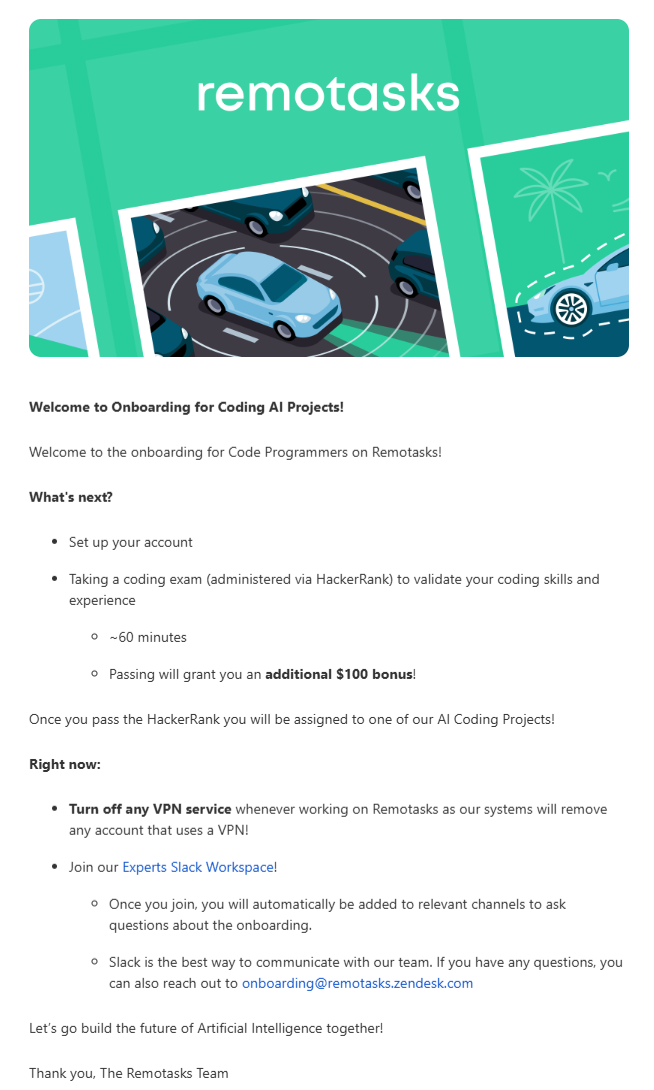
This onboarding email from Remotasks focuses on what the user should do next. Each step is clearly laid out, from account setup to required actions. It also includes details like time needed and rewards, which makes the process feel achievable.
Abandoned Cart Emails
These emails bring users back when they leave without completing a purchase. You should send them soon after abandonment, ideally within a few hours, while the intent is still high.
What to include:
- The product was left in the cart
- A strong call to action
- Benefits or reassurance
- Optional incentive
Take a look at this email from Elementor:
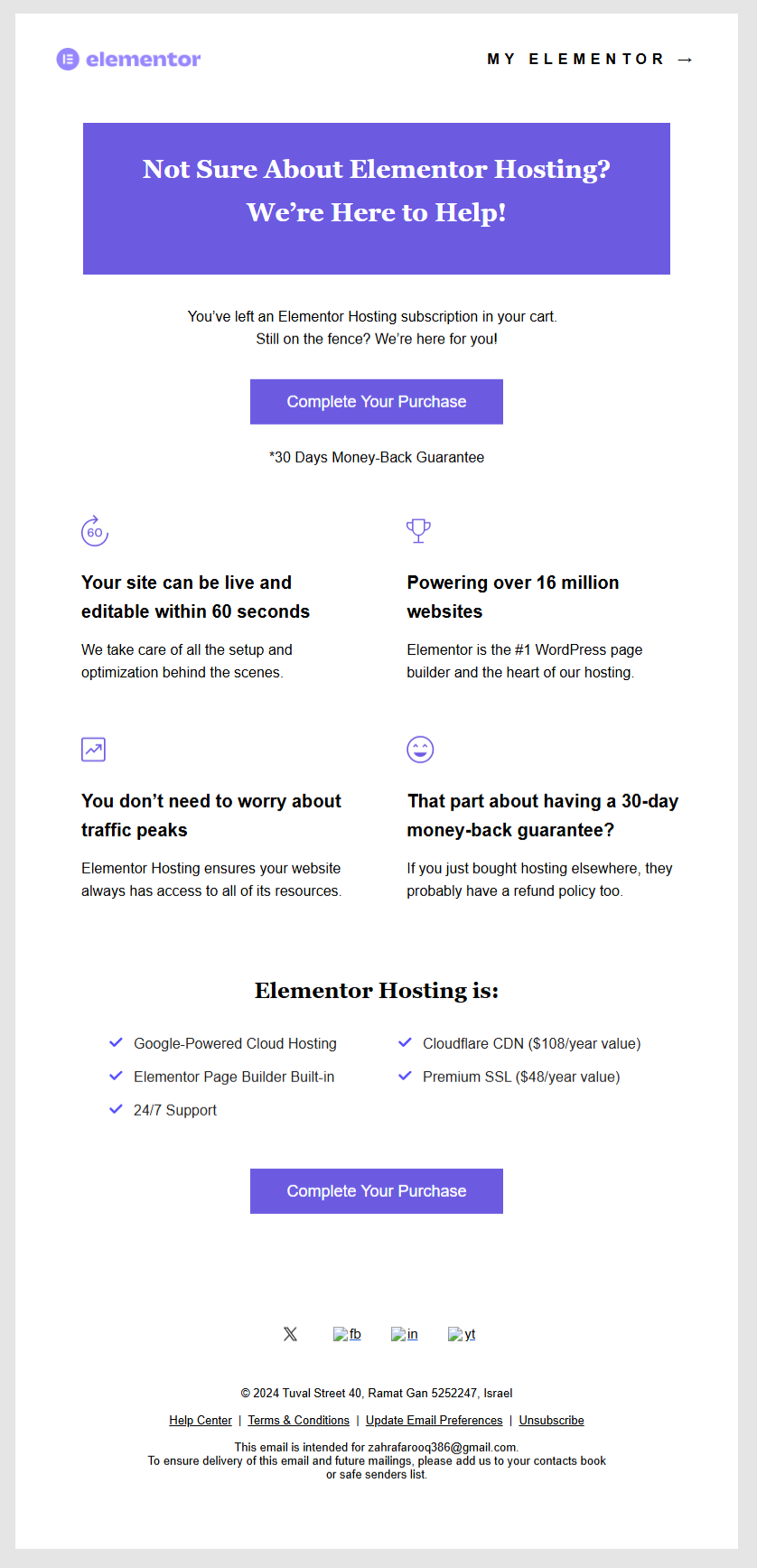
It reminds users what they left behind and pushes a clear next step. It also highlights key benefits and adds reassurance like a money-back guarantee, which reduces hesitation.
Post-Purchase Follow-Up Emails
These emails continue the conversation after a purchase. Send them immediately after checkout, followed by helpful updates over the next few days.
What to include:
- Order confirmation
- Delivery or next steps
- Helpful updates or support
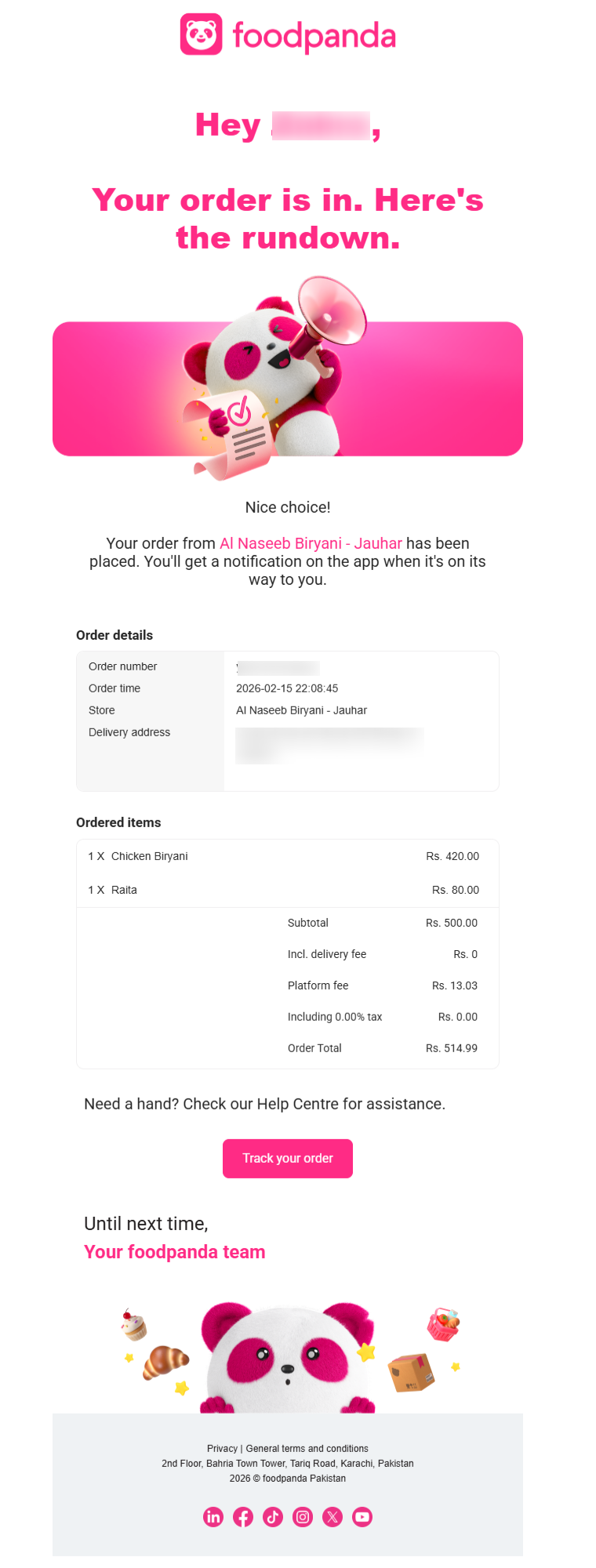
This email from Foodpanda greets the user by name and shows order details in a clear format. The next step — “tracking the order” — is easy to find, so users don’t have to search for information.
Re-Engagement (Win-Back) Emails
These emails target users who have become inactive. They should be sent after a clear period of inactivity, such as 30, 60, or 90 days.
What to include:
- A reminder or reason to return
- A clear action to take
- Optional incentive
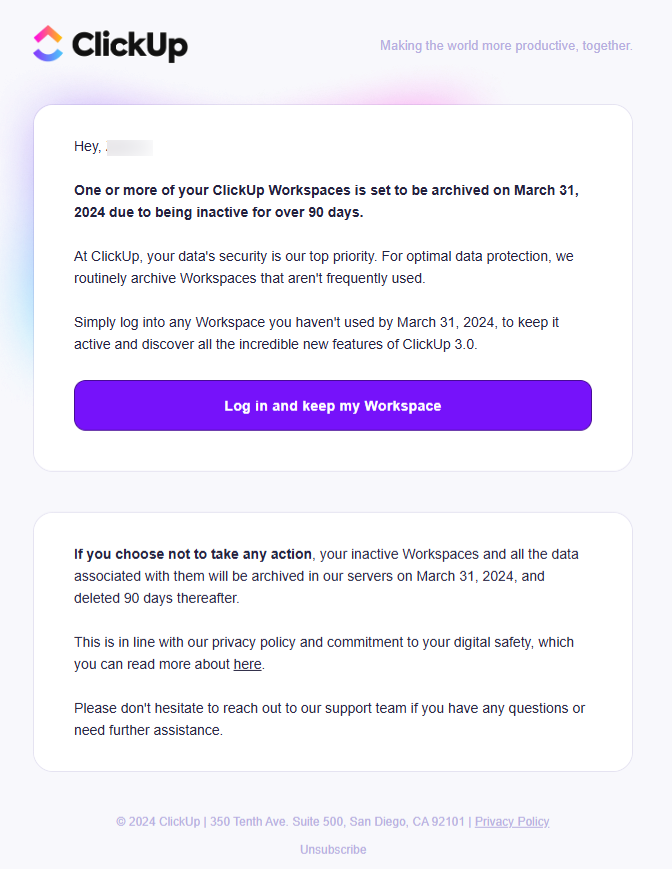
This email from ClickUp explains that the account will be archived if no action is taken. The message is direct and time-based, which creates urgency. It also explains why the action is needed, which builds trust.
Lead Nurturing Email
These emails guide users who are not ready to buy yet. The best time to send these over is time after initial interest, based on engagement like clicks or content views.
What to include:
- Educational content
- Real use cases
- A gentle next step
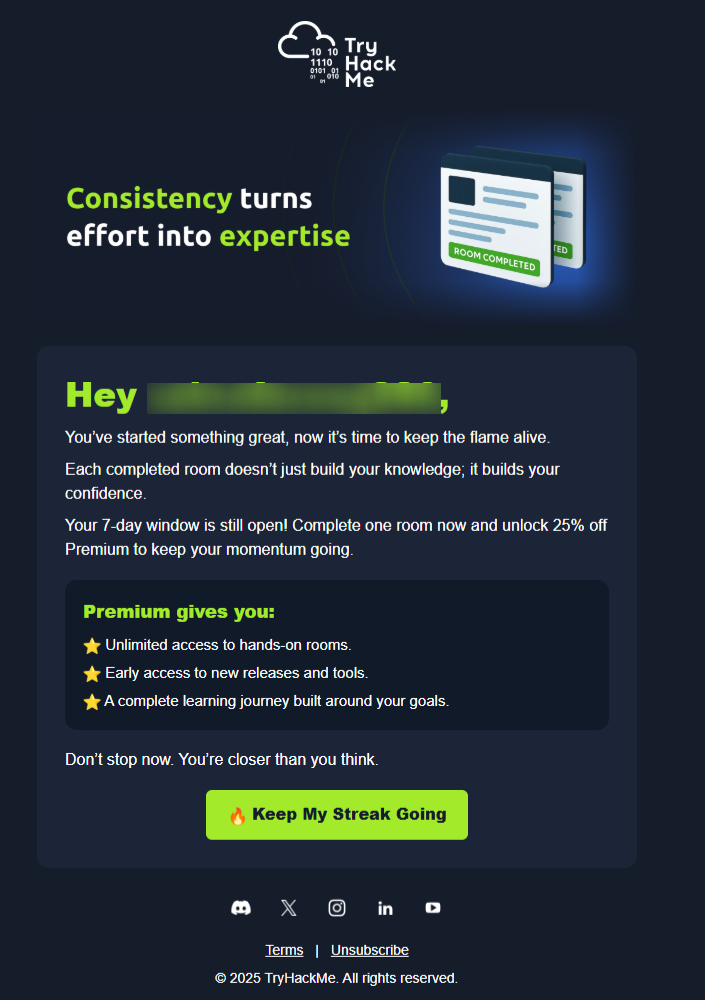
In this TryHackMe email, the message builds on the user’s progress. It reminds them they have already started, then adds motivation and a clear next step, which makes continuing feel easier.
Birthday or Milestone Emails
These emails are triggered by personal dates or user milestones. So send them on the exact date or slightly before to make the message feel timely.
What to include:
- A personalized message
- A reward or offer
- A time-based incentive
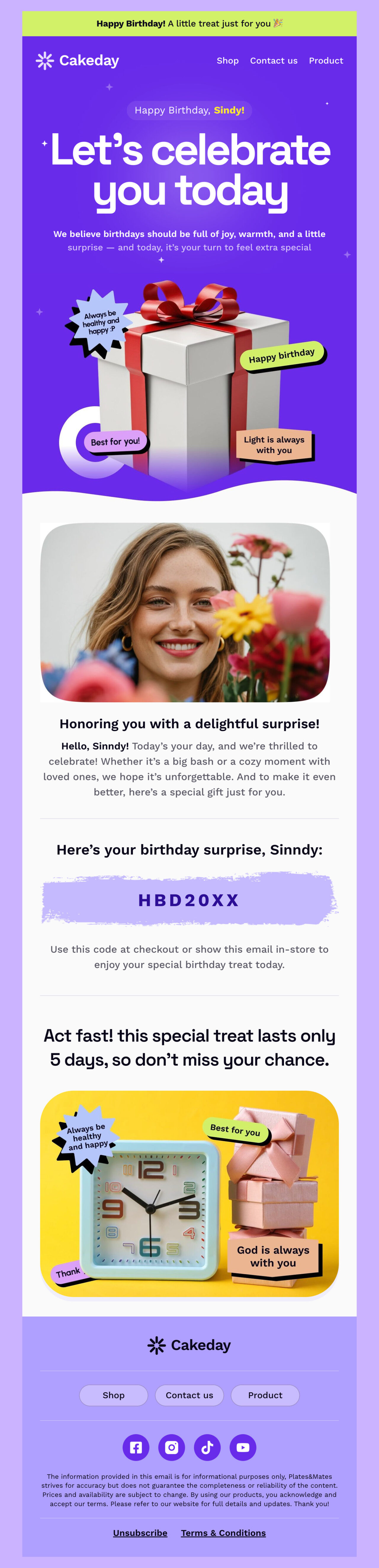
Edit this email template in Postcards
This Cakeday email template from Designmodo focuses on celebration and personalization. The offer is clearly highlighted with a code and a time limit, which encourages quick action.
Seasonal or Event-Based Emails
These emails are tied to specific events or time periods. They should be sent leading up to the event and during the peak period when interest is highest.
What to include:
- Event-specific messaging
- Relevant offers
- A clear deadline
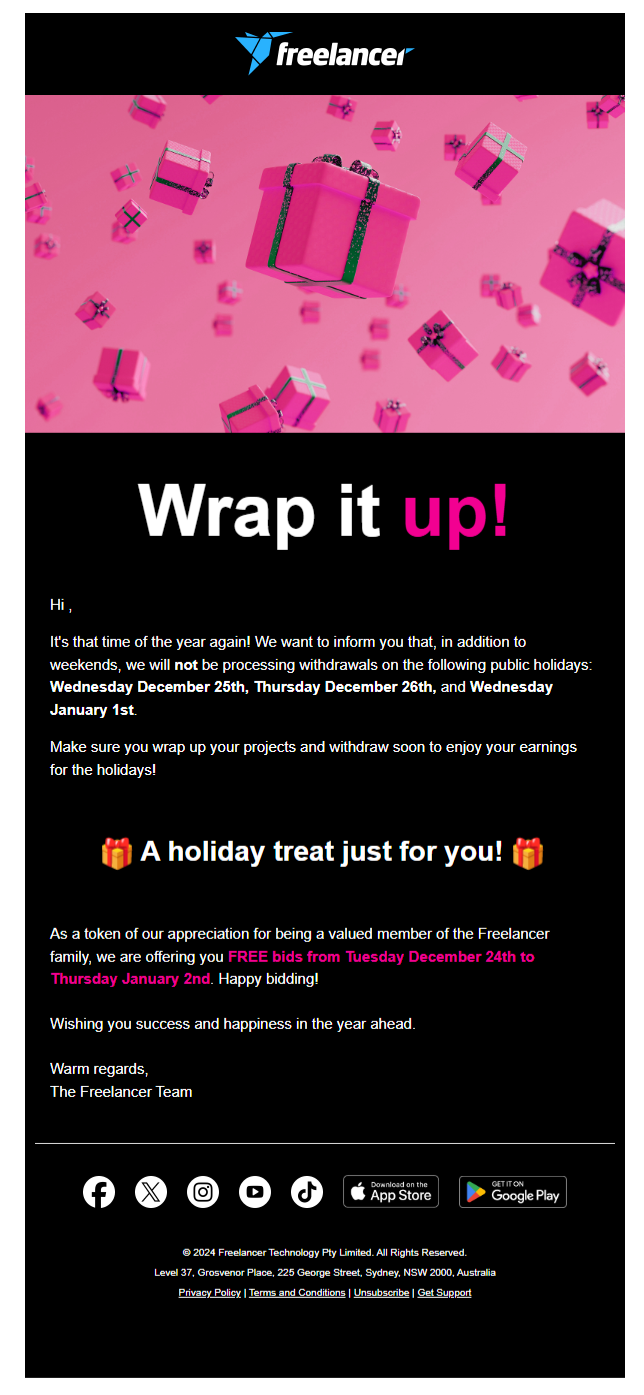
This email from Freelancer combines an important update with a time-based offer. The message feels relevant because it connects directly to the event and gives users a reason to act.
Product Launch Emails
These emails introduce new features or updates. They should be sent right when the update goes live, followed by reminders or deeper dives.
What to include:
- What’s new
- Why it’s important
- A clear way to try it

This email from Designmodo clearly announces new features and improvements. The content is organized into simple sections, so users can quickly understand what has changed and how it helps them.
Best Practices for High-Converting Email Automation
To make your email automation work the way it should, make sure to follow these practices:
- Use user behavior to guide emails: Base messages on actions like signups, clicks, and purchases so they feel relevant.
- Send emails when intent is high: Trigger messages right after key actions instead of sending on a fixed schedule.
- Segment your audience: Group users by behavior or journey stage to avoid sending the same message to everyone.
- Test and improve regularly: Adjust subject lines, content, and timing based on performance data.
- Control email frequency: Limit how often users receive emails to avoid fatigue and unsubscribes.
Build Your Emails with Ready-Made Templates
Now that you’ve seen how email automation works and what to send, the next step is creating those emails.
You don’t have to start from scratch. With Designmodo’s email template library, you can quickly build emails for welcome flows, onboarding, promotions, and more.
All you have to do is choose a template based on your goal, customize it to match your brand, and add it to your automation workflow.
Once your emails are ready, connect them to your automation system and start sending at the right moments. This makes it easier to stay consistent and improve results instead of building everything manually.
FAQs
Is There a Free Email Automation Tool?
Yes, several email tools offer free plans with basic automation features. You can set up simple workflows like welcome emails or follow-ups without paying. However, most free plans have limits on contacts or sends; still, they are enough to get started.
Can ChatGPT Organize My Email?
ChatGPT can help you draft, summarize, and prioritize emails, but it does not manage your inbox directly. You can use it to rewrite responses, sort ideas, or create templates for common replies, but you still need an email tool to apply those changes.
Can AI Automate Emails?
Yes, AI can automate emails based on user behavior, timing, and predefined rules. It can trigger emails after actions like signups, clicks, or purchases. This helps you send relevant messages without manual effort.
How To Tell If An Email Is Automated?
Automated emails usually follow a clear pattern and arrive right after a specific action. They often use structured content and consistent formatting. You will notice less back-and-forth and more one-way communication.