Enterprise Email Marketing: Best Strategies + Templates
Enterprise email marketing is how large companies use email to communicate with large audiences in a structured way. They use it to send the right messages across customer onboarding, engagement, and retention while keeping everything consistent and easy to measure.
In this article, you’ll learn:
- Why enterprise email marketing is important for large organizations
- Which strategies work at scale
- How to choose the right tools
How Enterprise Email Marketing Differs From Traditional Email Marketing
Traditional email marketing usually means one team managing campaigns for a single audience. You create emails, send them to a list, and track basic results like opens and clicks.
However, enterprise email marketing is for large organizations. It supports multiple teams, very large databases, and ongoing automation that connects email to customer data, sales systems, and other marketing channels.
Bigger Email Lists to Manage
If you work with a large company, your email list doesn’t stay small for long. People sign up for product updates, account alerts, onboarding emails, and more. Over time, that list grows fast.
That’s where basic email tools lose their spark. They’re fine when your list is small, but they can’t manage massive databases without slowing you down. But enterprise email marketing platforms can. They’re designed to handle large lists reliably, even as they keep growing.
With Postcards Email Builder you can create and edit email templates online without any coding skills! Includes more than 100 components to help you create custom emails templates faster than ever before.
Free Email BuilderFree Email TemplatesYou may want to check 👉 12 Best Free Email Productivity Tools: Top Features & Limits
More Data to Track and Understand
With a bigger audience comes a lot more activity. Every campaign generates opens, clicks, and behavior signals that tell you what’s working and what isn’t.
Traditional email tools often can’t manage and show all of it. Their reports may look hard to interpret. But enterprise platforms can process large datasets quickly and present them in actionable ways.
Higher Email Volume With More Segments
Email marketing isn’t something you do once and forget about. It’s ongoing.
At the enterprise level, that means you send a high volume of emails across many different audience groups: customers, prospects, partners, regions, lifecycle stages—each group needs different messaging.
You may manage a few segments in a smaller setup. But in an enterprise environment, you can manage many of them at the same time without letting campaigns collide or messages overlap.
Personalization Still Matters at Scale
Sending more emails doesn’t mean you can be generic. If anything, relevance matters more.
And enterprise email marketing systems make sure the right message reaches the right person at the right time without your team having to manage every detail manually.
With Pulsetic you’ll be instantly notified the moment your website, API, or server becomes unavailable. Monitor uptime from multiple global locations and respond to incidents before your users are affected.
Create beautiful status pages in minutes to keep customers informed during outages and build trust with transparent communication.
Start Monitoring for FreeBenefits of Email Marketing for Enterprises
Enterprise teams use email marketing because it scales and still remains under your control. Here’s what it allows you to do:
- Generate strong ROI: Email continues to deliver high returns at scale.
- Own your audience relationship: Build direct access to your subscribers without relying on third-party platforms or algorithms.
- Your email list stays with you.
- Build long-term customer trust: Stay connected beyond promotions by sharing valuable content that keeps your brand top of mind over time.
- Qualify leads more effectively: Use engagement data to identify high-intent prospects so sales teams focus on leads that are more likely to convert.
- Support and connect other channels: Drive traffic to websites or campaigns while maintaining consistent messaging across teams and initiatives.
Best Email Templates Enterprises Can Reuse
Now that you know how enterprise email marketing works, here are a few ready-to-use email templates. The best thing is you don’t need to redesign anything. Just replace the text, images, and branding, and you’re good to go:
1. PodHubs
This template is perfect for promoting content, people, or moments.

Edit this email template in Postcards
The layout pulls attention to a single focal point, then guides the reader down the page without overwhelming them. You’re giving them a clear path to follow.
To reuse it, keep the structure exactly as it is. Just swap the headline, images, and call to action for each new creator, show, or content drop.
2. Orofunds
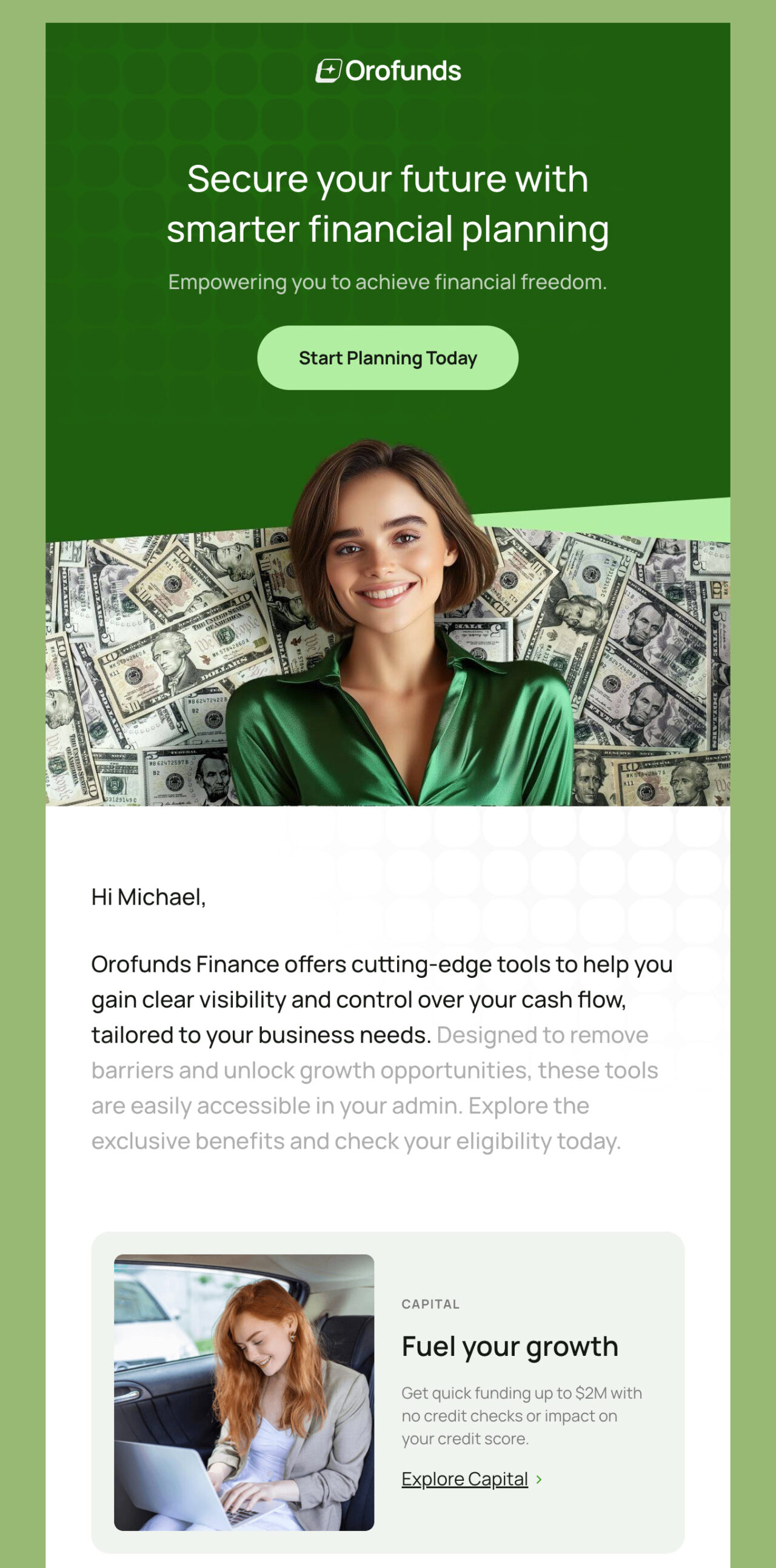
If you need to explain multiple features or offerings in one email, use this template.
Edit this email template in Postcards
Everything is broken into small, scannable sections, so the reader can skim and still understand the value. That makes it a strong fit for onboarding emails, product updates, or feature announcements.
3. Hiringo
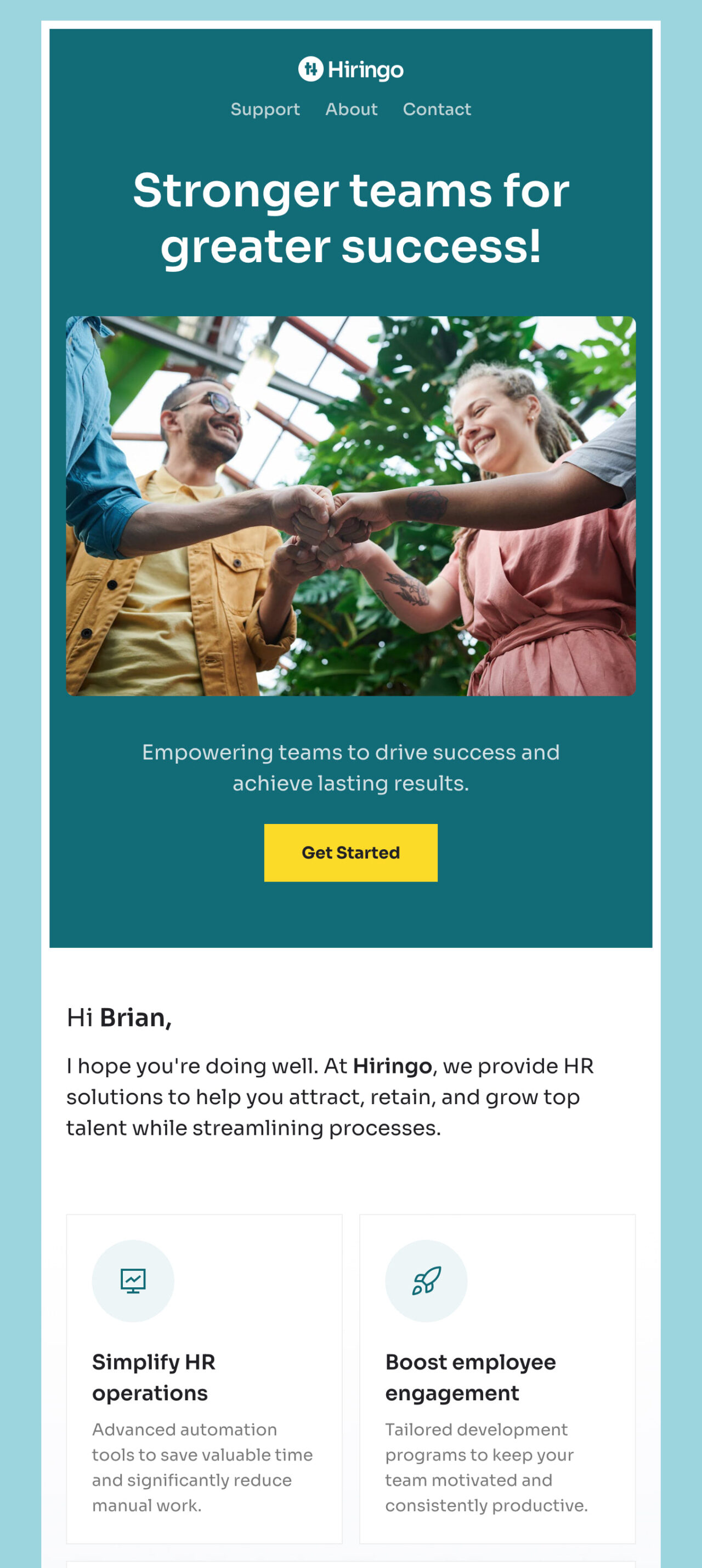
If you want to explain a service and build trust at the same time, check out this template.
Edit this email template in Postcards
It starts with a clear statement of what you do, then walks the reader through the benefits in a calm, visual way. That’s important when you’re selling something complex, like HR or workforce tools.
The sections are easy to scan, which helps readers stay engaged without feeling like they’re being sold to.
4. Picflow
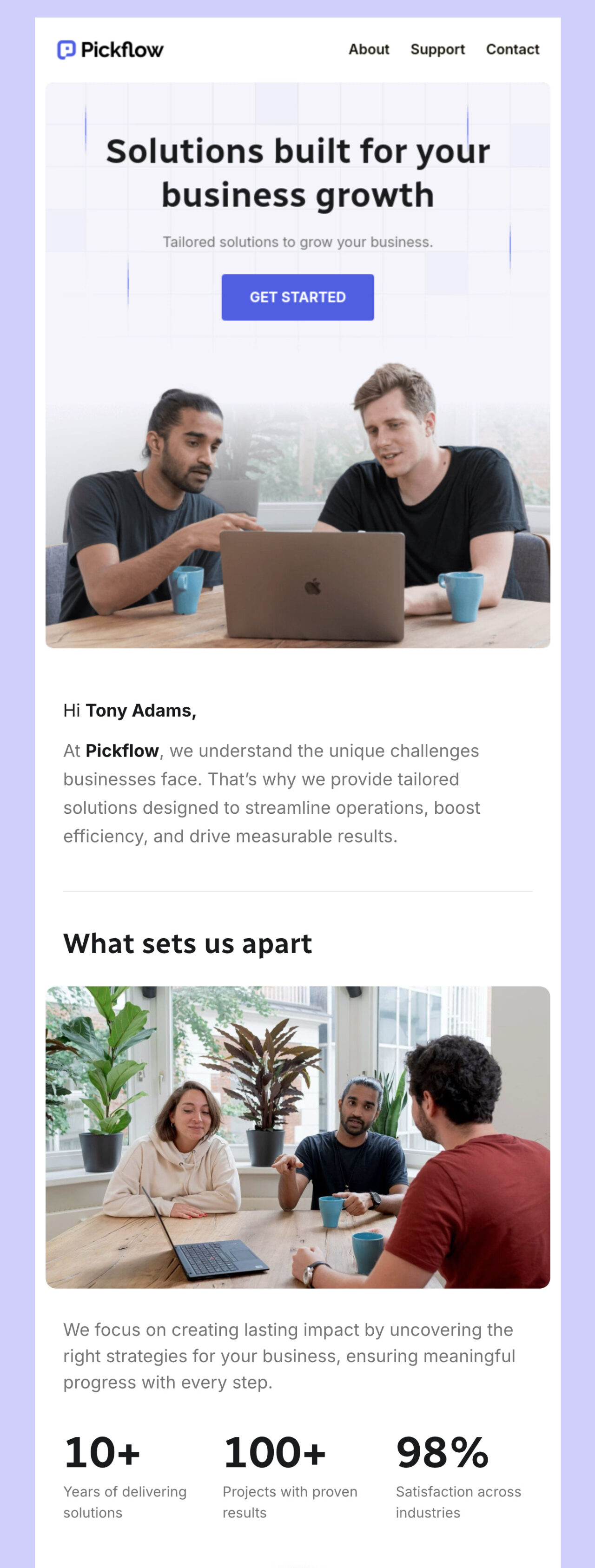
This Picflow template is best for explaining a service.
Edit this email template in Postcards
The layout balances visuals and short text blocks, which helps keep attention without feeling heavy. You can use it for onboarding, service introductions, or support call reminders.
Enterprise Email Marketing Strategies
Treat enterprise email marketing like a system rather than a series of one-off campaigns:
- Collect the right data
- Group people based on who they are and what they do
- Automate messages around real behavior
- Improve the system by watching engagement and adjusting what doesn’t work
That’s the foundation. So let’s see how you can implement this:
1. Segment Your Audience and Personalize Every Message
Split your email list into smaller groups by grouping people based on their:
- Role
- Location
- Industry
- Plan type
- Product they use
You can collect this information from signup forms and landing pages. This helps you personalize every email.
And if you’re wondering why you should do that, the answer is simple: emails with personalized content see higher open rates—around 44%.
2. Trigger Automation Using Clicks
If you still rely on “opens” to trigger follow-ups, rethink that.
Tracking “email opens” has become unreliable because of privacy changes. Apple Mail Privacy Protection, for example, masks user activity and preloads tracking pixels, which inflates open data.
But “email clicks” show real intent. So, here’s a simple automation you can set up:
- Send a product update or promotion
- Anyone who clicks gets tagged as interested
- Send an automated short follow-up sequence only to that group
This way, you stay relevant and avoid sending noise to everyone else.
3. Nurture Leads Based on Behavior
Behavior-based emails work because of timing. They arrive right after someone takes action, which makes them feel valuable instead of intrusive.
Here’s how you can practically apply this:
- If someone visits your pricing page, send an email that answers common pricing questions.
- If someone purchases a product, tag that action and follow up with content related to what they bought.
4. Control Frequency So You Do Not Trigger Unsubscribes
Sending more emails doesn’t automatically improve results. In fact, frequency is one of the most common reasons people unsubscribe.
To avoid this, set expectations up front. Tell people what they’ll receive when they sign up. Then watch your unsubscribe rate and spam complaints closely.
If frequency shows up as a problem, reduce sends or tighten your targeting so only the right segments receive the message.
Why?
Because fewer emails to the right people will always outperform more emails to everyone.
How to Choose the Best Enterprise Email Marketing Platform
Here are a few key features to look for when choosing the right email marketing platform:
- Scalability: Handle millions of contacts and high sending volumes without slowing down. It should support multiple teams and complex account structures.
- Advanced automation: Allow automated workflows based on user behavior, lifecycle stage, and engagement. Automation should be easy to build and maintain.
- Strong integrations: Connect easily with CRMs, analytics tools, ecommerce platforms, and product databases.
- Reliable deliverability: Protect your sender reputation and prevent spam issues.
- Clear analytics and reporting: Show opens, clicks, and conversions, and the reports should also be simple so you can learn and improve.
- Template and design support: Have easy-to-customize templates.
Best Email Marketing Platforms for Enterprises
Now that you know what to look for in tools, here are a few enterprise email marketing solutions for you to make the tool choice easier and quicker:
1. Postcards by Designmodo
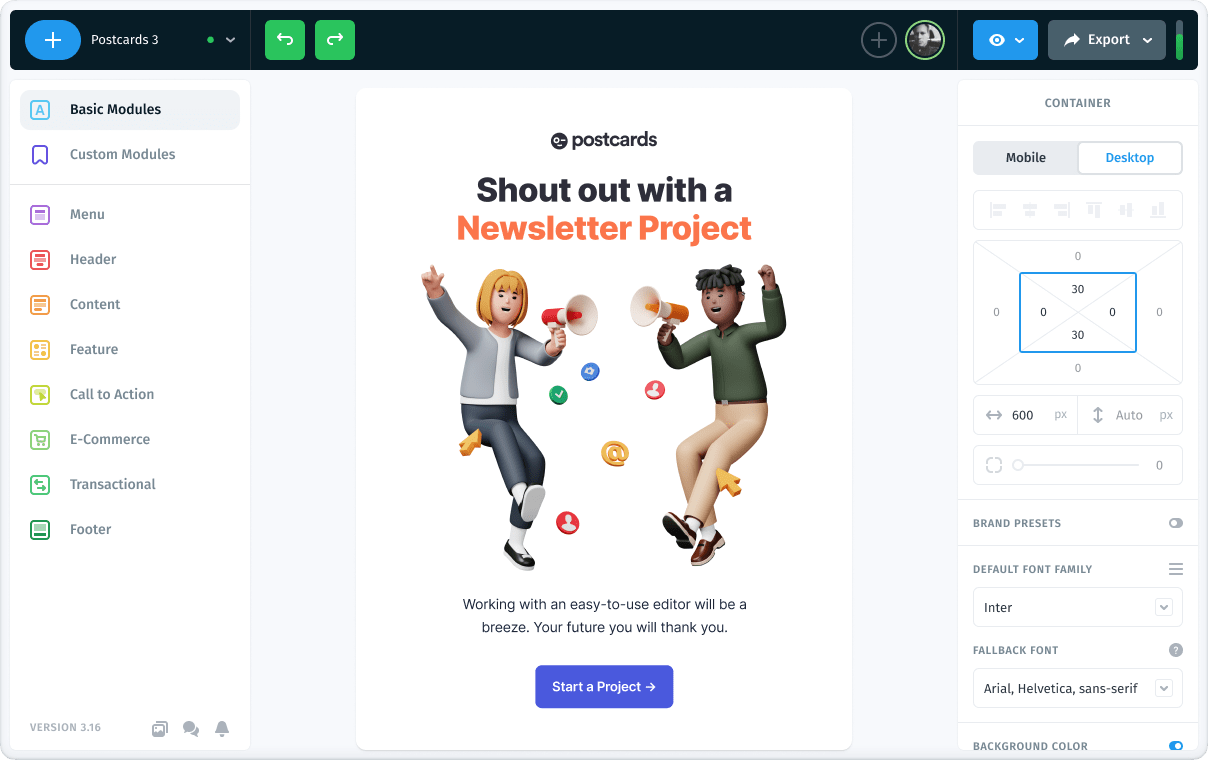
If your biggest bottleneck is design and production, try Postcards by Designmodo. This email builder allows you to build polished emails fast and keep everything visually consistent across teams. You don’t need developers, and you don’t need to redesign layouts every time.
With Designmodo, you’ll get:
- A visual drag-and-drop email builder with no coding required
- A library of ready-to-use, customizable email templates
- Responsive designs that work across devices
- 20+ integrations
Pricing
Designmodo’s Postcards email builder offers a free forever plan with monthly limits on template projects and exports. You can explore two more pricing plans:
- The Plus plan starts at about $16 per month
- The Pro plan starts at around $24 per month
2. HubSpot
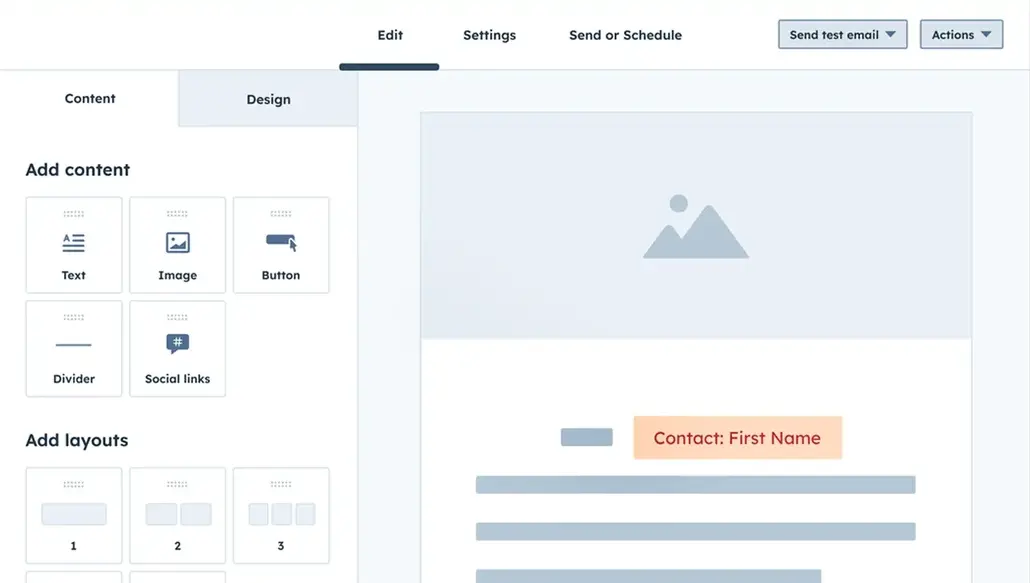
If email needs to reside within your CRM, HubSpot is designed for you. Choose this tool if:
- Sales and marketing use the same contact data
- You need an email tied directly to the pipeline and revenue
- You want one system of record for customer activity
Pricing
HubSpot offers two paid plans for enterprise teams:
- Professional: Starts at $800
- Enterprise: Starts at $3600
3. Brevo
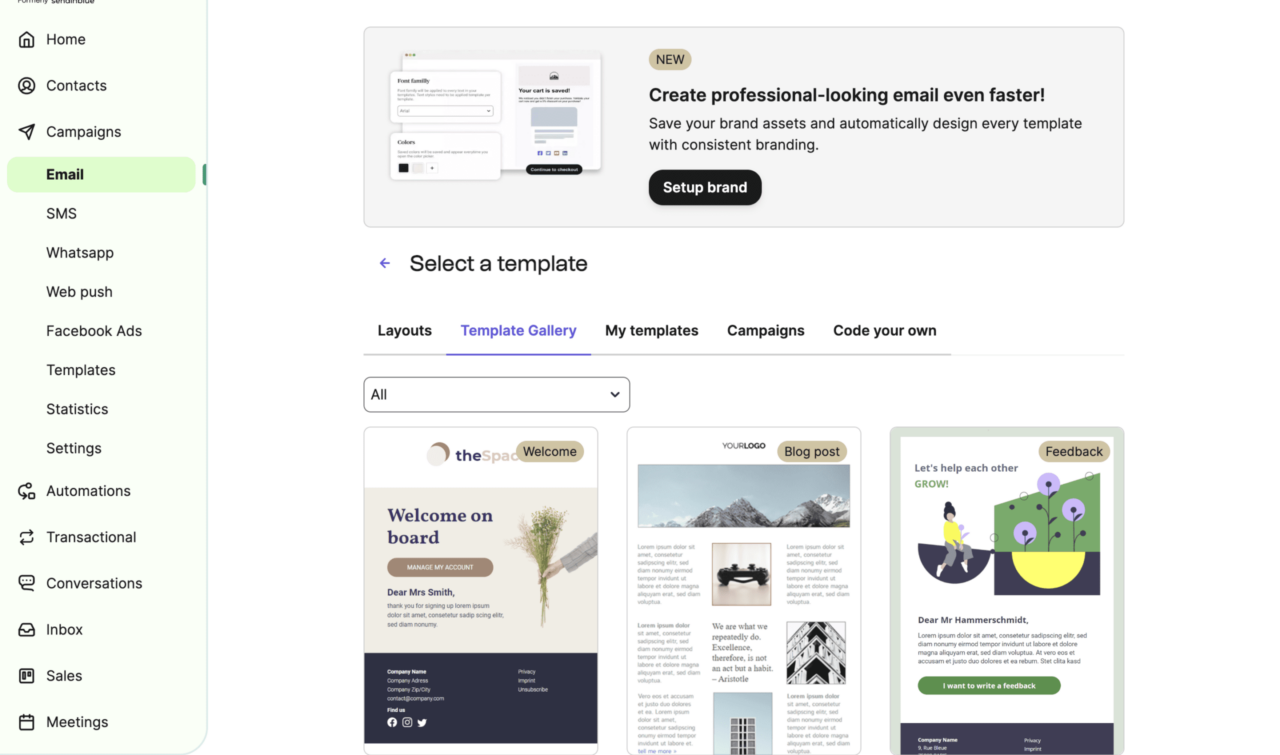
Brevo is an email marketing platform designed for growing businesses that want flexibility without complexity. It combines email marketing with automation, CRM features, and multichannel messaging into a single interface.
Go for it if you:
- Want email plus automation in one place
- Don’t want a long setup process
- Plan to add SMS or WhatsApp later
Pricing
Brevo offers multiple paid plans based on email volume and features:
- Starter: $8 per month
- Professional: $449 per month
- Enterprise: Custom pricing
4. GetResponse
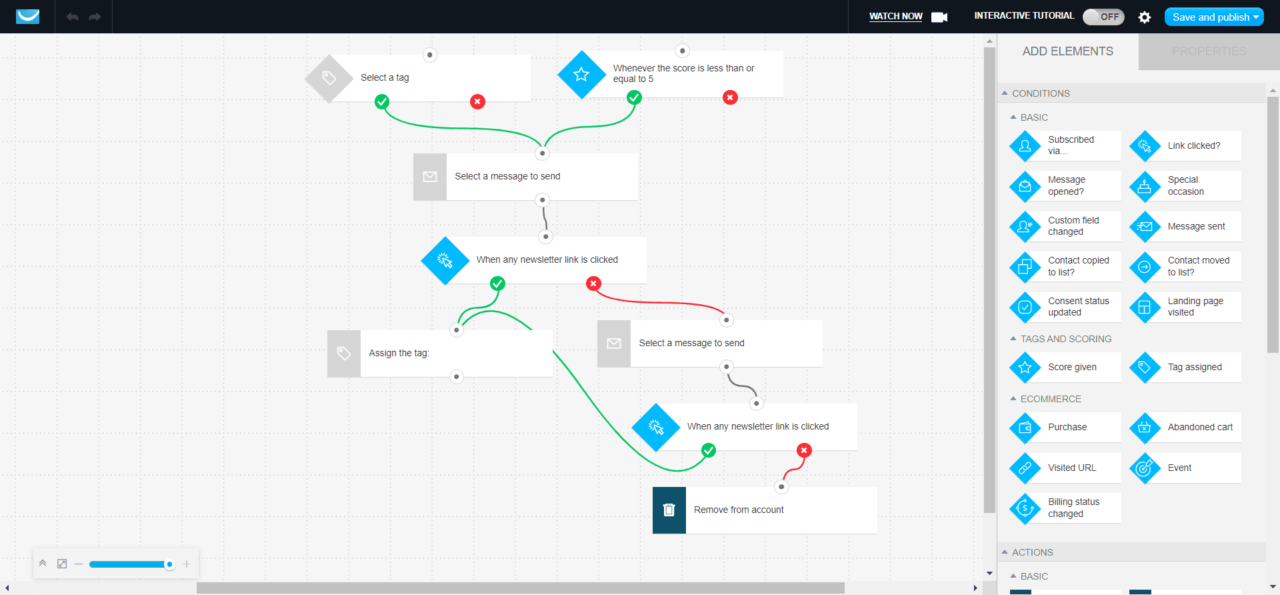
GetResponse is an all-in-one marketing platform that began as an email tool and has since expanded into a broader marketing hub. It’s used by teams that want email, automation, landing pages, and webinars in one place.
You’ll benefit from GetResponse if you:
- Run lead funnels
- Need automation without stitching tools together
- Want email, landing pages, and webinars in one system
Pricing
GetResponse offers four different pricing plans:
- Starter: $15/month
- Marketer: $45/month
- Creator: $56/month
- Enterprise: Custom pricing
Start to Build an Email System You Can Grow With
As your customer base grows, staying visible gets harder because paid channels get more expensive. Email gives you a direct, durable way to stay in touch on your own terms.
But the core advantage comes from building a system that scales.
So, if you get that foundation right, email stops being a campaign tool and starts becoming infrastructure. You can grow, communicate consistently, and stay connected to customers without adding friction every time you send.
FAQs
What Is the 60/40 Rule in Email?
The 60/40 rule suggests that 60% of an email’s success comes from the audience and the offer, while 40% comes from creative elements such as subject lines, copy, and design. This means you must target the right people rather than polishing the email itself.
Is EDM the Same as Email?
EDM (Electronic Direct Mail) is often used interchangeably with email marketing, but the two aren’t always the same. EDM usually refers to promotional or campaign-based emails, while email marketing also includes transactional, lifecycle, and behavior-based messages.
What Is the 80/20 Rule in Email Marketing?
The 80/20 rule means that around 80% of results often come from 20% of your emails or subscribers. In email marketing, this usually shows up as a small group of highly engaged users driving most opens, clicks, and conversions.
How Much Is a Thousand Emails Worth?
The value of 1,000 emails depends on your industry, list quality, and goals. On average, email CPMs (cost per mile/thousand sends) often range from $20 to $60, but high-performing enterprise lists may generate more value through conversions and lifetime revenue.