How to Sign an Email in an Impactful Way [w/ Examples & Templates]
Have you ever ditched the conventional way to sign off an email, or paused before hitting send and thought, “What if there is a better way to end an email”?
A sign-off can make a big difference between sounding too formal or careless because it is more than a polite goodbye.
It signals professionalism, sets the tone, and leaves a lasting impression.
But not all email endings work in every situation.
Because different email types, like a formal business pitch or a casual team update, can have very different closings.
Let’s explore what an email sign-off is and how to sign an email professionally, uniquely, and in a way that matches your voice.
With Postcards Email Builder you can create and edit email templates online without any coding skills! Includes more than 100 components to help you create custom emails templates faster than ever before.
Free Email BuilderFree Email TemplatesWhat is an Email Sign-off?
Signing an email means adding a short final line at the end of your message that is like a digital handshake. It mostly includes:
- A farewell phrase (e.g., “Best regards,” “Thanks,” “Talk soon”)
- Your name
- Optional contact details, title, or links (when context calls for it)
But a sign-off is not the same as an email signature.
Here’s why:
- A sign-off is the personal closing phrase you write at the end of your email.
- An email signature is the block of standardized information (name, role, company, phone, social links) that is auto-inserted below your sign-off.
Both play different roles.
The sign-off sets the tone and hints at how you want to be perceived. In contrast, the signature provides practical details that make contacting you easier.
And you know what the etiquette rule is?
Skipping a sign-off is rarely a good idea.
Even in a quick one-liner, a closing word like “Thanks” or “Best” shows respect and professionalism. Without it, your email may come across as rushed or abrupt, which is against business email etiquette.
With Pulsetic you’ll be instantly notified the moment your website, API, or server becomes unavailable. Monitor uptime from multiple global locations and respond to incidents before your users are affected.
Create beautiful status pages in minutes to keep customers informed during outages and build trust with transparent communication.
Start Monitoring for FreeWhy Email Sign-offs are Important?
Sign-offs are essential parts of an email to leave a lasting impression of your email on the one who will respond or take action after reading it.
Emails that end with expressions of gratitude (like “Thanks”) can help to get more replies than those without them. That means your closing line can directly influence engagement.
Now, it’s up to you on how you make those words attractive enough for the recipient to grasp your tone and relationship.
Simply put, a small phrase at the end of your email may not feel like a big deal. But in reality, it can change how people perceive your message or how they choose to reply.
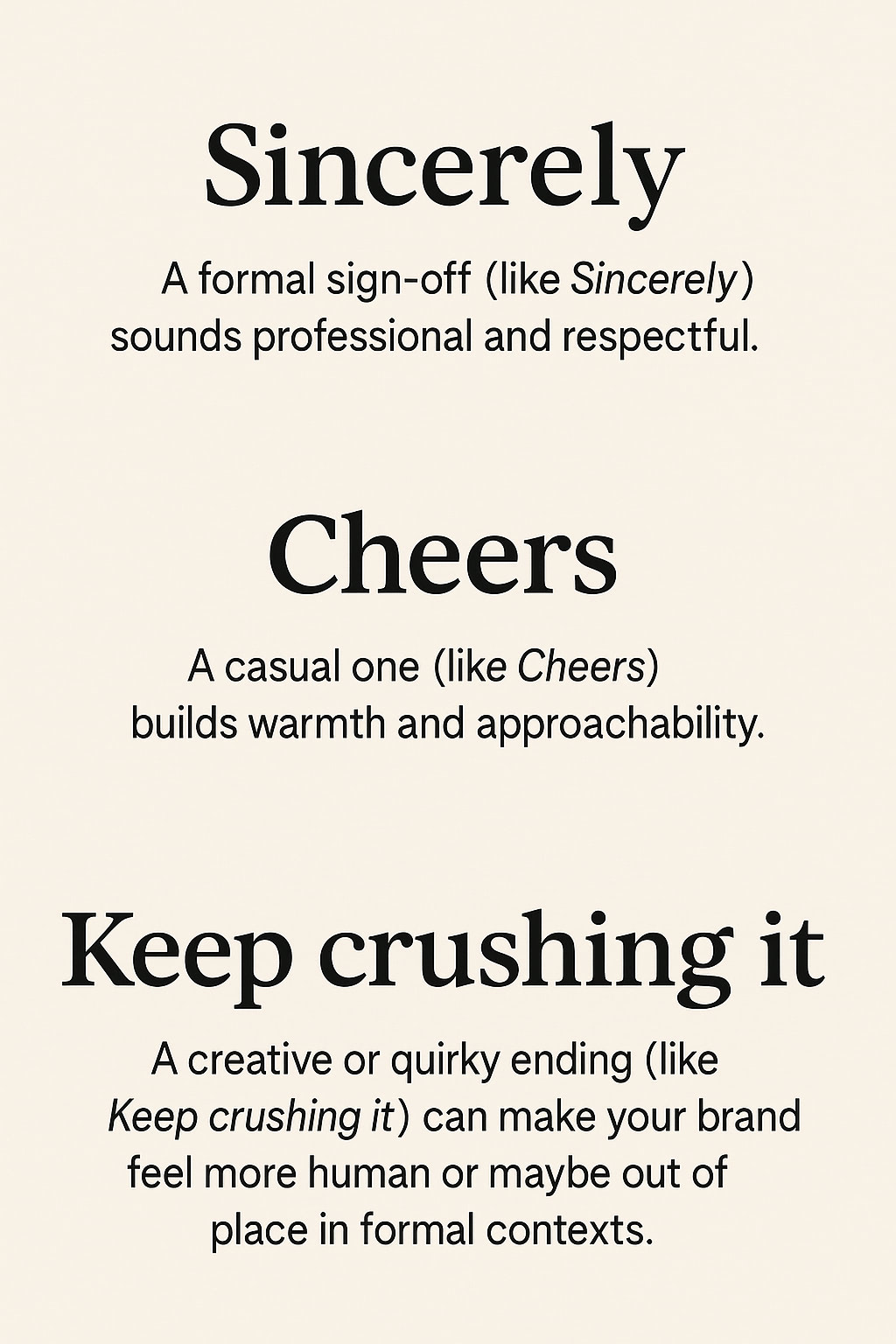
4 Different Types of Email Endings (With Examples)
Sign-offs have different meanings based on their tone, context, and recipient. Let’s look at the different types of email sign-offs:
1. Professional and Formal Sign-Offs
Most emails have a professional ending, as it’s common in work environments because professionalism conveys respect and keeps the tone polished.
You can use formal phrases like:
- Sincerely
- Kind regards
- Best regards
- Yours faithfully
These terms can be used in:
- Job pitches and resumes
- Corporate communication with new clients or executives
- Formal introductions
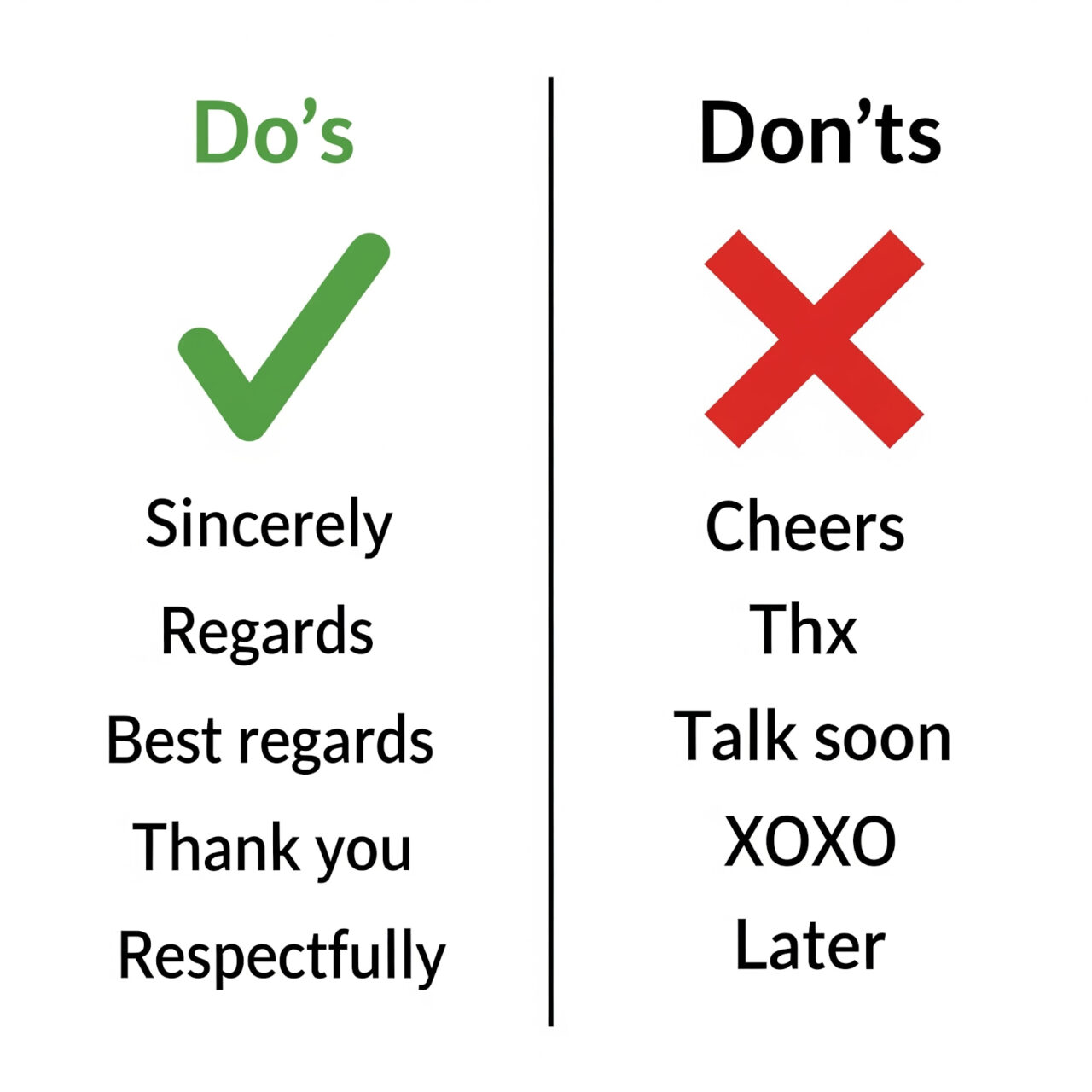
2. Friendly & Casual Sign-Offs
This is a more relaxed option, perfect to use when you already have some connection with the recipient. For example, you can use friendly terms like:
- Cheers
- Take care
- Speak soon
- All the best
These options are more suitable when you are communicating with close friends or your classmates through email. But in an organization, you can use them for:
- Internal team updates
- Friendly follow-ups with colleagues
- Peer-to-peer professional communication
These closings can build warmth, but avoid them in first-time introductions or when emailing senior executives.
3. Creative & Unique Sign-Offs
These types of email sign-offs stand out, but use them with intention. A quirky or branded closing can add personality, especially in marketing or entrepreneurial spaces.
Some common options include:
- Stay caffeinated ☕
- Pixel perfect!
- Stay tuned!
But be careful with such terms, as they are overly casual. You can use them in specific scenarios such as:
- Creative industries (design, marketing, startups)
- Newsletters with a light or playful tone
- Branding emails that thrive on personality
It’s best to avoid such closing terms in job applications, sensitive emails (e.g., apologies, legal discussions), or corporate communication with unfamiliar recipients.
4. Situation-Based Closings
Sometimes, the best sign-off is tailored as per the moment and context of an email. It can be empathetic or relevant based on the situation, such as:
- Thanking someone
- Apologizing for a mistake
- Wishing holidays
You can even add a small emoji if the context is friendly, but don’t overdo it.

Note: The right email ending ties your whole email together. Think of it as the final handshake; be it firm and professional, warm and friendly, or creative and memorable.
What to Avoid When Signing Off Emails
Every sign-off doesn’t have a good impression. In fact, a poorly chosen ending might make you sound rushed, careless, or overly familiar (none of which helps your credibility).
Imagine if you send your colleague a “Love” sign-off and they take it as unprofessional in a work setting.
Would be awkward, right?
So, here are some red-flag sign-offs to skip and some unique email sign-offs ideas to use instead:
- ❌ “Thx” is too casual and lazy
✅ Thanks or Thanks so much. - ❌ “Love” is appropriate for family, not clients or colleagues.
✅ Warm regards or All the best. - ❌ “Sent from my iPhone” looks careless and impersonal.
✅ Best regards with a professional signature. - ❌ Overly casual closings (e.g., “Later,” “Bye”) can make you seem dismissive.
✅ Cheers or Take care for a friendly yet professional tone. - ❌ Excessive punctuation (e.g., “Thanks!!!”) feels pushy or unpolished.
✅ Thanks, much appreciated.
How to Choose the Right Sign-Off for Your Email
You wouldn’t have to guess the right sign-off if you know this simple method of three questions.
Answer these:
- Who’s the recipient? New client, senior executive, peer, friend? Your relationship changes what works.
- What’s the context? Formal proposal? Friendly follow-up? A thank-you? An apology?
- What tone do you want to convey? What tone do you want to convey?
Once you know the answers to these, you can easily identify which type of email sign-off to go with.
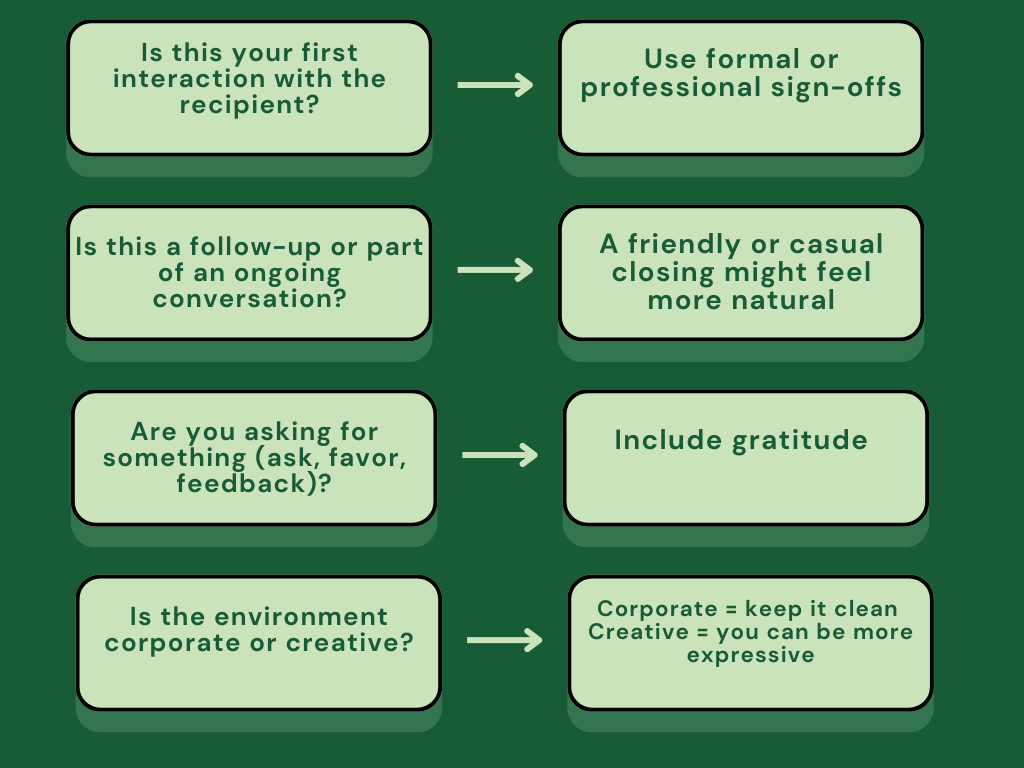
In short, the sign-off should feel connected with the rest of your email. If your email tone is friendly but your closing is overly formal, it jars the reader. If your email is professional and your closing is too casual or slangy, you risk losing trust.
Bonus: Email Signature Templates to Copy
Sometimes a simple “Best regards” works. But for many situations, a polished email signature template sends professionalism and leaves a lasting impression. Instead of plain text, a well-designed email signature:
- highlights your brand
- makes contact info easy to find
- gives your messages a modern, credible finish
Here are a few email signature templates by Designmodo you can copy and customize right away.
1. Email Signature For Tech Niche

Edit this email signature in Postcards
This template is perfect for corporate communication, job applications, or B2B outreach. It features clean typography and ample white space, making it look sleek while maintaining focus on your name and role.
2. Email Signature For Marketing Niche
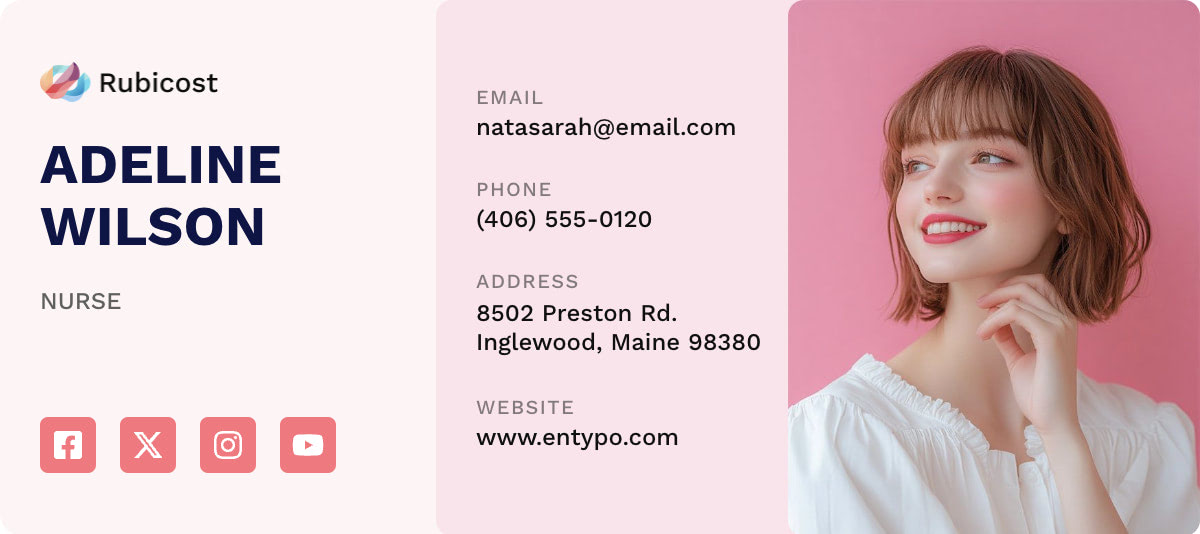
Edit this email signature in Postcards
For marketers, influencers, or startups, this template will suit well to match bright vibes. You can add social media icons that redirect to your social profiles, to make it easy for recipients to connect with you beyond email.
3. Email Signature For Modern Brands

Edit this email signature template in Postcards
This one is designed for teams and enterprises. You can include your company logo and direct website links in the neat layout. This would keep the overall design minimalistic and elegant.
Bring the Best in Your Email Endings
A thoughtful sign-off paired with a professional signature strengthens your brand with every send.
So, instead of relying on plain text, give your sign-offs a polished look with Designmodo’s ready-made email signature templates. They’re easy to customize, mobile-friendly, and designed to leave a lasting impression.
FAQs
How to Put a Signature in an Email?
You can add a signature through Insert HTML, Designmodo’s Chrome Extension, to your Gmail and also Designmodo’s Outlook extension to your Outlook emails.
For other email clients, you can create an email signature by checking the email client settings.
How to Sign Off an Email in a Respectful Tone?
Use polite and formal closings like Kind regards, Sincerely, or Best regards for a professional and respectful tone.
What Is the Meaning of Warm Regards in Email Sign Off?
“Warm regards” has a balance between formal and friendly tone. It gives a professional impression with a touch of warmth and goodwill to your message.
How to End an Email Professionally?
Keep your closing clear and consistent with the tone of your email. In fact, you should use formal sign-offs like Best regards or Sincerely, and follow with your full name and professional signature.
You may also want to check:
100 Best Email Opening Lines To Boost Response Rates
How to Express Urgency in an Email (With Examples & Templates)