Email Signature Marketing Guide: A Simple Way to Promote A Brand
You may send multiple emails every day without even thinking about how they end. Most of them end with your name or contact info. That’s normal. But what if that small section could do more than just sign off? Maybe even help with marketing?
That’s exactly what email signature marketing does.
In fact, 62% of people use email signatures for marketing purposes. This means you can also use this space to build awareness about your brand.
In this guide, I’ll explain how to do that.
What Is Email Signature Marketing?
Email signature marketing uses the email signatures of employees as a marketing tool. Instead of only showing a name and contact info, companies add clickable banners, links, or logos under each employee’s signature.
Take a look at this email signature marketing example:
With Postcards Email Builder you can create and edit email templates online without any coding skills! Includes more than 100 components to help you create custom emails templates faster than ever before.
Free Email BuilderFree Email Templates
When employees send everyday emails, those messages quietly bring your brand in front of more people. It turns regular business emails into a subtle, ongoing marketing channel that reaches many people without extra effort.
So what exactly is the difference between an email signature and email signature marketing?
An email signature includes only basic details like your name, title, and contact information. But email signature marketing uses the same space to add links to social profiles and a logo, along with any offer, to promote a person/company or its offerings.
How to Use Email Signature Marketing
Here are some email signature marketing use cases:
- Highlight a new product, a fresh website, or an upcoming launch. It keeps people updated without needing a separate announcement.
- Promote offers and events, such as a current sale or an upcoming webinar. A small banner or short line with a link can help people find it right away.
- Show off new features or support the sales team. A simple line like “Try our new plan” or “Book a free demo” would encourage customers to take the next step.
Benefits of Email Signature Marketing
If you’re still wondering why should I use email signature marketing, here are some reasons to help you understand this:
- It is low cost: You already send emails every day, so this space costs nothing extra. When you add a simple banner, button, or link, your emails turn into a small marketing tool without adding to your ad budget.
- It keeps your brand visible: A signature with your logo or a short message keeps your brand in front of people. Over time, they get familiar with your name and what you offer.
- It reaches the right people: You can adjust your email signature based on who sends the message or who receives it. For example, a salesperson’s email can include a link to book a demo, whereas a support specialist’s email can include a link to a support guide.
- It builds trust: A clear, well-designed signature makes your emails look more professional, which helps win trust.
- It supports your other marketing work: When you highlight current offers, new products, or events in your email signature, it adds more visibility without extra effort.
Email Signature Marketing Must-Haves
Whenever you decide to start email signature marketing, keep these things in mind:
- Use the same color scheme that represents your brand. And match tones across your logo, text, and banner so your signature looks professional and on-brand.
- Include your full name, job title, company name, and email address. These basics make your emails personal and easy to identify.
- Always include one short, clear call to action like “Learn more,” “Book a demo,” or “Shop now.” It guides readers toward what you want them to do next.
- Add social media icons like LinkedIn, Instagram, or YouTube. They make your signature look complete and give people quick ways to connect with your brand.
Best Email Signatures Examples for Marketing
Now that you know what it takes to get started, here are some real-world examples for you to get an understanding of their appearance:
1. Email Signature for Healthcare Services Promotion

Edit this email signature template in Postcards
With Startup App and Slides App you can build unlimited websites using the online website editor which includes ready-made designed and coded elements, templates and themes.
Try Startup App Try Slides AppOther ProductsThis signature aims to build trust. The contact details are super clear. Color usage is smart for building a trust relationship.
Overall, this email signature for doctors has a supportive feel, which works well in healthcare. It’s a nice way to remind people what your doctor offers every time an email goes out without being pushy.
2. Email Signature for Real Estate Sales

Edit this email signature template in Postcards
This signature is different from others. It uses a bigger logo to catch attention right away, and to remind.
The contact details make it easy for interested buyers to take the next step. It’s a good example of how real estate agents can use their everyday emails to highlight their company and business without sending a separate marketing email each time.
3. Email Signature for Content Promotions
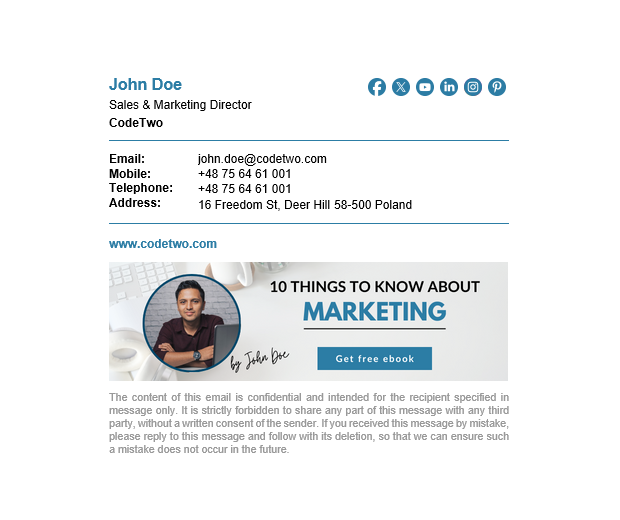
Source: Mail-Signatures
John’s signature keeps his main details easy to read, and the social icons give quick access to his profiles. The banner, however, is promotional. It highlights a free marketing ebook with a clear message and a direct call to action. It tells the reader what the resource is and makes it easy to download.
This works well when you want to promote guides, ebooks, or other helpful content through regular emails.
4. Email Signature for Seasonal Greetings

Edit this email signature in Postcards
Andon’s signature is a nice example of how you can use seasonal messages without losing the professional feel. His contact details are clear and easy to spot, but the “Merry Christmas” banner adds a warm, friendly touch.
This kind of signature works well during holidays or special occasions. It helps your emails feel more personal, and it adds a little charm without getting in the way of the main message.
Create Your Email Signatures in a Minute With Designmodo
If you’re thinking, “This sounds great, but I don’t have time to design a whole signature,” we’ve got great news: you don’t have to.
You can create a signature in minutes using the Designmodo email signature generator.
It works just like you would hope.
You enter your details, and the tool generates a ready-to-use email signature. You don’t need to have any design skills. Our tool will automatically generate a clean, professional signature you can add to Gmail or Outlook.
And the best part?
It keeps everyone on your team consistent. Everyone starts with the same base and adds their own info.
Here’s how to use it:
- Open the Designmodo Email Signature Generator.
- Fill in your basic info and add your logo or photo.
- Choose a template from our collection and styles to ensure everything matches your brand.
- Add the CTA or promo you want people to see.
- Preview it, copy it, and paste it into your email settings.
That’s it.
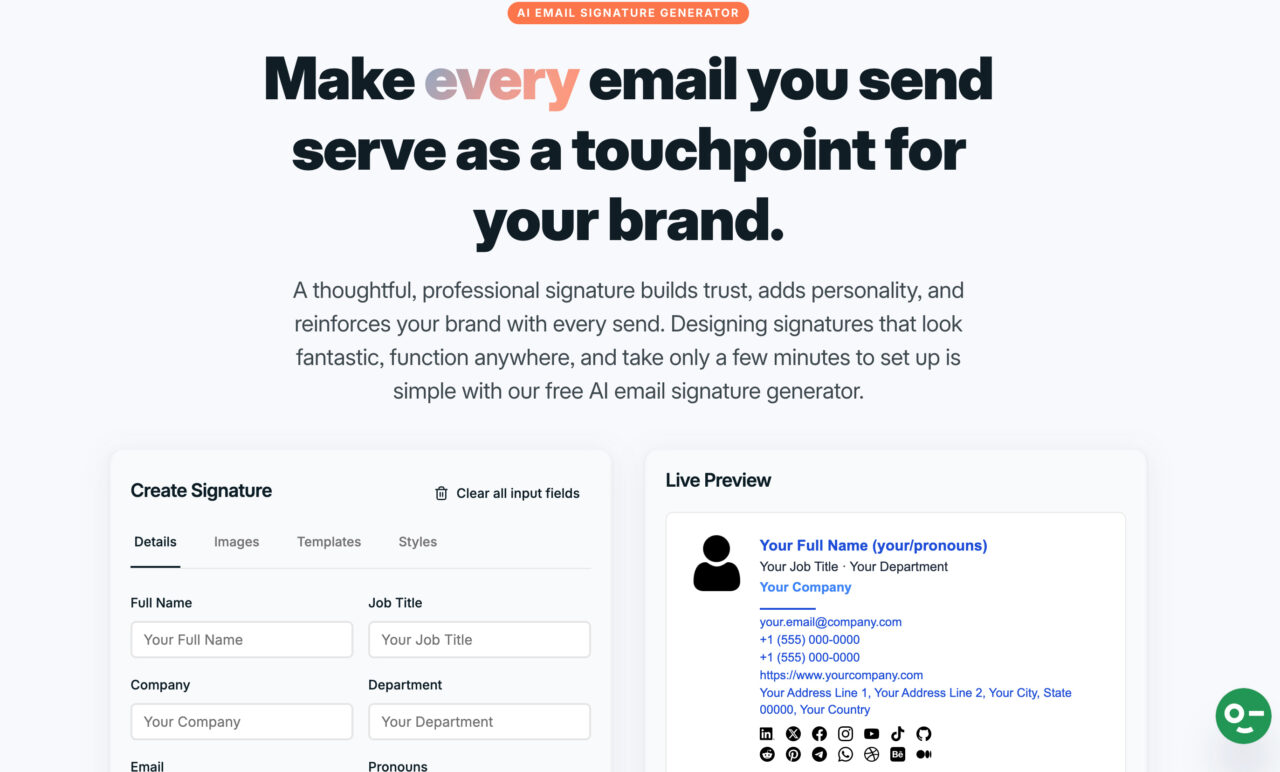
In a minute, your emails look cleaner, more professional, and intentional. It’s the easiest way to start using email signature marketing without spending extra time on design.
FAQs
How Do You End an Email in Gen Z Style?
If you want to end an email the way Gen Z usually does, be casual and a little playful. Don’t keep it too formal or make it sound like it came from a template.
A few examples you can use:
“Talk soon :)”
“Sounds good to me!”
“Chat soon!”
“You’re the best!”
“That’s all from me!”
Gen Z sign-offs usually skip the formalities. You won’t see “Sincerely” or “Warm regards.” Instead, it’s friendly, direct, and closer to how you’d talk in real life. If you add a light emoji (used sparingly), it feels even more natural.
What Is a Professional Signature Line?
A professional signature line is the block of information at the end of an email that shows who you are and how to reach you. It usually includes your name, job title, company, and contact details, and sometimes a logo or link (in case of marketing something).
What Does a Good Email Signature Look Like?
A good email signature is clean, simple, and easy to scan. It includes your name, title, company, and key contact details, plus a logo or photo for clarity. Everything is aligned, not crowded, and uses your brand colors for a polished look.