5 New Website Announcement Email Examples, Planning Steps & Tips
You’ve put a lot of effort into building your new website, and now you’re excited to let people know. But you’re not quite sure how to write the new website announcement email and how to make people curious enough to click.
That’s precisely what this guide is for.
I’ll show you some great new website announcement examples, then explain how to plan your message, write it in a way that feels personal, and send an email that gets people eager to explore your new website.
Why Announce Your New Website by Email
When you’ve got a brand-new website, you likely don’t want to keep it a secret. So, the easiest way to let people know about your website is to send a quick email.
Here’s why:
- It goes directly to people who already follow you, so you don’t have to rely on a social feed or ads.
- It drives visitors right away.
- It may bring past customers back.
- It helps keep control over how you explain what’s new.
And the best time to send?
With Postcards Email Builder you can create and edit email templates online without any coding skills! Includes more than 100 components to help you create custom emails templates faster than ever before.
Free Email BuilderFree Email TemplatesOne before launch to create interest, one on launch day to bring people to the website, and one after the launch to maintain attention on it.
5 Great New Website Launch Email Examples
Let’s look at a few strong website announcement examples. Each one shows a different way to make an announcement memorable.
1. Canva
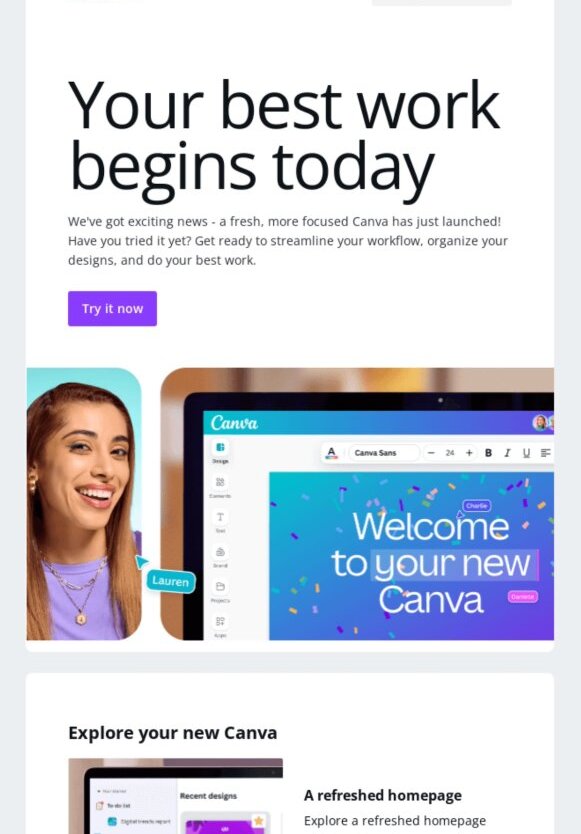
This email from Canva is straight to the point. The big headline “Your best work begins today” sets a motivating tone right away. It clearly explains the updates and shows the refreshed homepage and smoother workflow without too much text.
The purple “Try it now” button is hard to miss and gives readers a clear next step. It feels polished but still friendly, which fits Canva’s style really well.
2. Harry Potter
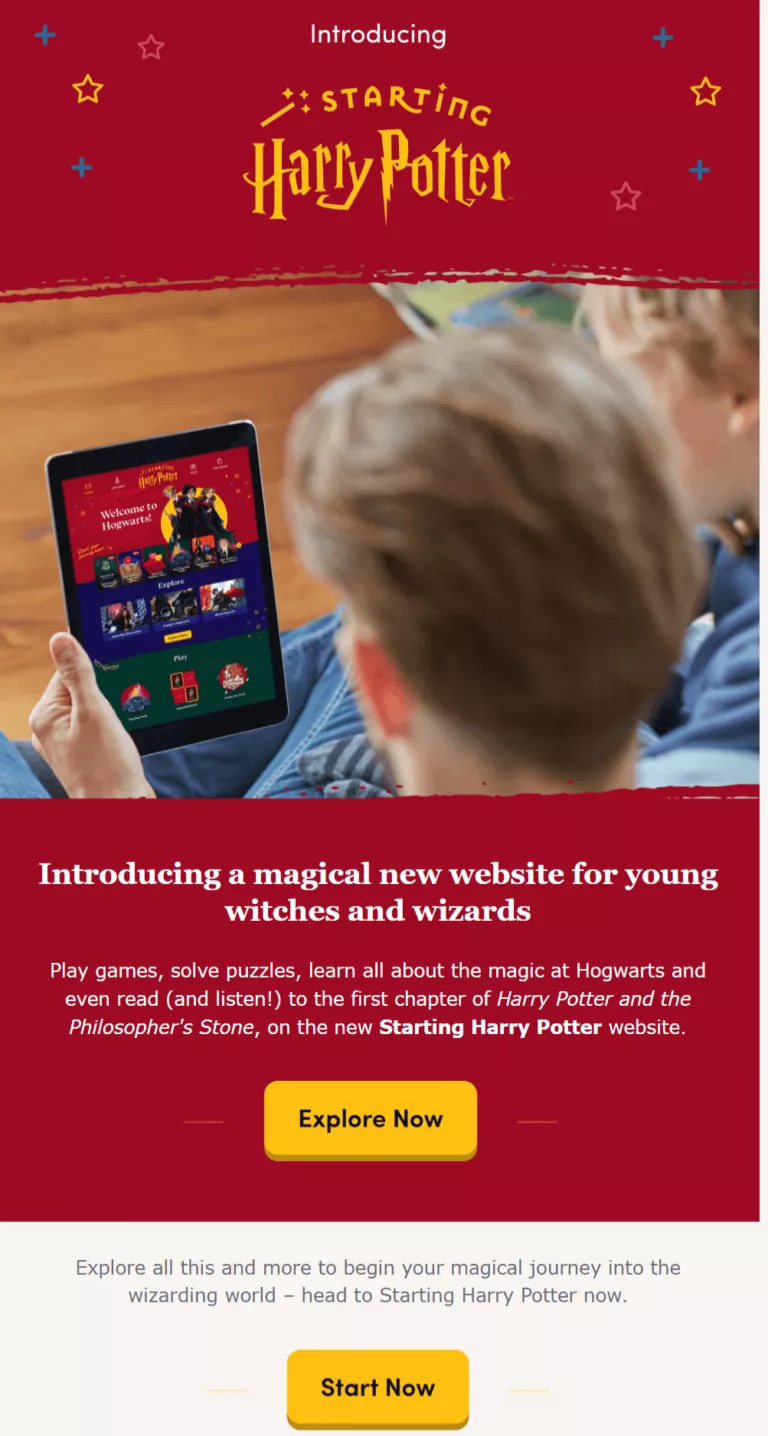
This Harry Potter launch email makes the new website feel exciting right away.
The bold “Introducing a magical new website” headline fits the theme and grabs attention. The image of a child holding a tablet shows exactly what readers will get.
The copy explains the website’s features like games, puzzles, and even a chapter to read or listen to. Bright buttons like “Explore Now” and “Start Now” make it easy to explore. So, overall, it’s playful, clear, and perfect for its audience.
3. Sideserf Cake Studio
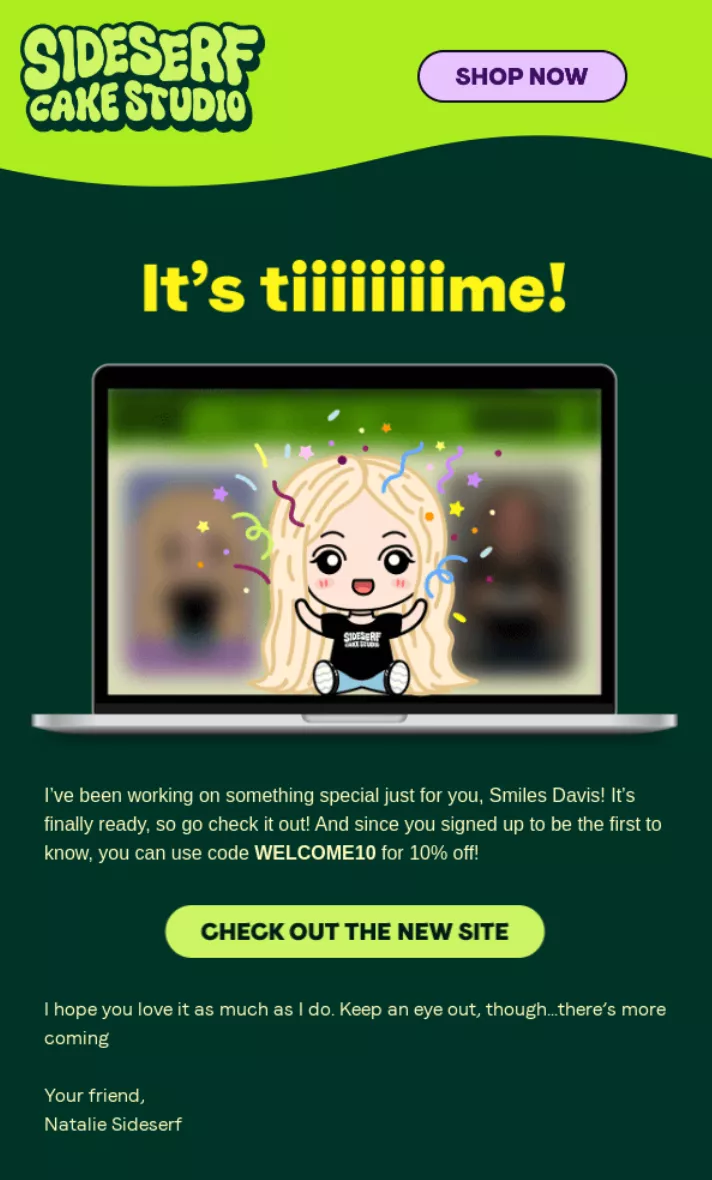
This launch email from Sideserf Cake Studio shows how to make an announcement fun and clear.
With Pulsetic you’ll be instantly notified the moment your website, API, or server becomes unavailable. Monitor uptime from multiple global locations and respond to incidents before your users are affected.
Create beautiful status pages in minutes to keep customers informed during outages and build trust with transparent communication.
Start Monitoring for FreeIt opens with a big “It’s tiiiiiiiime!” headline and a playful illustration that keeps the focus on the message. The copy says the new website is live, thanks subscribers, and adds a 10% discount. In fact, a bright “Check out the new site” button makes the next step obvious, and the closing lines keep the tone warm and personal.
4. Essentia
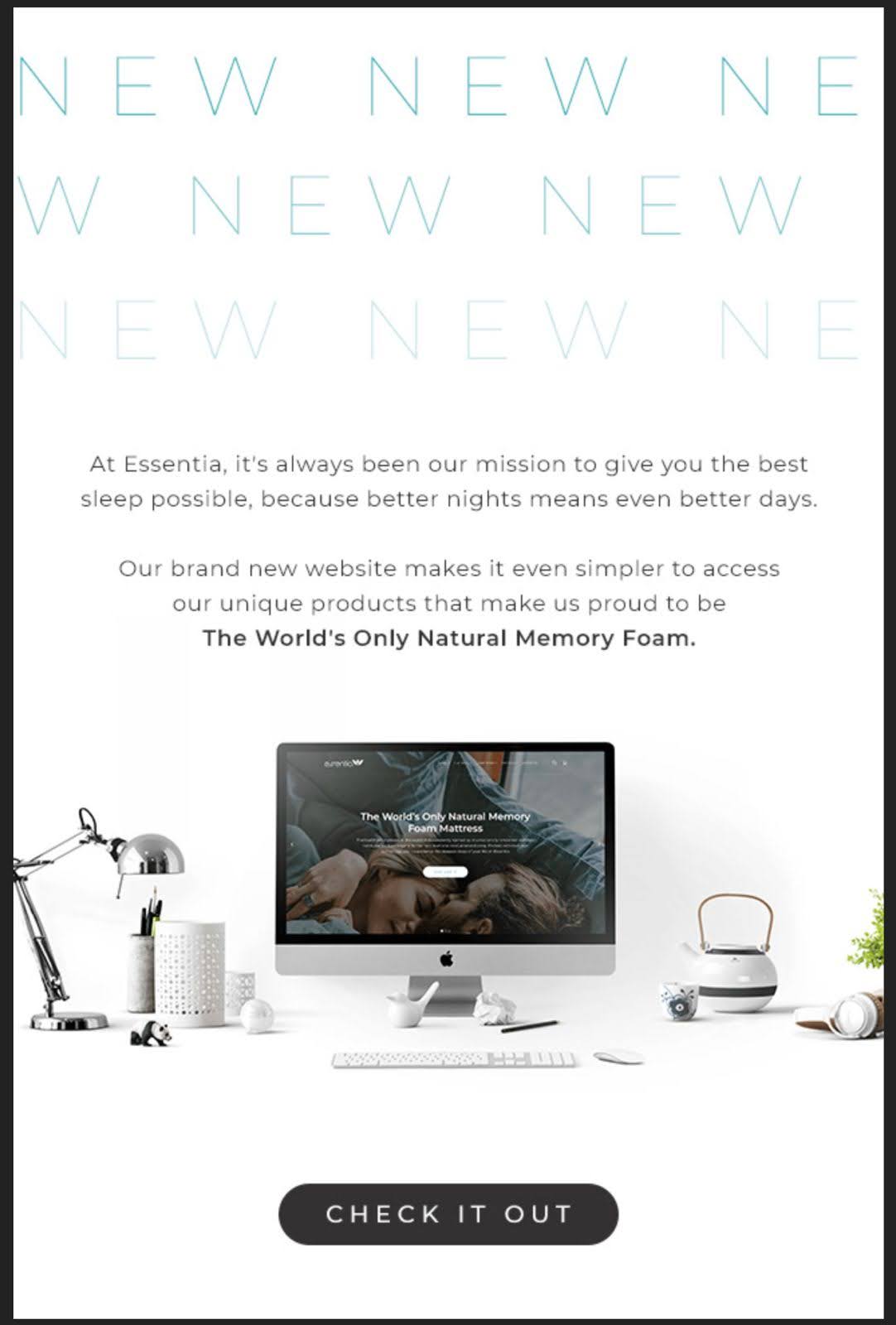
This email from Essentia strikes a balance between being clean and powerful. The big “NEW” at the top makes the message clear without overexplaining. The short copy ties the new website back to their promise of better sleep and reminds readers what makes them different: “the world’s only natural memory foam”. The product image feels calm and clean, and the single “Check it out” button makes it obvious what to do next.
5. Jeanine Hauck
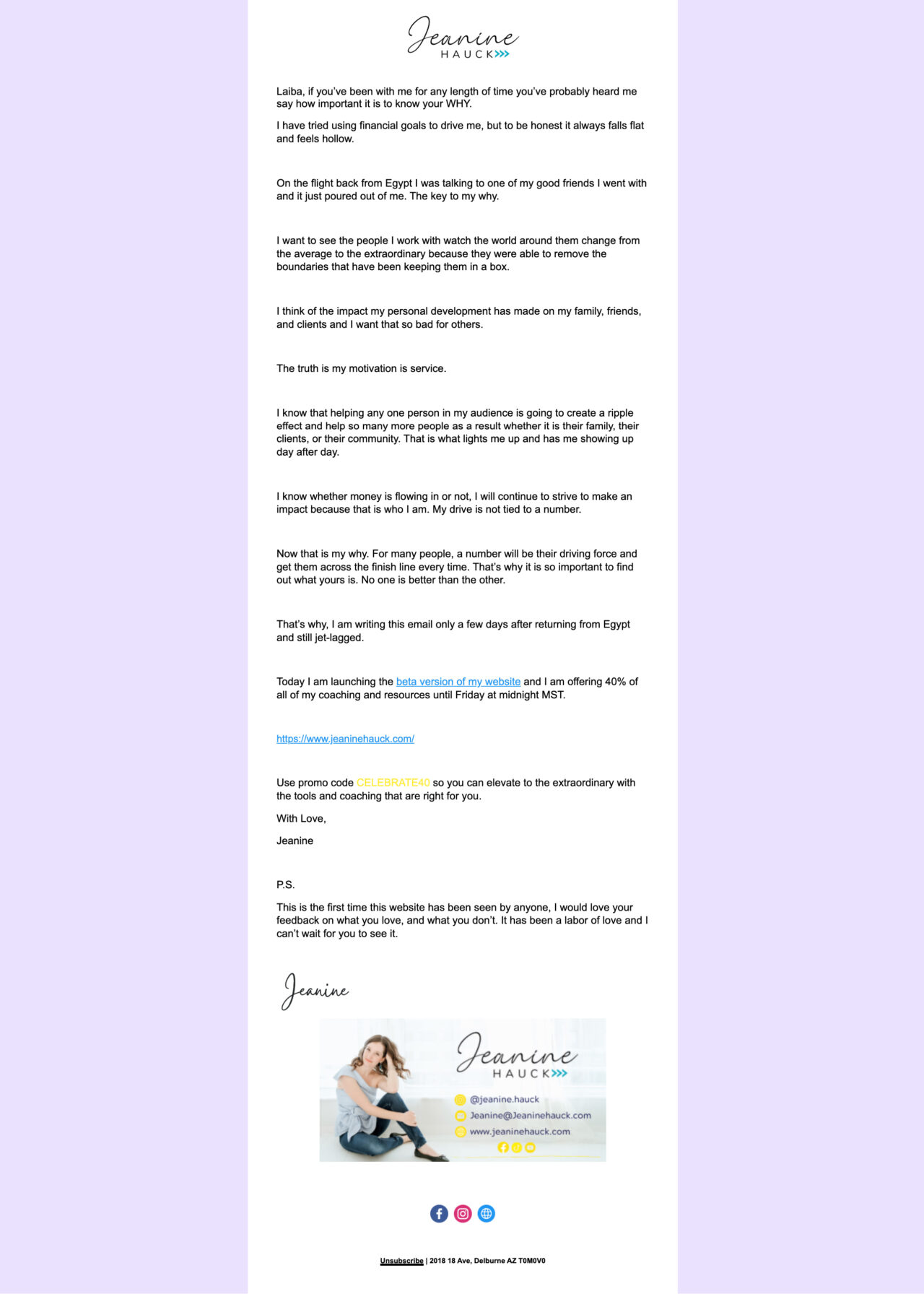
Jeanine Hauck makes the email more personal than promotional, and that’s what makes it stand out. She shares her story and her “why” before announcing the beta launch of her new website. That honesty makes the announcement feel authentic and builds trust.
She has also added a 40% discount with a simple code and a clear link to the new website. In fact, the closing note asking for feedback turns the email into a two-way conversation, rather than an advertisement.
How to Announce a New Website by Email
Let’s now see how to prepare, write, and send messages that get attention and bring people to your new website.
Start Before Launch and Build Your Email List
Start talking about your launch early. To do so, you can put up a simple “Coming soon” page with a clear headline, a short promise about what people can expect, and an email signup form.
This gives visitors a reason to get interested and lets them know something new is on the way. It also shows them why they should subscribe.
When people leave their email, you already know they want to hear from you. That matters because, on launch day, you are not starting from zero.
You can send your announcement straight to an audience that is ready for it, which gives your new website a strong boost instead of waiting for random visitors to find you.
Warm People Up With Previews
Once you’re collecting signups, share little teasers a week or two before launch. For this, you can use social media platforms to create hype. Add:
- A screenshot of the homepage
- A quick video showing a new feature
- A casual photo of your team setting things up
These small hints make people curious because they keep your project in their minds. This way, people will be ready to explore when your full website launches.
Write an Announcement Email That Feels Personal
When it is time to launch, write an email that feels like a conversation. Here’s how you can do it:
- Say hello and greet subscribers nicely. Let them know your website is live.
- Talk about the benefits in clear language. If pages load faster, say so. If navigation is simpler, explain how.
- If you added resources or tools, tell readers why they are helpful.
- Keep paragraphs short so it’s easy to read.
Talk to them the way you’d talk to a friend about something you’re excited to share.
Offer a Small Bonus (Optional)
Give early visitors a reason to explore:
- A launch-day discount
- Early access to a feature
- A free download
But keep the bonus simple, so the primary focus stays on exploring your site.
Ask for Feedback While Interest is High
Your first visitors can tell you things you may have missed. So, invite them to answer a short survey about speed, navigation, or anything else you want to improve. Their answers will help you polish your website quickly.
In return for their answers, give them a small thank-you, like a coupon or mention. This will make them feel valued.
Keep Promoting After Launch
The first email or post won’t reach everyone. Plan one or two follow-ups in the weeks after launch. You might highlight a hidden feature, share user feedback, or explain how the website improves their experience.
Tips For Writing Website Launch Emails
Once you have planned your announcement, a few simple tricks can help your email stand out:
- Keep it clear and brief: Say what’s new and why it matters in only a few lines.
- Lead with a headline that pops: Let readers know right away that something exciting is live.
- Write a subject line people want to open: Keep it around 40–50 characters, say what’s inside, and add a touch of warmth or curiosity if it fits your brand.
- Stick to one call to action. A single button like “Visit our new website” keeps the focus sharp.
- Highlight the benefit: Tell people how this new update helps them.
- Use visuals to make it attractive. Add an image, illustration, or GIF that supports your message without cluttering the layout.
- Write like you talk: use a friendly, everyday tone that makes people want to read.
- Test before you send: Click every link, check images, and see how the email looks on a phone.
Treat these tips as a quick checklist to make sure your launch email is all set to go to subscribers.
Create Excellent New Website Announcement Emails With Postcards by Designmodo
After looking at these website launch announcement examples, you might be wondering how to make your launch email spot-on without spending hours on design.
But you don’t have to worry because Postcards, the email template builder, can help with precisely that.
Our simple drag-and-drop tool makes building emails feel easy. All you have to do is choose an email template, add your copy, images, and button text, then tweak the colors (if you want) so everything matches your brand.
The best part is you don’t need to write a single line of code, and your email will still look great on any device. And who doesn’t want that? It’s a quick way to get from idea to polished announcement.
FAQs
How Do I Make Sure Emails Don’t Go to Spam?
Use a trusted email service, keep your design simple, and avoid all-caps or spammy phrases. In addition, it’s always good to include an unsubscribe link so those who don’t want to hear from you can easily take the next step.
What Should I Avoid in a Website Launch Email?
Skip long paragraphs, cluttered layouts, or too many buttons. Also, avoid insider jargon, focus on clear benefits so people don’t get lost or confused.
How Do I Track the Success of the Launch Email?
You can easily measure opens, clicks, and website visits using your email platform, and you can also track email traffic performance using GA4.