4 Year-in-Review Email Examples That Actually Work (+ Tips)
You’ve worked hard this year, launched campaigns, hit goals, learned from the challenges, and kept moving forward. Now it’s time to wrap it all up and share the story with your audience in an email.
That’s what we call a year-in-review email. It’s a simple way to remind your audience of how far you’ve come together.
In this guide, you’ll learn what a year-in-review email is, why it matters, and how to write one that feels genuine and easy to read with real examples.
What is a Year In Review Email?
A year-in-review email is a message a brand sends near the end of the year to highlight what’s happened over the past 12 months.
These emails usually include milestones, top-performing products, key achievements, or stats about how the brand or its customers have grown.
Many businesses use year-in-review emails to build loyalty because they make people feel part of something bigger, whether that’s sharing community wins, product updates, or personal progress if the brand tracks user data.
With Postcards Email Builder you can create and edit email templates online without any coding skills! Includes more than 100 components to help you create custom emails templates faster than ever before.
Free Email BuilderFree Email TemplatesWhy Write a Year-In-Review Email
Here’s why it’s worth sending year-in-review emails:
- You thank customers for their support and make them feel valued.
- It reminds people why they chose your brand.
- A genuine, personal message helps your brand feel human.
- Thoughtful recaps often get forwarded or shared online.
- You end the year on a warm note, rather than a sales pitch.
Tips to Write a Year-In-Review Email
A year-in-review email should feel honest, personal, and easy to read. It should tell a story about the year that makes your readers feel included, not talked at. So, here are a few tips on how to write a recap email:
- Make it about your audience: Don’t just talk about what your company achieved. Connect your wins to your readers. Show how your progress helped them or made their experience better. When people see how they fit into your story, they feel part of something bigger.
- Use real numbers: People trust facts more than claims. Instead of saying it was a great year, share a few clear numbers about how many customers joined, how much time your product saved, or how many projects you completed.
- Keep it easy to read: Most people will be reading your email on their phones, so keep it short and easy to scroll through.
- Use visuals to tell the story: Add photos, icons, or simple graphics to break up the text. You could even share a “Top 10 Highlights” list. This kind of layout feels lighter and keeps people reading to the end.
- Say thank you: Always end with gratitude. A short, genuine thank-you message shows appreciation and builds goodwill.
4 Exceptional End-of-Year Email Examples
Let’s now look at a few year-in-review email ideas that you can take inspiration from and write for your own brand.
1. Women in Tech SEO’s Year-in-Review Email
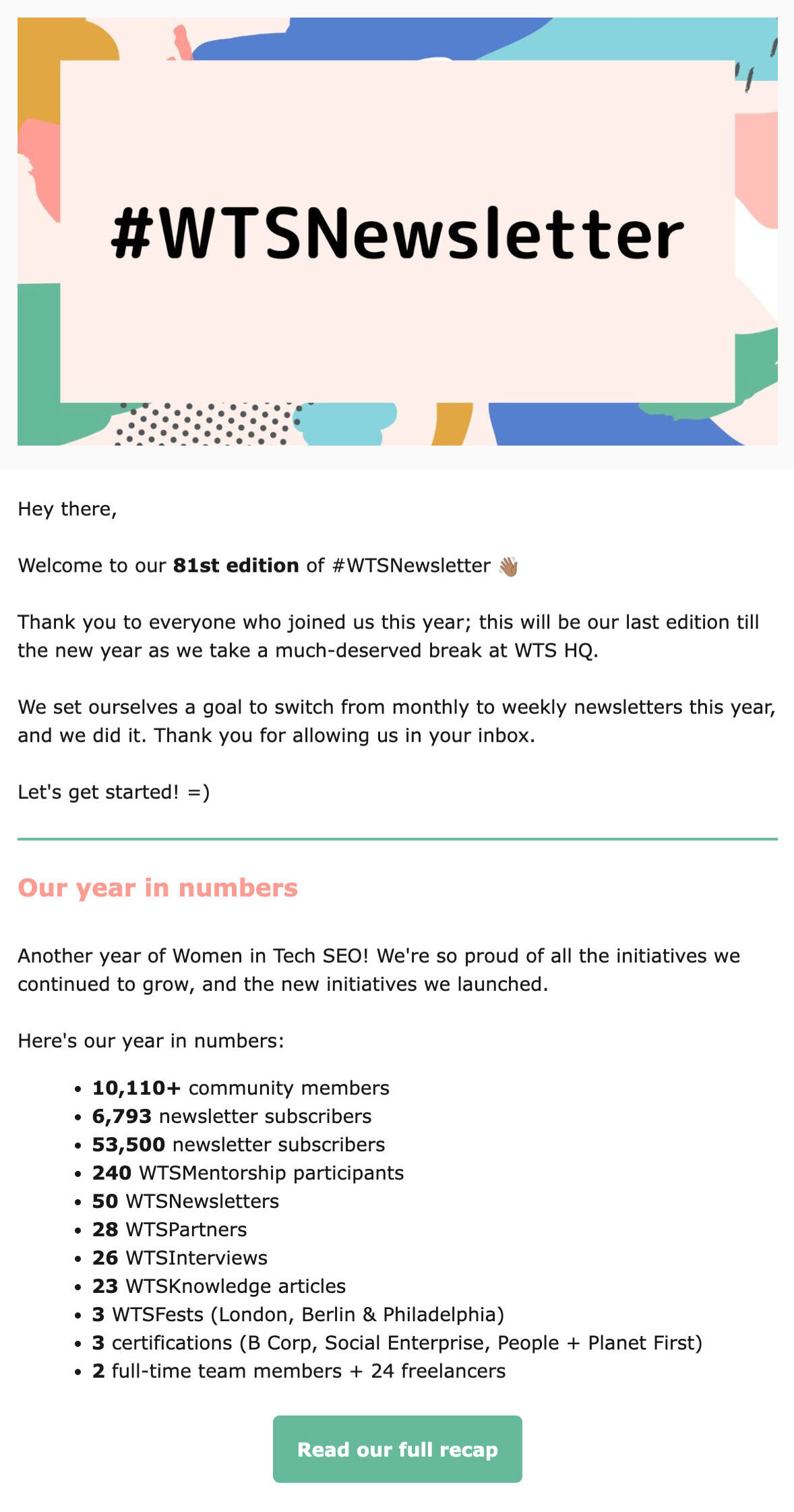
Women in Tech SEO’s recap email is an excellent example of how to make your year-in-review email both personal and meaningful.
Notice how it focuses on community rather than the brand itself. The email celebrates milestones, shares real numbers, and highlights members’ stories, all with a warm, genuine tone. It also uses a clear layout and short sections, so it’s easy to skim.
This kind of structure works because it shows progress, builds trust, and reminds readers that real people make up the brand.
2. Simply Wall St’s Year-in-Review Email
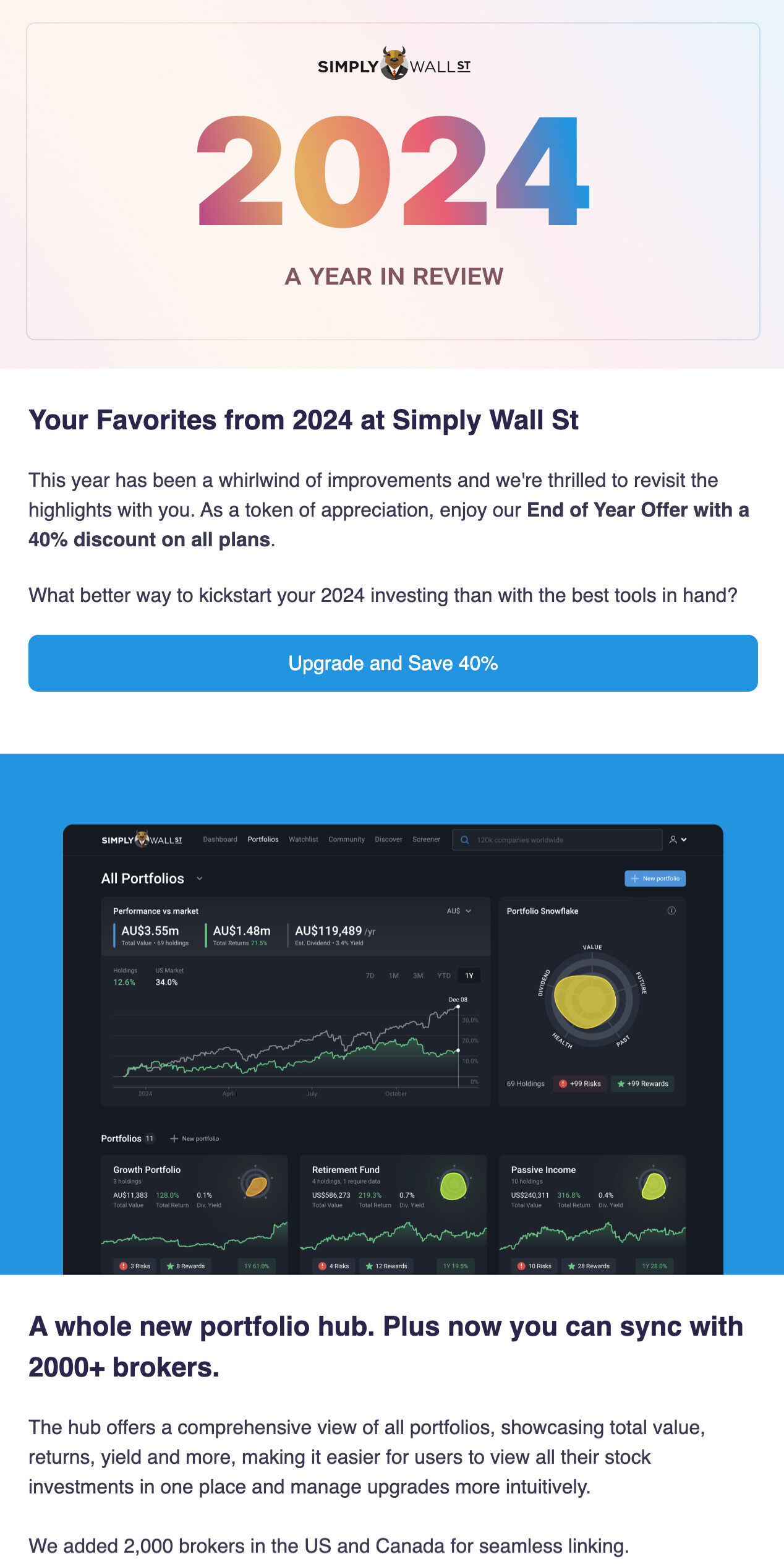
Here is another example from Simply Wall St’s year-in-review email.
It walks readers through the year’s biggest updates, including new features, improved tools, and community growth. The best part is how it ties everything back to the user’s experience. Each section shows how these updates help readers make smarter investment decisions.
With Pulsetic you’ll be instantly notified the moment your website, API, or server becomes unavailable. Monitor uptime from multiple global locations and respond to incidents before your users are affected.
Create beautiful status pages in minutes to keep customers informed during outages and build trust with transparent communication.
Start Monitoring for FreeThe 40% off offer at the end is the perfect finishing touch. It feels like a genuine thank-you for being part of their year.
3. Sarah Duran – The Hustler’s Manifesto Year-in-Review Email

Take a look at this, The Hustler’s Manifesto year-end email.
It opens with the reader’s name to make it feel more genuine and specific. Sarah writes as if she’s talking directly to the reader and inviting readers to do the same.
It’s a good reminder that not every year-in-review email needs data or design-heavy visuals.
After sharing her thoughts, she points readers toward useful resources, a new blog post, and upcoming events for the next year. It keeps the focus forward while still feeling personal and grounded.
4. IconScout’s Year-in-Review Email
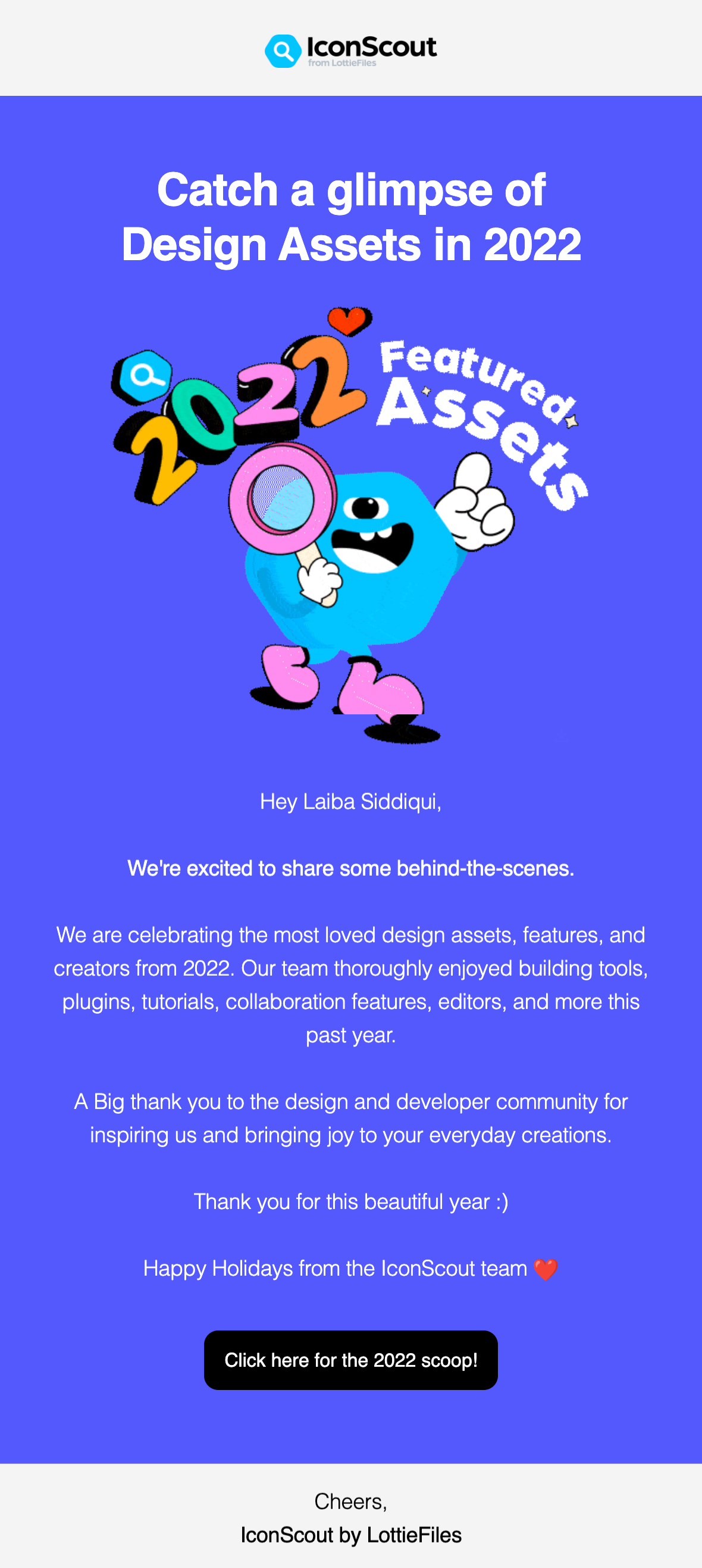
Here is another example from IconScout’s email.
The colorful header, playful illustrations, and bold typography instantly grab attention and match the creative energy of their brand.
The message itself is simple but effective. Instead of overloading the reader with stats, it celebrates the community, thanking designers and developers for their contributions and creativity. It feels like a genuine moment of appreciation rather than a sales pitch.
It reminds readers why they’re part of the brand’s story and ends with a friendly holiday note that leaves a positive impression.
Create Year-In-Review Emails with Postcards by Designmodo
If you want to create year-in-review emails that look clean and professional without spending hours on them, Designmodo’s email template builder tool, Postcards, is the simplest way to approach this.
With Postcards, you can drag-and-drop any email template and design beautiful, responsive emails in minutes. You can choose from ready-made blocks —headers, image grids, stats sections, buttons, and footers—and arrange them however you like.
The best part is you can easily match the design to your brand by changing colors, fonts, and images right inside the editor. Every layout is already optimized for both desktop and mobile, so your year in review email will look perfect everywhere.
FAQs
How Early Should I Start Planning a Year-In-Review Email?
Start drafting in November. Collect data, design assets, and customer stories early so you’re not rushing during the holidays.
What Mistakes Should I Avoid in Year-in-Review Emails?
Avoid bragging without context, long text blocks, generic greetings, or sending too close to the New Year when people are offline.
Is It Okay to Reuse Last Year’s Format?
Yes, if it worked well. Just update visuals and data. Repetition can build recognition if you keep the content fresh.
Can Nonprofits Use Year In Review Emails?
Absolutely. They’re great for showing impact, such as total donations, volunteers, or projects completed. It’s a natural way to thank supporters.