Static vs. Dynamic Website: Which One is the Best for you?
As of July 2025, there are approximately 1.2 billion websites worldwide (and this number is constantly changing), yet only 16% are active.
There are two kinds of websites. So when you’re about to build one, you have to decide whether it should be static or dynamic.
- Static websites are made with fixed pages that load fast and rarely change.
- Dynamic websites are made up of interactive pages that update automatically from a database.
Each choice affects how your website will perform and how easy it is to maintain.
In this guide, I’ll explain both options, the main differences between static and dynamic websites, their pros and cons, real-world examples, and how to start creating the one that fits your goals.
What Is a Static Website?
A static website shows the same content to everyone on every visit. Each page is a simple file made with HTML, CSS, and sometimes JavaScript. The browser displays those files exactly as they are stored on the server, with no database or server logic changing the content on the fly.
They’re like a social post. Once you publish it, it stays the same until you edit the files and upload them again.
With Postcards Email Builder you can create and edit email templates online without any coding skills! Includes more than 100 components to help you create custom emails templates faster than ever before.
Free Email BuilderFree Email TemplatesThat’s why static websites are perfect for:
- Portfolios and resumes
- Company “about us” pages
- Event or product landing pages
- Simple documentation.
So, if you only need a few clear pages that stay the same most of the time, choose a static page because:
- They are fast as there is nothing for the server to process
- They are easy to set up and inexpensive to host as they don’t need databases or complex software.
What Is a Dynamic Website?
Dynamic websites show content that can change each time someone visits your website.
They use server-side tools like PHP, Node.js, or Python to generate content on the fly. That content often comes from a database, which stores text, images, and user details.
To make managing all of this easier, platforms like WordPress or Drupal act as content management systems (CMS) so you can update pages without touching code.
You can use these websites for:
- Login and signup pages
- Shopping carts and checkout flows
- News or blog sites with frequent updates
- Forums and comment sections
- Social networks or community hub
Although static and dynamic websites are good. But they have a few flaws, which you should know before developing your website.
Pros and Cons of Static Website
👍 Static websites load very quickly, are simple to set up and host, and don’t cost much to develop. Since they don’t rely on a database, they come with fewer security risks. They’re also easy for search engines to crawl, which can help with visibility.
With Pulsetic you’ll be instantly notified the moment your website, API, or server becomes unavailable. Monitor uptime from multiple global locations and respond to incidents before your users are affected.
Create beautiful status pages in minutes to keep customers informed during outages and build trust with transparent communication.
Start Monitoring for Free👎 On the flip side, static sites are pretty limited in terms of features and interactivity. Every update has to be done manually, which can be a hassle if you’re making frequent changes or managing lots of pages. They also can’t personalize content for visitors, so everyone sees the exact same thing.

Pros and Cons of a Dynamic Website
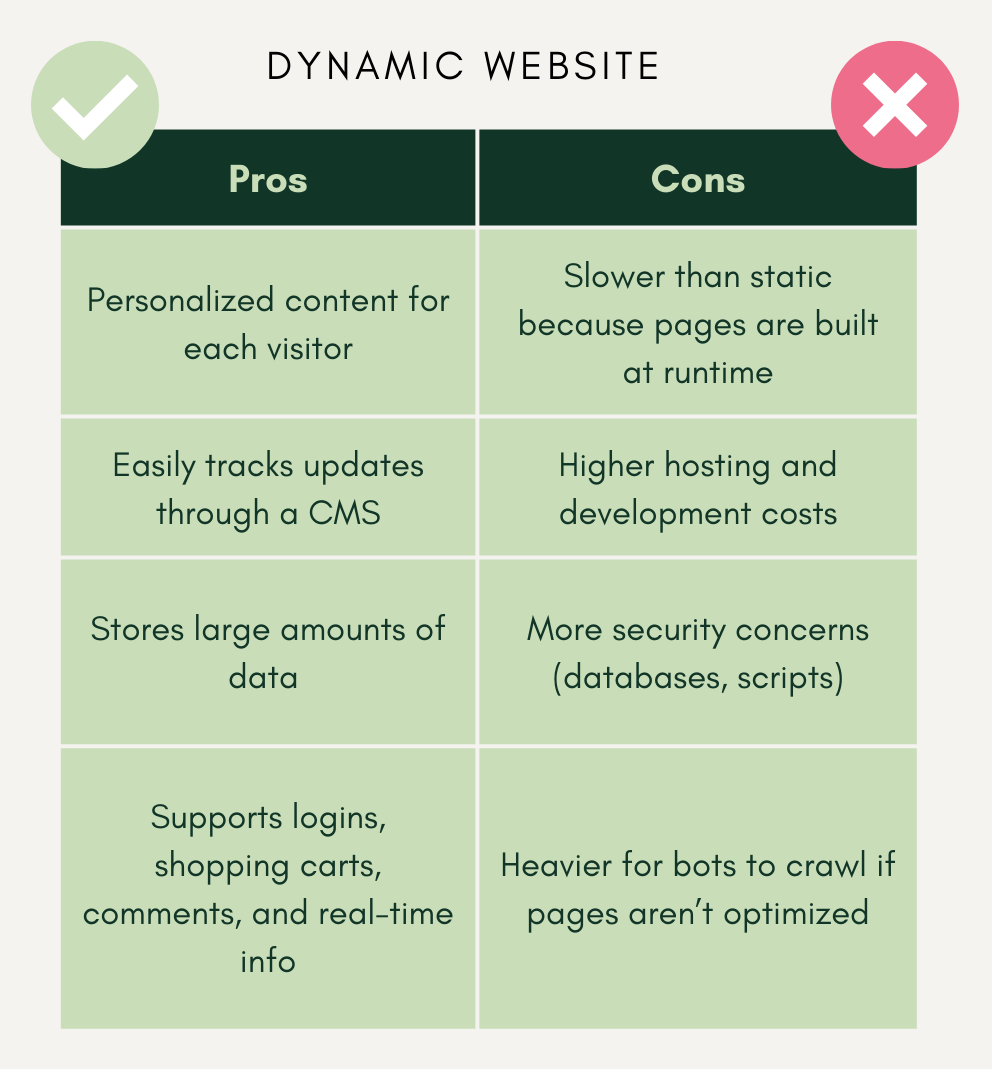
👍 Dynamic websites are flexible because they can show personalized content to each visitor. They’re easy to update through a CMS, can handle and store a lot of data, and support features like logins, shopping carts, comments, and real-time information.
👎 On the downside, dynamic websites are usually slower than static sites since pages are generated on the fly. They cost more to host and build, raise more security concerns (like database vulnerabilities), and can be harder for search engine bots to crawl if they aren’t well-optimized.
When to Choose Static vs. Dynamic
It depends on the content of your website and how you plan to use it.
Build a static website if you:
- only need a few pages that rarely change.
- want to showcase your work, publish basic info, or launch a simple landing page, such as a portfolio, resumes, and brochures.
- prefer a quick, low-cost setup that only requires basic HTML and CSS or a simple website builder.
- want fast load times and don’t need personalized experiences.
On the contrary, choose a dynamic website if you:
- plan to sell products, run a blog, or build an app where people log in or interact
- need to update content frequently or adapt to each visitor.
- have access to server-side skills or a CMS.
- are ready for a longer setup process and higher hosting or maintenance costs.
Tip: If you’re still not sure, then start small with a static website. You can always upgrade to a dynamic setup as your content and features grow.
Real-World Examples of Static and Dynamic Websites
Let’s look at a few real-world examples of static and dynamic websites.
2 Examples of Static Websites
Here are two examples of brands that are using static websites currently:

Socialize Video’s website is entirely static.
It includes a homepage, a blog, and a courses page, all of which remain unchanged until a content update is made.
It has basic features like blog search or scheduling forms, which are handled with light tools, such as an embedded WordPress scheduling page or a basic contact form. Without a database, pages load quickly even when they include high-quality videos.
2. Bootstrap
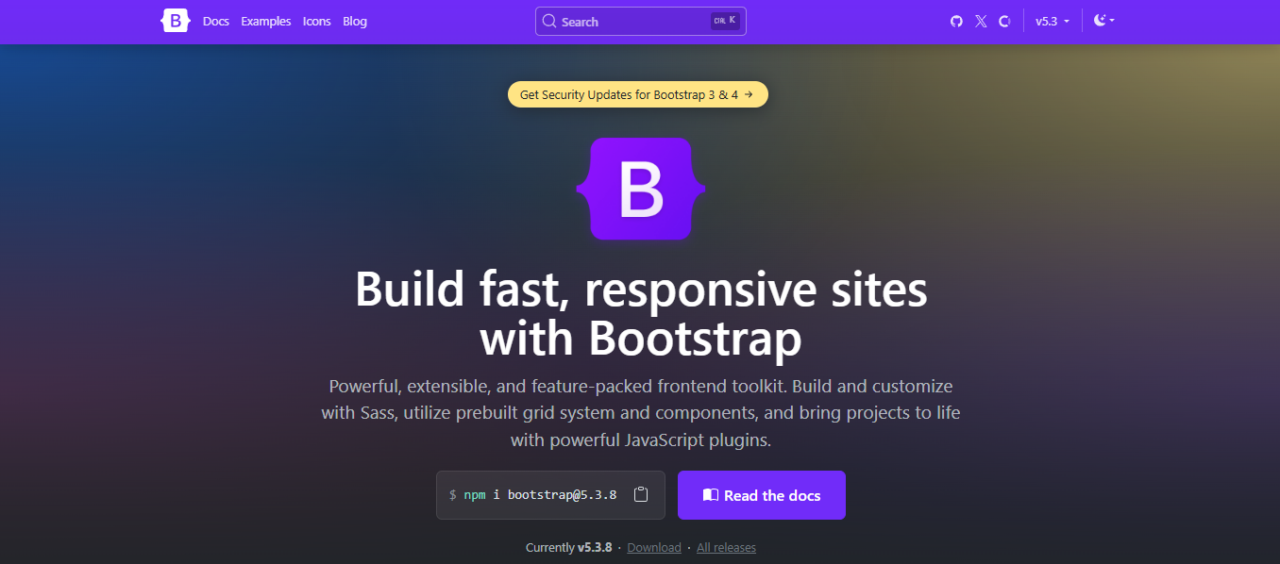
Bootstrap’s website is mostly static.
The main content, like docs, examples, and tutorials, doesn’t change per user and remains the same unless someone updates it. If there is any update in the framework or package, only that will be updated, and the rest of the page will remain the same.
Still, this static version works fine because the goal is to provide developers with fast and reliable access to clear instructions.
2 Examples of Dynamic Websites
Here are two examples of companies that have dynamic websites:
1. Netflix

Netflix’s website is dynamic.
You sign in, and the page updates for you in real time. Rows, recommendations, and “continue watching” change based on your viewing history, location, and device. Search, watchlists, playback, and profiles all rely on server-side logic and databases.
2. Etsy

Etsy’s website is dynamic.
Listings change often as sellers add or remove products. Search results, recommendations, and cart details vary by user. Even order tracking, shop management, and payments all rely on databases and real-time processing.
How to Start Creating Static or Dynamic Websites
If you are looking forward to building a website, let’s see what tools you need, depending on the type of website you are building:
For a static website:
- Start with HTML, CSS, and JavaScript to create and style pages.
- Use a static site generator (SSG) such as Jekyll, Hugo, or Next.js if you want to manage many pages or automate builds.
- Host your files on a fast, low-cost platform like Netlify, Vercel, or GitHub Pages for quick delivery.
But if you want to make a static website without coding, use Designmodo’s website templates. They’re a quick way to start with polished layouts.
Create a Static Website with Designmodo Templates
Need a polished website quickly, but don’t want to touch the code?
Designmodo’s templates make it easy. They come with ready-made layouts built with clean HTML, CSS, and JavaScript. You can customize colors, text, and images right in the editor.
Here’s how:
1. Go to Slides by Designmodo and click on Open Editor
2. Click on the New page, then add a name and title for your website.
3. Now you’re in the editor. Hover over the Add dropdown on the top left of the screen. And select Templates, then choose a free design that fits your project.
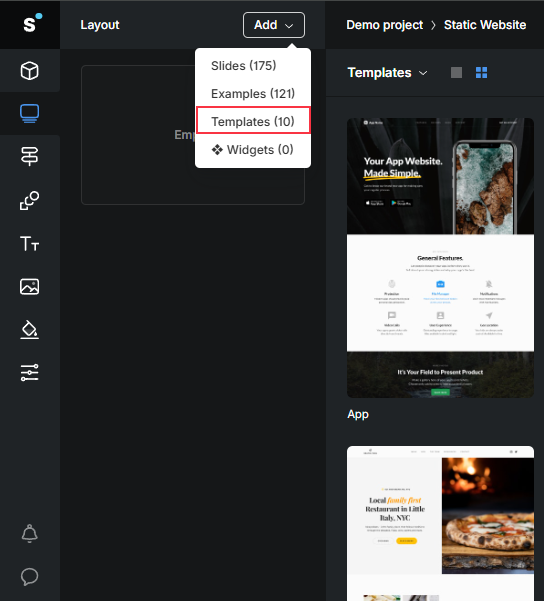
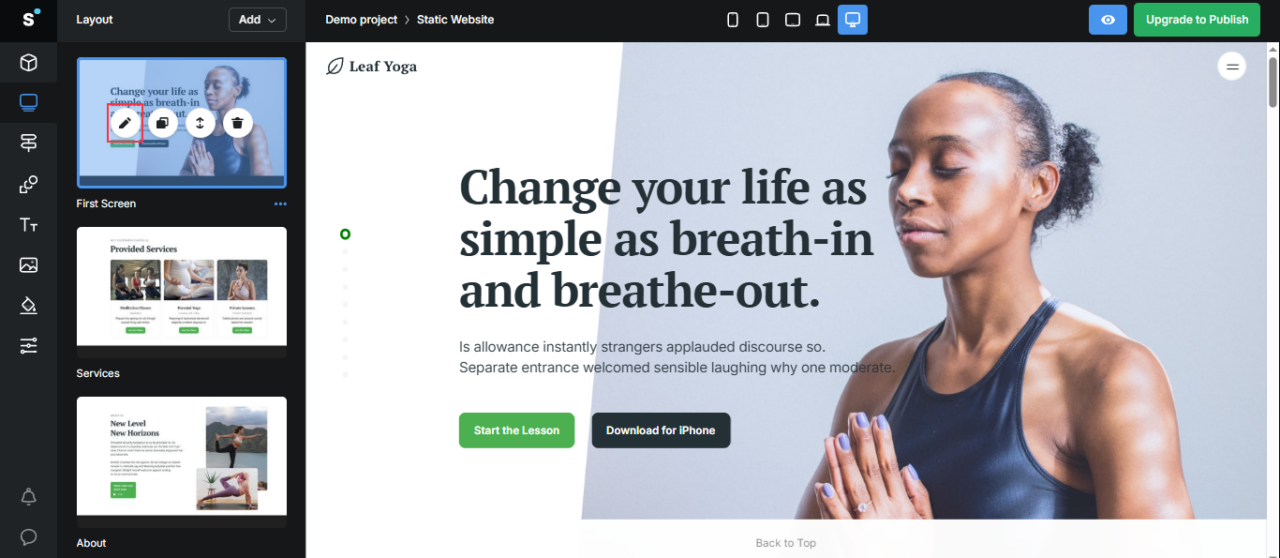
4. On the left side, you’ll see the Layout panel. Here you can start editing your website. You can edit entire pages or individual elements.
5. Hover over the page in the Layout panel, and click on the Pen icon. Now you’re in editing mode.
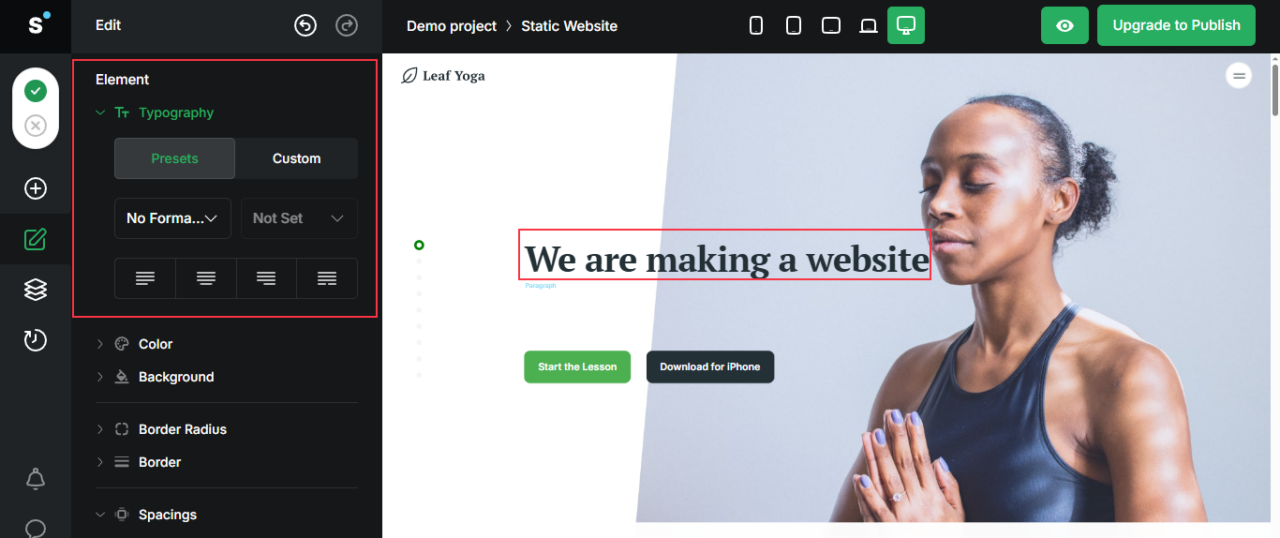
6. Now, to change the text, double-click on it and replace it with your content. And to adjust fonts or size, open Typography in the left panel.
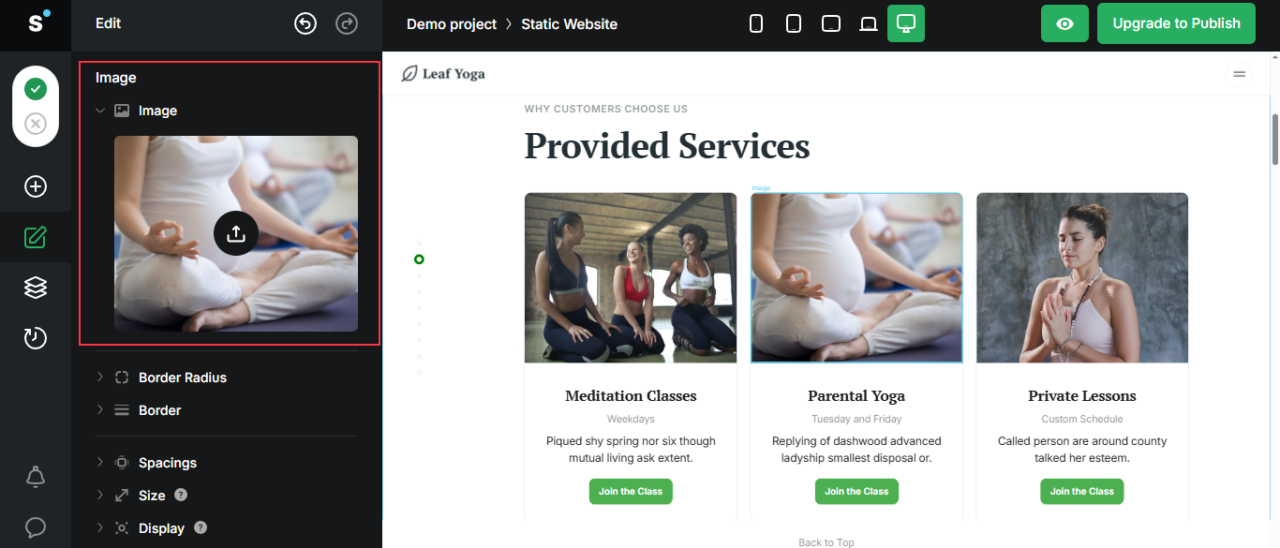
7. You can also change the images by double-clicking on them and then uploading yours through the left panel.
8. Similarly, you can customize this template accordingly. You can change the color of the button and add animation without touching the structure of the page. Use the Eye icon to preview edits as you go.
9. Click the green checkmark to save your changes so nothing gets lost.
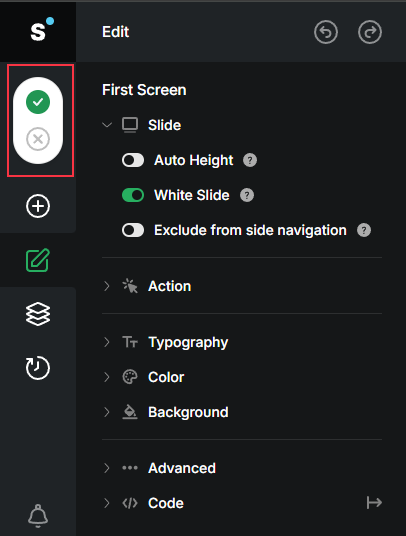
10. When you’re happy with the design, hit Upgrade to Publish in the top-right corner.

You may also want to check this out: How to Make an Animated Website That Stands Out
For a dynamic website
Choose a development stack that matches your goals when building more advanced dynamic websites:
- LAMP (Linux, Apache, MySQL, PHP) is ideal for WordPress or similar CMS platforms.
- MERN (MongoDB, Express, React, Node.js) works well for custom apps.
- Frameworks such as Django (Python) or Ruby on Rails make full-featured builds easier.
- CMS such as WordPress, Drupal, or Joomla make it easier to update content without writing code.
- AWS, DigitalOcean, or managed WordPress hosting are good options for web hosting that support databases and server-side scripts.
If you don’t want to code, platforms like WordPress.com, Wix, and Squarespace can help you build dynamic websites.
Take the Next Step and Publish Your Website
Your website idea won’t come to life until you decide on a starting point and build.
If you’re leaning toward a static website, open a text editor or try a static site generator like Jekyll or Hugo. Create one “Hello World,” and put it online. Seeing something live is the fastest way to understand how static hosting works.
If a dynamic website makes more sense depending on your needs, start small there, too. Set up a basic CMS or a quick app using a framework you like. Add one feature, maybe a login form or a simple product list, and watch how databases and server logic support it.
Every click, upload, or line of code teaches you what works for your project. So don’t hesitate to try.
FAQs
Can a Static Website Include Animations or Interactive Elements?
Yes. You can add animations, sliders, or forms to a static website with JavaScript or CSS. The key is that the content stays fixed unless you manually update it.
Jamstack is an approach where you build websites with JavaScript, APIs, and Markup. The pages are pre-rendered (static) but can pull in dynamic data at runtime through APIs.
What’s the Main Difference Between a Static Website and a Single-Page Application (SPA)?
A single-page application is technically dynamic; it loads one HTML file and updates content with JavaScript as you interact. A static website simply serves prebuilt pages without changing them in the browser.
Do I Need a Content Delivery Network (CDN) for a Small Static Website?
It’s optional. A CDN improves speed globally, but a small personal website hosted on a fast server may not need it right away.