3 Best Teaser Email Examples and Ready-To-Use Templates
A teaser email is designed to spark curiosity before launching a new product, feature, event, or offer, without revealing everything at once. Instead of sharing everything upfront, it only hints at what’s coming to build anticipation and keep subscribers engaged.
In this guide, I’ll share teaser email examples and sneak peek email templates to help you create emails that actually get opened.
Here are a couple of examples that you can take inspiration from for your teaser email campaigns:
This teaser email introduces a new novel, Moonshine Mesa. It uses a “Coming Soon” message and a bold book cover to catch attention.
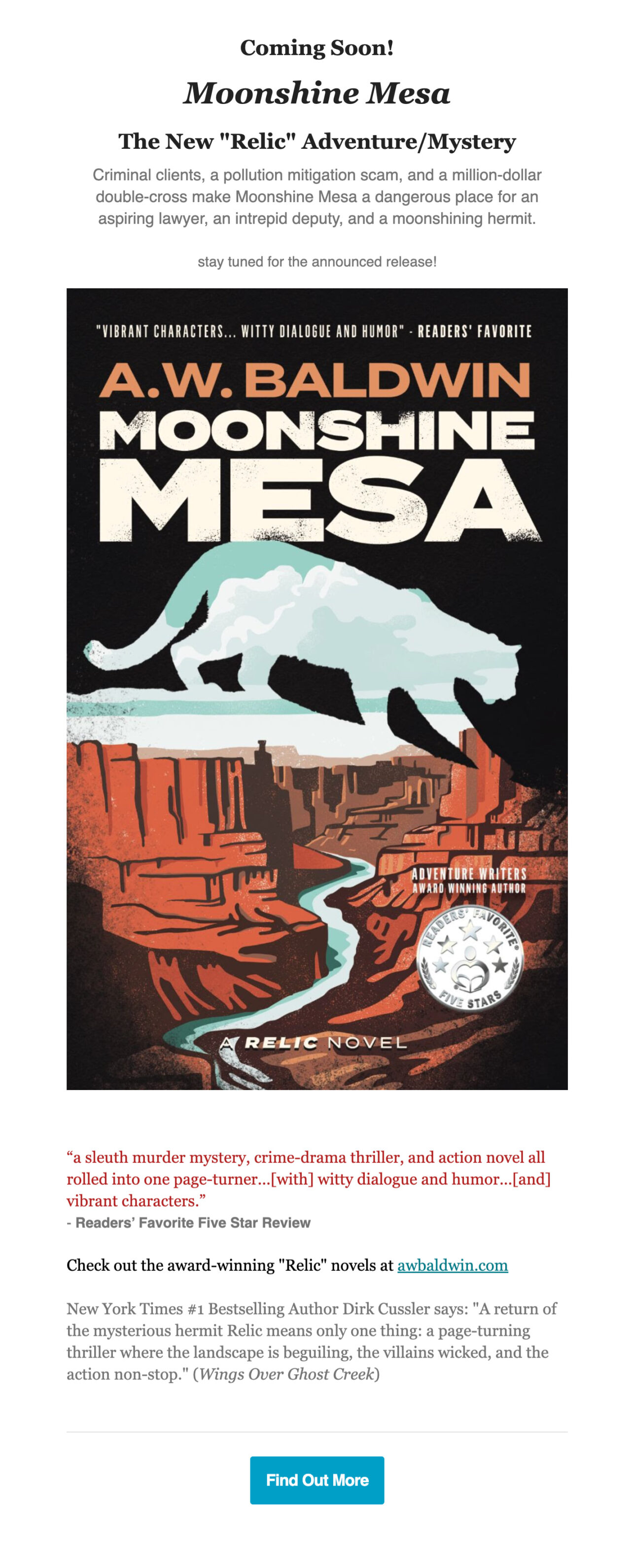
The short story summary gives just enough detail to create curiosity. In addition, a simple CTA, “Find Out More,” encourages readers to stay engaged without revealing everything.
This email announces upcoming changes to the Marker platform. It starts with a friendly greeting and a bright header/email banner that says, “Exciting changes are coming,” which quickly sets the tone.
With Postcards Email Builder you can create and edit email templates online without any coding skills! Includes more than 100 components to help you create custom emails templates faster than ever before.
Free Email BuilderFree Email Templates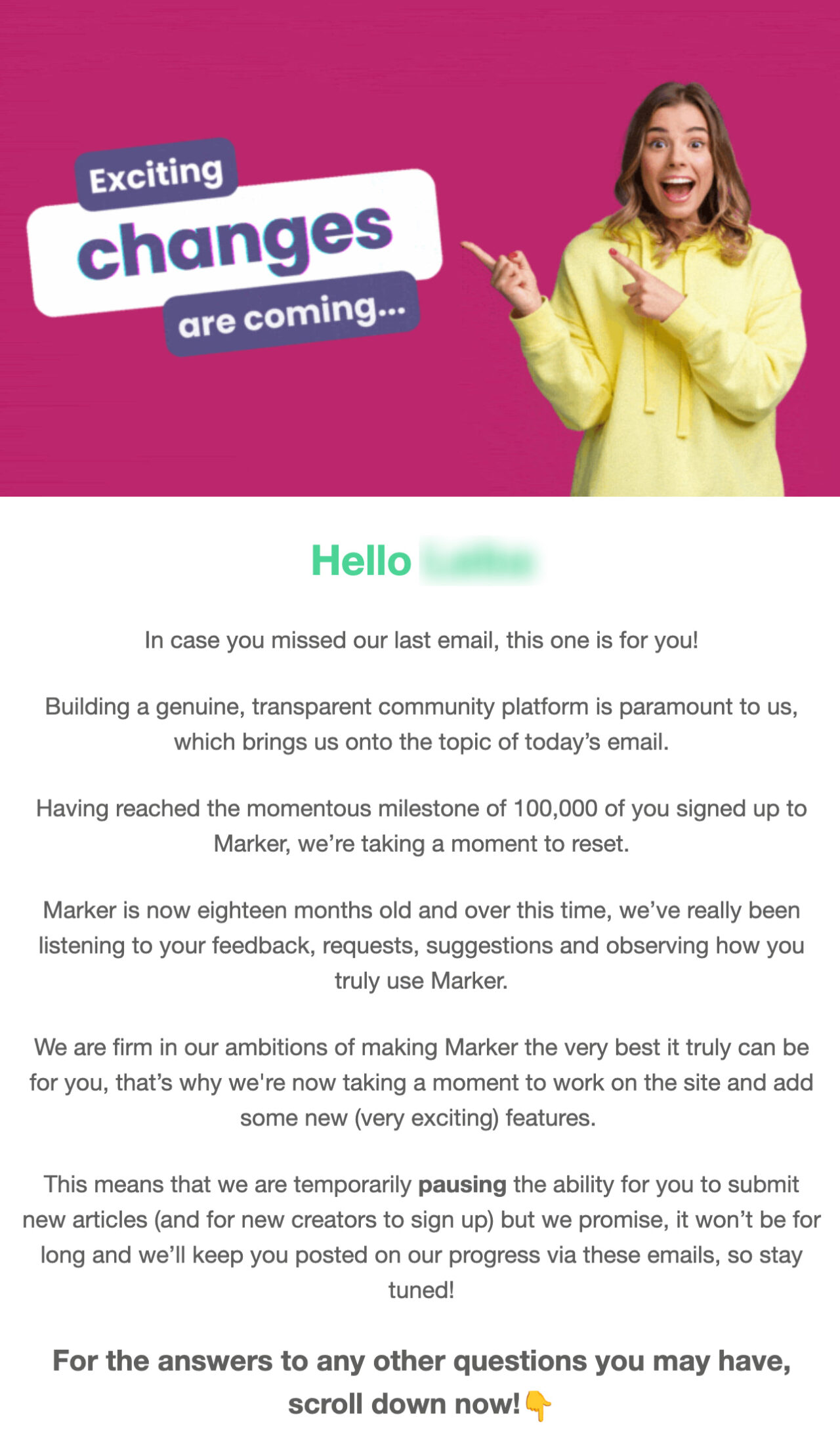
The team explains that it is taking a short pause to improve the website and introduce new features. Instead of giving full details, the email answers common user questions and outlines what they can expect next.
This teaser email shares real story ideas and a personal pitching mindset so readers find something valuable before even pitching the main offer.
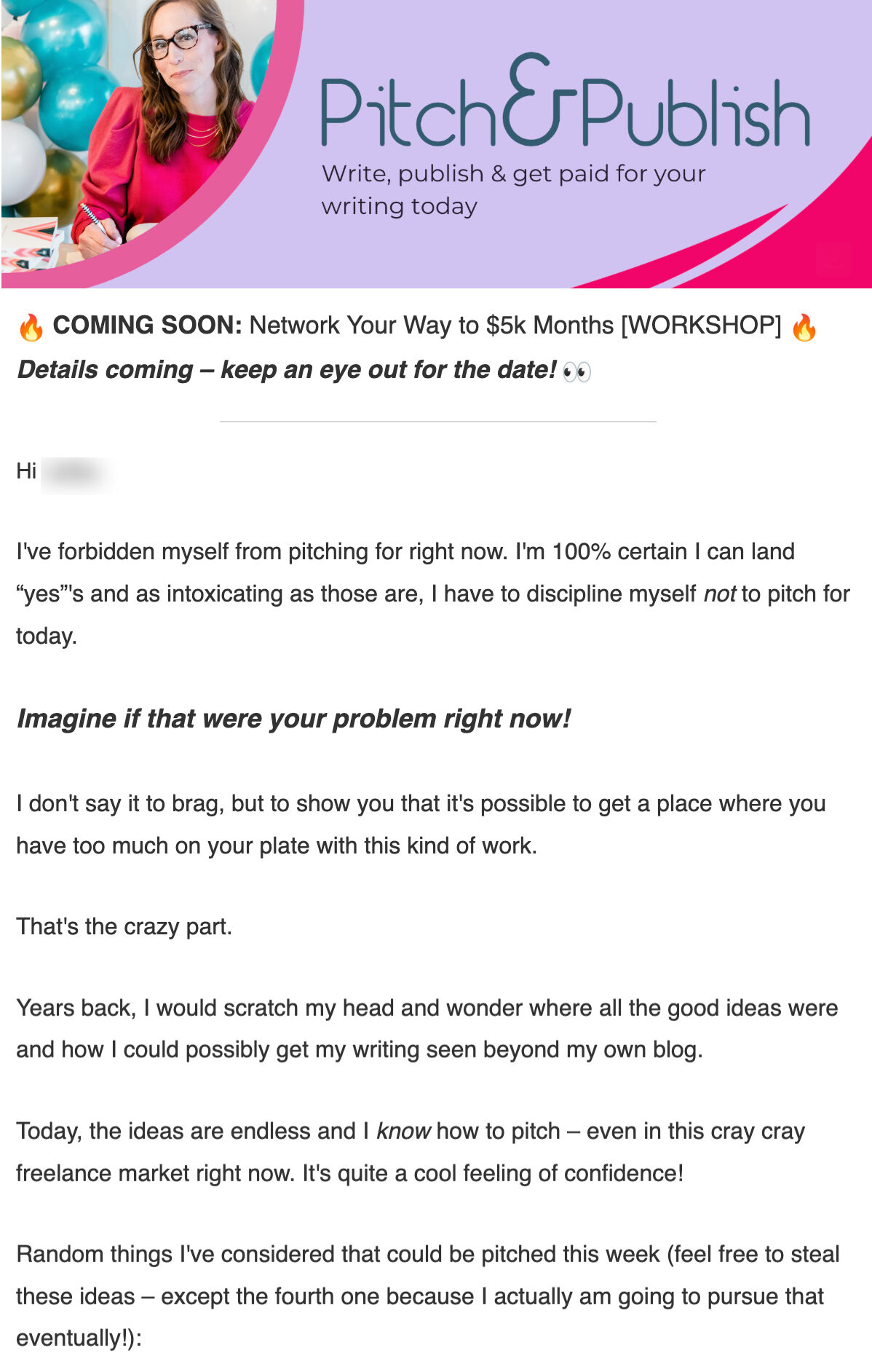
In fact, the clear banner and countdown offer at the end also add urgency.
Ready-To-Use Coming Soon Email Templates
Here are two ready-made email templates you can use instead of creating teaser emails from scratch:
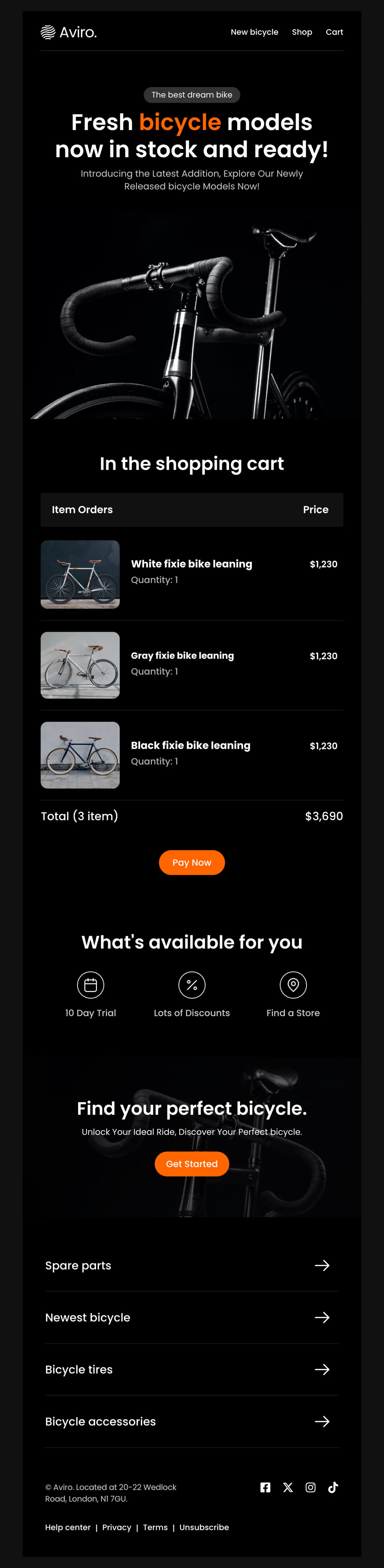
1. Aviro’s Email Template: Best for Launches
Edit this email template in Postcards
This template is ideal for announcing new product arrivals and upcoming launches. It uses a bold hero image, a strong headline, and a dark layout to immediately grab attention.
If you run an e-commerce or lifestyle brand, this format will create excitement around a new collection while keeping the details intentionally limited. Instead of overwhelming subscribers with specs or pricing, the email focuses on visual impact and a clear next step.
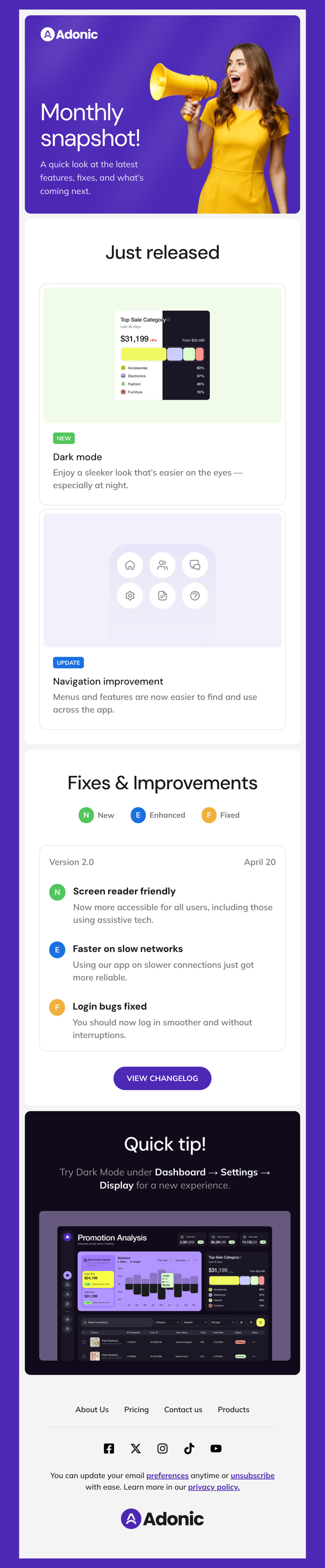
2. Adonic’s Email Template: Best for Announcing Upcoming Updates to Existing Products
Edit this email template in Postcards
With Pulsetic you’ll be instantly notified the moment your website, API, or server becomes unavailable. Monitor uptime from multiple global locations and respond to incidents before your users are affected.
Create beautiful status pages in minutes to keep customers informed during outages and build trust with transparent communication.
Start Monitoring for FreeThis teaser email template is perfect for announcing upcoming updates to an existing product. Instead of revealing everything at once, it highlights what’s new, what’s improved, and what’s coming next—all in a scannable and visual format.
If you run a SaaS product that releases updates frequently, this teaser email format would be perfect for you. Keep your product top of mind, reminding users that things are actively improving and giving them a reason to pay attention to the next update.
If you look closely at teaser email examples and templates we discussed above, you’ll notice clear structural patterns:
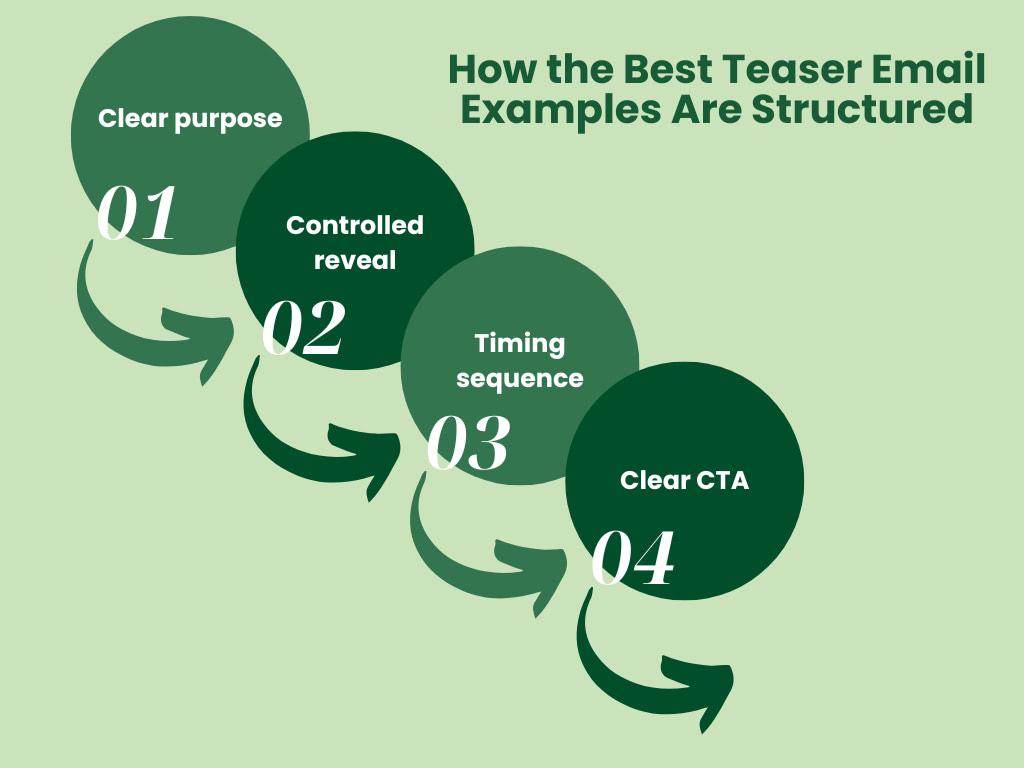
1. Start With a Clear Purpose
High-performing teaser email examples always have a defined goal. Before the suspense begins, the sender knows why the teaser exists and what outcome it should drive.
In practice, this usually supports one of three scenarios:
- A new product or feature launch
- An upcoming sale or limited-time offer
- An event announcement that needs early attention
Once the purpose is clear, the next step becomes clear and easier to approach. Some teasers push subscribers toward a preorder or waitlist, while others focus on awareness or early sign-ups.
The key is alignment, which means every hint should point toward a single, intentional action.
2. Build Anticipation in Controlled Reveals
The best teaser marketing examples never reveal everything at once. Instead, they share just enough to keep subscribers curious and watching for the next update.
Common tactics you may see across such emails include:
- Partial or blurred visuals that hint at what’s coming
- Teasing language that suggests benefits without full details
- Clear signals about when the next reveal will happen
3. Follow a Deliberate Timing Sequence
Rather than rushing the reveal, you use these emails to warm up the audience over time. That’s a major reason why many campaigns begin several weeks before the launch.
As the reveal approaches, emails become more frequent and more specific, so you may notice a progression like:
- An early “something’s coming” message
- A reminder one week out
- Short countdown emails in the final days
4. Include a Clear Call to Action
Even the most intriguing email falls flat without a next step. That’s why good teasers always include a clear call to action (CTA), even when nothing is being sold yet, such as:
- “Get on the list”
- “Be the first to know”
- “Unlock early access”
These prompts give readers something to do while signaling interest.
Teaser emails use a simple psychological driver: curiosity.
When people sense there’s more to come, they’re more likely to open future emails and engage with each new update.
Here are a few other benefits of using teaser marketing emails:
- Increase open rates with curiosity-driven teaser email subject lines. In fact, urgent subject lines tend to increase open rates by 22%.
- Generate buzz before a launch or announcement
- Encourage repeat engagement through multi-email teaser campaigns
- Drive clicks by prompting readers to explore a sneak peek, join a waitlist, or stay tuned
Let’s now see what high-performing teaser email examples do differently to stand out from others:
Use Visuals to Carry the Message
Instead of long explanations, they use striking imagery to hint at what’s coming:
- Bold hero images, like the Aviro bicycle launch, to signal something new
- Clean product previews or UI snapshots, like the Adonic update email
- Partial reveals like close-ups or cropped visuals rather than full product shots
Keep the Message Short and Focused
The best teasers are intentionally brief. One clear headline and a line or two of supporting email copy is usually enough. You can add something like:
- “Something new is rolling in”
- “Your dashboard is about to get better”
- “This drops Friday. Stay tuned”
Stay On-Brand While Building Suspense
High-performing teaser emails don’t abandon brand voice to sound mysterious. Instead, they adapt it. So, regardless of your tone, whether it’s playful, premium, or simple, the best emails stay consistent while adding curiosity. That might mean:
- Light humor or emojis for consumer brands
- Confident language for SaaS updates
- Minimal copy paired with strong design for lifestyle launches
Feel More Personalized Than Broadcast
Instead of generic hype, your emails should reference user behavior or interests. For example:
- A product update teaser sent only to active users
- A launch email tied to a past purchase or category interest
- Copy that speaks directly to how the update benefits you
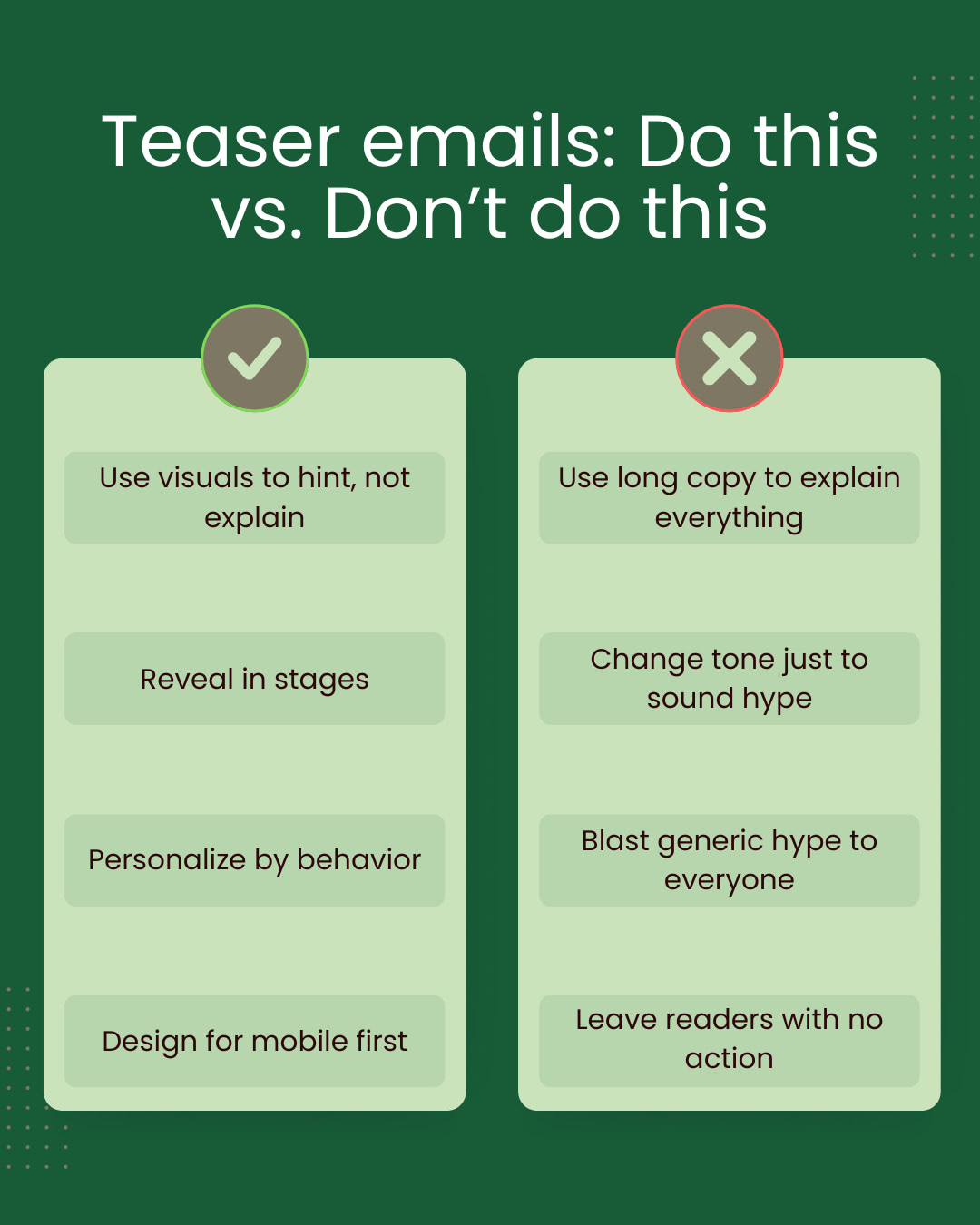
If your coming soon or launching emails underperform, it’s usually because they break the curiosity promise. So let’s look at a couple of mistakes that you must not make in your campaigns:
Overhyping Without Substance
Weak teaser emails often rely on exaggerated subject lines or vague promises that the content can’t support. When the reveal doesn’t live up to the buildup, trust erodes.
Revealing Too Much in the First Message
Some teaser emails give away the complete product, discount, or event details upfront. When everything is revealed early, there’s no incentive to open follow-up emails or stay engaged.
Leaving Readers Without a Next Step
Curiosity alone isn’t enough. Weak teaser emails end without an explicit action, leaving readers unsure how to stay involved.
Ignoring Mobile-First Readability
Over 80% of emails are opened on mobile devices. And teaser emails that look cluttered or hard to scan on mobile will lose attention fast. So make sure you don’t use long blocks of text, small fonts, or heavy images, as they can kill engagement before curiosity has a chance to work.
Subject lines are the first thing readers see, and 47% of people open emails solely because of them. No matter how well-designed your email is, it won’t get results if it doesn’t get opened.
So here’s how you can create curiosity in your subject lines:
- Use phrases like “Coming soon”, “Big news”, “Secret drop”, “New collection”, or “We’re almost ready…” to make readers wonder what’s next.
- Include the date in the subject line to build urgency for a launch or event.
- You can use the Designmodo AI Email Subject Line Generator to quickly brainstorm teaser subject lines that spark curiosity and increase open rates.
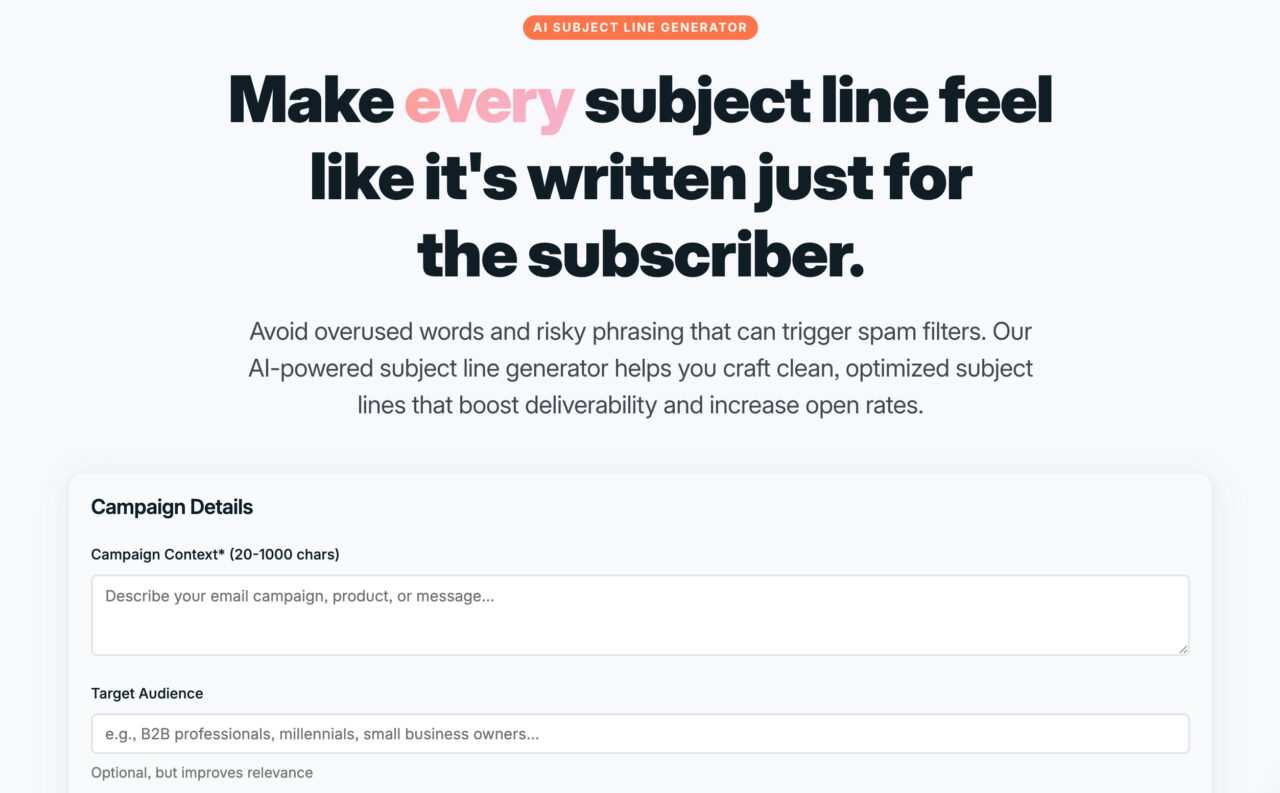
Here are some teaser email subject lines for your inspiration for your next campaign:
- “We’re nearly ready: here’s a sneak peek”
- “Coming soon: Something new and exclusive”
- “This is big. But not live… yet”
- “You’re going to want to see this first”
- “Guess what’s inside”
- “Early access just for you”
- “3 days until the reveal…”
- “A little surprise is on its way”
If you want to turn the teaser examples into live campaigns faster, Designmodo’s email template builder can help you move from idea to inbox without starting from scratch.
All you have to do is choose a ready-made teaser template, customize it to match your brand, and launch your first teaser email or sequence with confidence.
FAQs
A teaser statement is a short line of copy that sparks curiosity without revealing full details. It shows a glimpse of what’s to come and encourages the reader to wait for the reveal.
A good teaser email is focused and intentional. It uses one clear idea, minimal copy, and captivating visuals to build anticipation while leaving enough mystery to make readers want more.
How Do You Write Cold Emails That People Respond To?
Effective cold emails focus on relevance, not volume. They clearly address a specific problem, keep the message short, and include a single, low-friction call to action.