Restaurant Email Marketing Guide to Fill Every Seat
If you’ve ever signed up for a restaurant’s emails and actually looked forward to opening them, you’ve seen good email marketing.
It feels personal, maybe even makes you crave your favorite dish, and gives you a reason to book a table or order takeout.
That’s the kind of email you want to send, right? The kind that makes people want to come back.
But if you’re not sure where to start, don’t worry. In this guide, I’ll explain how to do email marketing for restaurants the right way and what types of emails work best.
Why Email Marketing is Essential for Restaurants
This may not sound as exciting as TikTok or Instagram, but there are so many email marketing benefits for restaurants. In fact, it’s one of the most helpful marketing platforms.
Why? Because think about it: when someone signs up for your email list, they’re already interested in your food. Maybe they’ve visited before, ordered online, or just love your vibe.
With Postcards Email Builder you can create and edit email templates online without any coding skills! Includes more than 100 components to help you create custom emails templates faster than ever before.
Free Email BuilderFree Email TemplatesThat means you’re talking directly to people who want to hear from you. You don’t need to fight social media algorithms or waste money on ads. All you need is a direct, personal connection in their inbox.
On average, restaurant emails see open rates of 43.69%. That’s way higher than most industries. And this means more people see your message, and more of them take action (booking tables, placing orders, or jumping on special offers).
How to Choose the Right Email Campaign Types for Restaurants
If you’re wondering how to start email marketing for your restaurant, the first step is to identify what you want to do. Do you want to share a promotion, welcome them, or is it something else? Once you know your goal, it’s time to choose the right kind of email.
Here are a few types that work well for restaurants.
Promotion Emails for Restaurants
These are the emails you send when you want people to take action, like visiting your restaurant or ordering online.
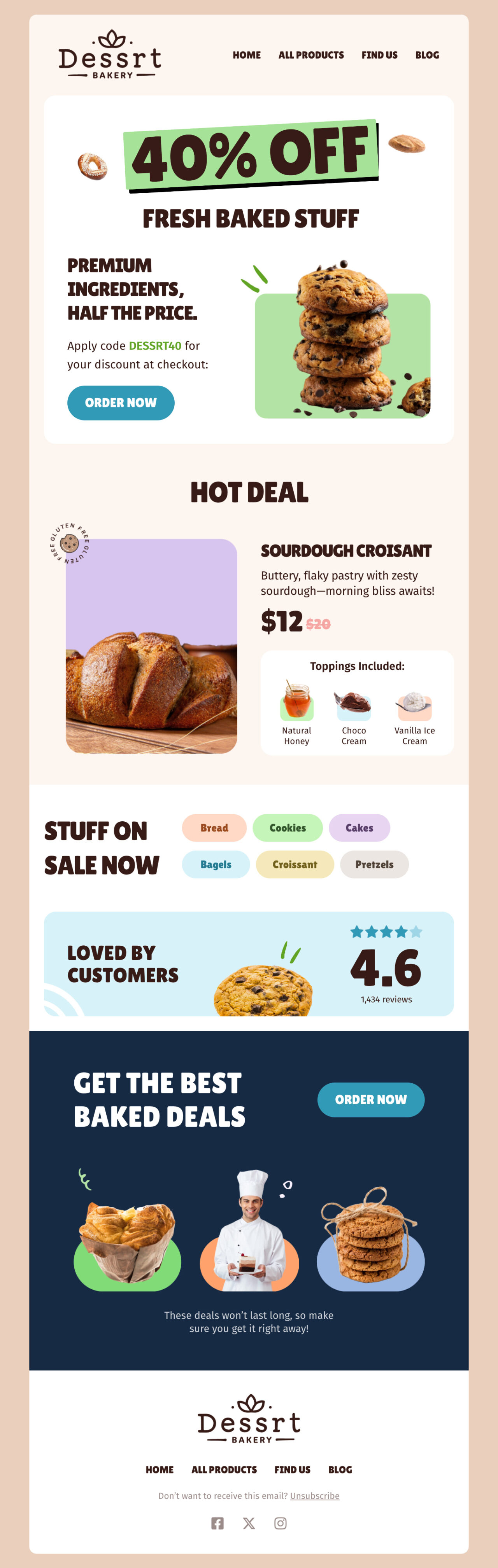
So, you can use them to share special deals, new menu items, or upcoming events. But keep your message short and clear. Only tell people what the offer is, why it’s worth it, and what they need to do next.
Here’s an example of Dessrt Bakery:
Edit this email template in Postcards
With Startup App and Slides App you can build unlimited websites using the online website editor which includes ready-made designed and coded elements, templates and themes.
Try Startup App Try Slides AppOther ProductsThe line “40% off” instantly shows what’s on offer and how to claim it. And the layout is easy to follow, with the discount, food images, and “Order Now” button catching the reader’s eye right away.
Welcome Pack Email for Restaurants
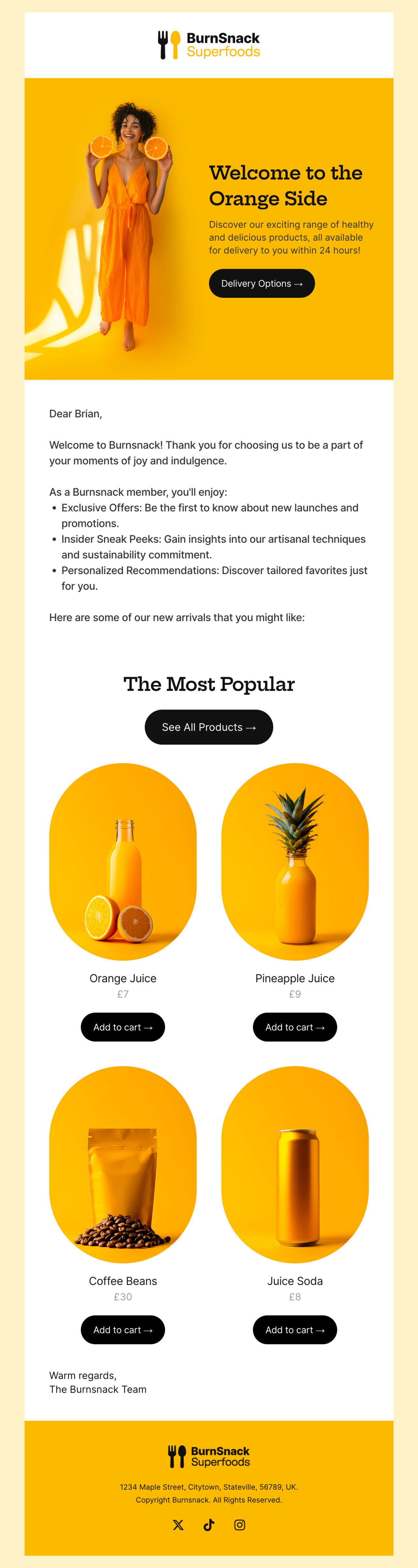
A welcome email is your first chance to make a good impression. It’s a friendly hello that thanks people for joining your list and introduces what your restaurant is about. In this email, you can also include a small incentive, like a discount on their next visit.
Look at this BurnSnack Superfoods email:
Edit this email template in Postcards
It greets the customer by name, sets a warm tone, and highlights what they’ll enjoy as part of the brand community. The design is bright, clean, and easy to read—exactly how a good welcome email should feel.
Whenever you add new items or change your menu, send a quick email update. You can include clear photos and short descriptions to show what’s new.
Take a look at the ChocoFella example:

Edit this email template in Postcards
So far, this is one of the best email templates for restaurants. Its rich, chocolate-filled visuals instantly grab attention and make the treats look irresistible. The colors are warm and festive, and the message stays simple, showing what’s new and how to order it.
Feedback Request Emails for Restaurants
After someone eats at your restaurant or orders online, send a short follow-up asking how it went. It shows you care about your customers.
Take a look at this food delivery example:
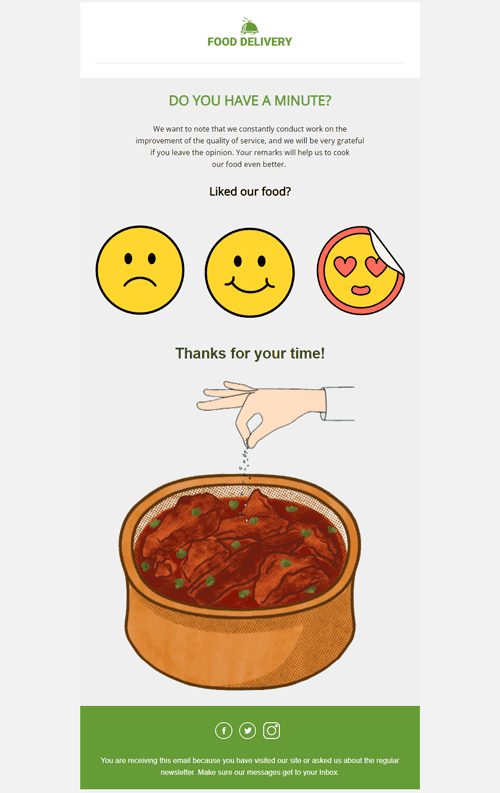
It keeps the message short, friendly, and easy to respond to. The visuals immediately draw attention; the smiley faces make it fun and simple for customers to share how they felt about their order.
The tone is polite and genuine, showing that the restaurant values feedback and wants to improve.
Even the layout is also super clear: the main question appears at the top, the rating options are clear, and the closing thank-you adds a personal touch.
Loyalty Emails for Restaurants
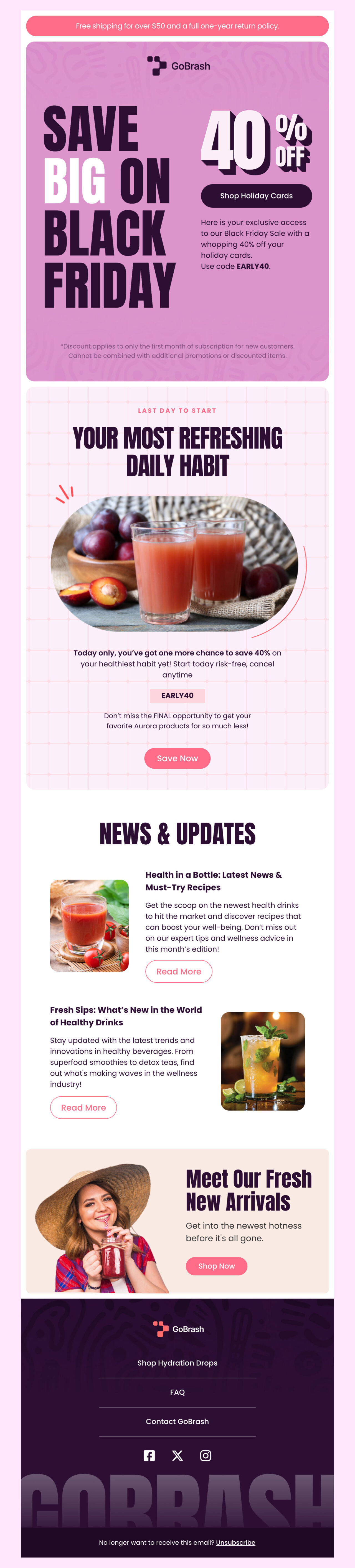
Say thank you to your regular customers with special offers or early access to new menu items. In this email, you may add a quick update about upcoming rewards or new member-only offers to keep them excited to visit again.
For example, here’s an email from GoBrash:
Edit this email template in Postcards
This is a perfect example of how to make customers feel valued and included. The design is bright and engaging, with a bold headline and clear offers that instantly grab attention.
It uses strong calls to action like “Shop Holiday Cards” and “Save Now,” which make it easy for readers to take the next step.
The message also mixes rewards with useful updates like new arrivals and exclusive savings to make loyal customers feel appreciated.
Email Marketing Tips for Restaurants: Create and Send Effective Emails
You can send emails every week, but if people don’t open and read them, they won’t help your restaurant. So, let’s see how you can write good email copy that attracts customers. Here you can find the most important parts of emails to pay attention to:
Subject Line
The subject line is the first thing people see. In fact, 43% of people open emails based on the subject line only. So keep it short and clear (under 50 characters).

A few easy tricks you can use in your subject lines:
- Say what the email is about in a few quick words. For example: “Special offer for you”
- Words like “Last chance: 20% off dinner tonight” make people act faster.
- If possible, use a customer’s name or favorite dish. It feels friendly and tailored. For example: “Alex, your burger’s waiting!”
When your subject line feels personal and natural, people are much more likely to open your email and see what’s inside.
Preheader
The preheader is the short sentence that appears next to or under the subject line in inboxes. It gives people one more reason to open your email. Don’t repeat the subject line; instead, use it to add context to the offer.
Email Body
When you write, think about one clear message you want readers to remember. If you try to include too many things at once, people lose interest. Maybe you’re introducing a new dish, announcing an event, or sharing a special offer—choose one and keep the focus there.
Once you have your message, make it feel real. Add a few photos of your food, your team, or your space. These visuals help people imagine the experience and feel more connected to your restaurant.
Call to Action (CTA)
Your Call to Action (CTA) is the button or link that tells readers what to do next. It’s the moment where interest turns into action. So, the clearer your CTA, the better your chances of getting results.

Avoid vague phrases like “Learn more” or “Click here.” Instead, use clear, action-based text that tells people exactly what they’ll get when they click. For example:
- Reserve a table
- Order online
- Claim your free dessert
- Join our loyalty club
- See the new menu
Make sure your CTA stands out and is easy to find, ideally near the top of your email and again at the end, so readers never miss it.
The footer is the final section of your email. It helps your message look complete and builds trust with your readers.
Always include the basics:
- Your restaurant name
- Address and phone number
- Website link
- Social media icons (like Instagram or Facebook)
- And an unsubscribe option
Measure Success and Improve Results for Restaurant Emails
Once your emails are live, it’s important to track their performance. So, let’s see how to do it:
Key Metrics to Track
Open Rate: Shows how many people open your emails.
Click-Through Rate (CTR): Measures how many clicks your links or buttons get.
Conversion Rate: Tracks actions like bookings or online orders after a click.
Unsubscribe Rate: Keep this below 1% to maintain healthy engagement.
Test What Works
Try A/B testing to learn what your audience prefers. This means you should test different subject lines, buttons, or send times.
For example, compare “Order Tonight” with “Reserve Your Table” or test sending in the morning versus the afternoon.
Minor tweaks like these may boost your results over time.
Collect Guest Feedback
Add short surveys or review links to your emails. A quick “How was your meal?” or “Would you recommend us?” would give you real insights into guest satisfaction. This way, you can identify areas of improvement and make your future campaigns better.
Design Your Restaurant Email with Designmodo Right Away
If you want your restaurant emails to look polished without spending hours designing them, Designmodo can help you.
It’s a simple drag-and-drop tool that lets you build professional emails fast. Select an email template, add your text and photos, and adjust the colors to match your restaurant’s style. And you’re good to go!
You don’t need to code or hire a designer. Everything is built to look great on any device. So, it’s a quick, stress-free way to turn your ideas into beautiful, ready-to-send emails that keep your guests coming back.
And if you send a lot of emails every day, Designmodo’s Gmail plugin can make things even easier. It lets you use ready-made templates right inside Gmail. This makes it perfect for quick updates, follow-ups, or announcements that still look clean and on-brand.
FAQs
It’s better to highlight featured dishes or seasonal items and link to your full menu online because long menus can make emails look cluttered.
How Often Should a Restaurant Send Marketing Emails?
Once or twice a week works well for most restaurants. That’s frequent enough to keep customers interested but not so often that they get tired of hearing from you.
Try to balance your content, mix in stories, thank-you notes, or behind-the-scenes updates along with offers. This helps your emails feel genuine and keeps readers engaged.
How Can a Restaurant Collect Customer Emails?
There are plenty of easy ways to build your list. The following are some of the most common ones:
- Add a signup form on your website or online ordering page
- Include an email opt-in when customers make a reservation or pay the bill
- Use QR codes on menus, flyers, or receipts that link to your signup form