Getsitecontrol Review: Email Marketing Platform with Popup Builder
Over the years, Getsitecontrol has evolved significantly. What started as a website engagement tool has grown into a full-featured email marketing platform designed for small and medium-sized brands.
Today, Getsitecontrol covers the core email marketing workflow: broadcasts, automations, and segmentation, while still offering a flexible popup and form builder.
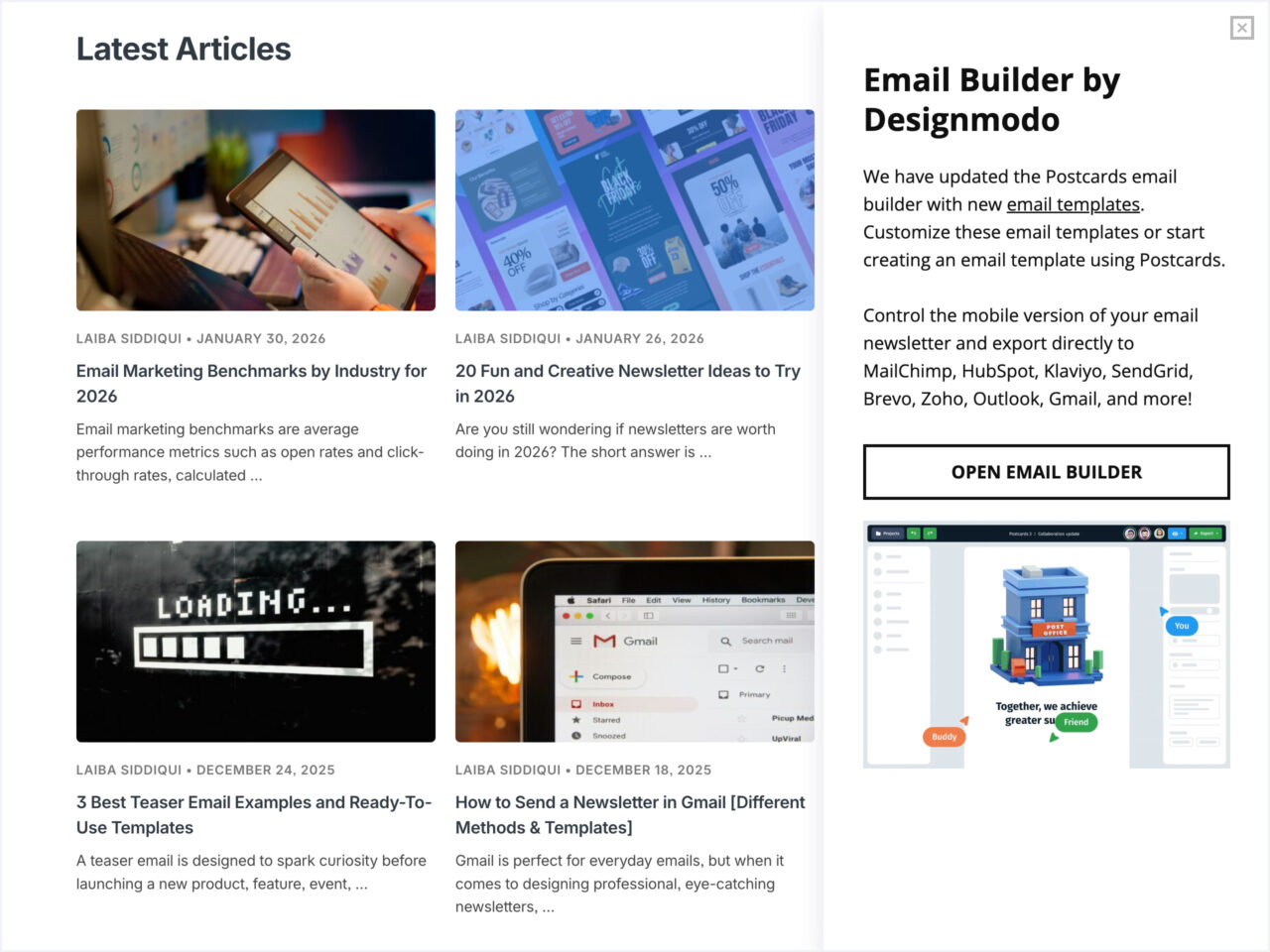
It’s worth mentioning that Getsitecontrol has been part of our toolkit at Designmodo for a while. We use it to grow our email list and promote products across the website. For example, the sidebar promoting our Postcards email builder, which you’ve probably seen on this blog, is powered by Getsitecontrol.
In this review, we’ll focus first on Getsitecontrol email marketing capabilities, then look at how its on-site tools fit into that workflow, before breaking down pricing and who the platform is best suited for.
Getsitecontrol Review: Quick Summary
What it is:
Getsitecontrol is an email marketing platform that handles email broadcasts, automations, contact segmentation, and lead capture through website popups and forms — all in one tool.
Best for:
Small and medium-sized brands looking for an intuitive email marketing tool with a clean interface, easy setup, and transparent pricing. Typical Getsitecontrol customers include ecommerce brands, media and SaaS businesses, and service providers.
With Postcards Email Builder you can create and edit email templates online without any coding skills! Includes more than 100 components to help you create custom emails templates faster than ever before.
Free Email BuilderFree Email TemplatesStandout features:
- Clean interface and clear setup flow
- Beginner-friendly email automations
- Advanced targeting for website popups
- Built-in email deliverability features
- HTML email template import (including Postcards templates)
- Fully functional free plan with unlimited contacts
- Pay-per-email pricing instead of per-contact billing
Pricing
Free plan available. Paid plans start at $19/month, with email sending priced by volume.
Email Editor and Templates
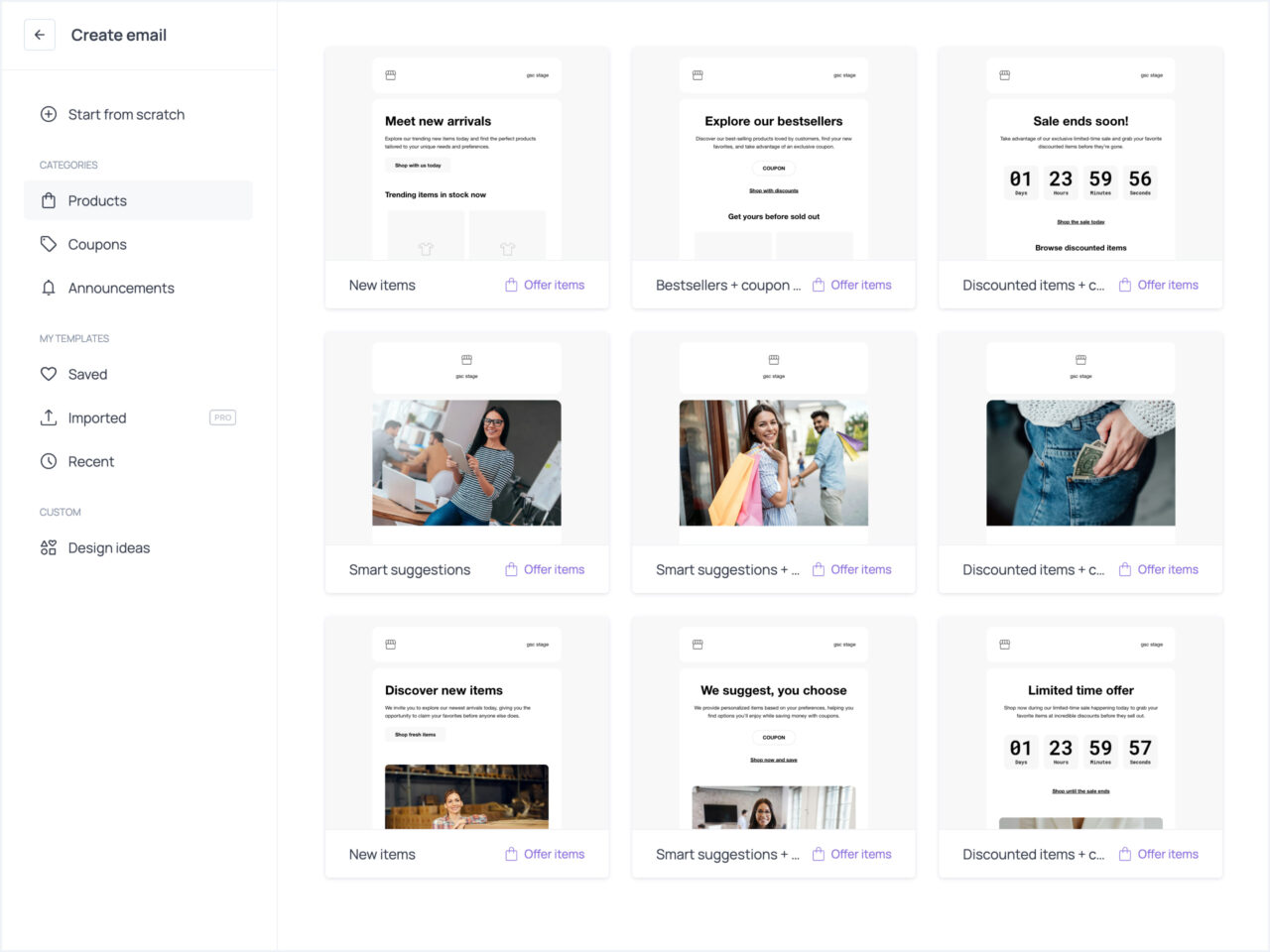
With Getsitecontrol, you can start creating an email broadcast. For Designmodo readers in particular, Getsitecontrol also supports importing HTML email templates created in Postcards.
Before sending, you can preview how emails appear across devices and in dark mode to catch layout or formatting issues in advance – so you can be confident it will look great in your subscribers’ inboxes. You can also share email demo links with your team or clients.
Broadcast Delivery Options
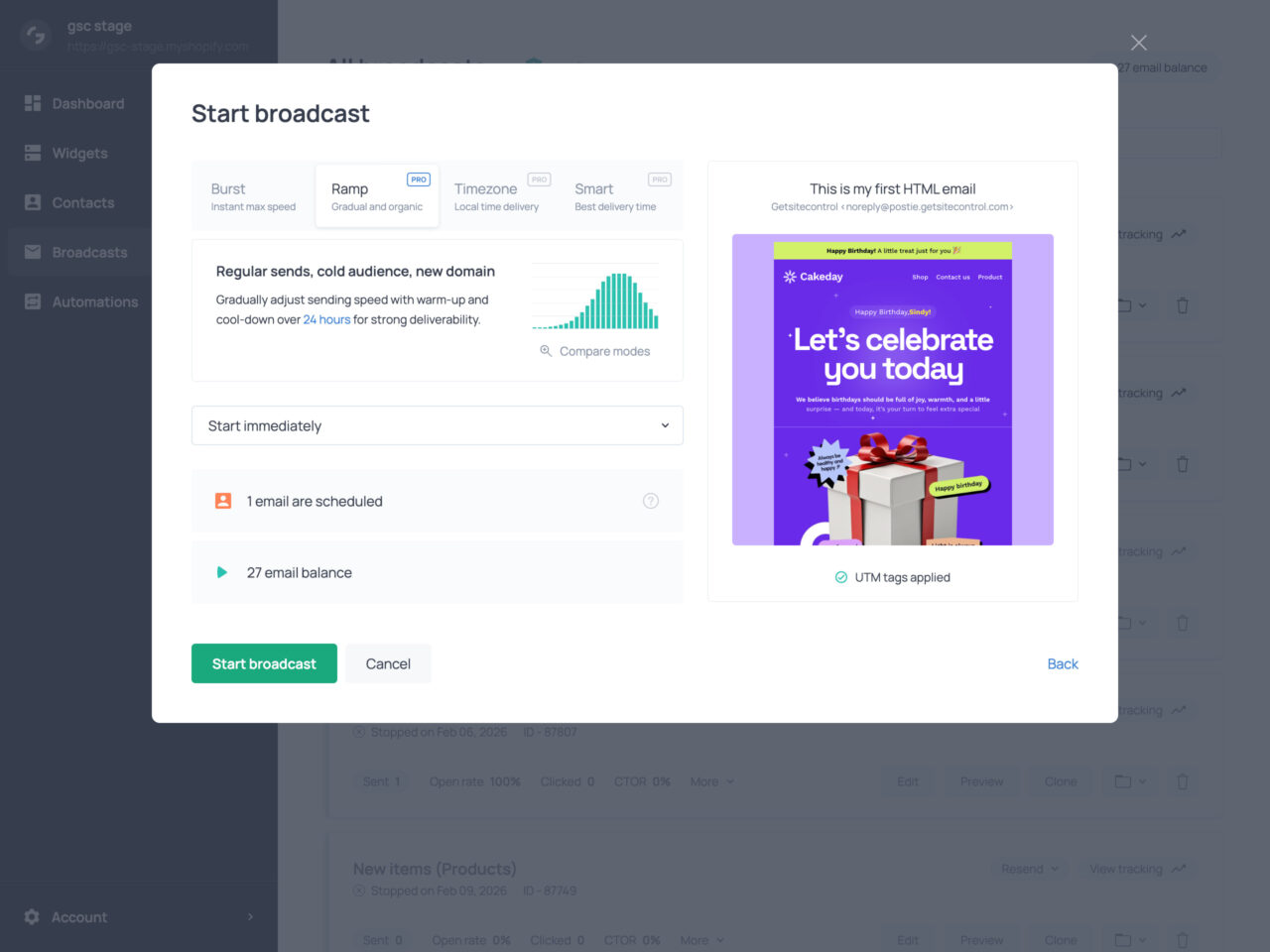
Broadcasts can be sent immediately or scheduled for a specific date and time. You can target your entire list or selected subscriber segments.
Depending on your campaign goals, audience engagement, and domain warmup status, you can choose different sending modes:
- Burst – instant delivery for time-sensitive campaigns
- Timezone – delivery at a consistent local time across regions
- Ramp – gradual acceleration and slowdown for domain warmup
- Smart – sending at optimal times based on engagement history
You can also enable traffic balancing, which alternates contacts by engagement level (hot, warm, cold) and spreads emails evenly across recipient domains (Gmail, Yahoo, Outlook) to maintain consistent engagement signals and avoid rate limits.
Before sending, the platform runs automatic checks to catch common issues early. Anti-Bounce validation verifies email addresses in your campaign audience to prevent bounces, while the built-in link checker scans all links in the email to flag missing or broken URLs. Together, these safeguards help protect sender reputation and prevent avoidable sending errors.
Real-time Delivery Tracking
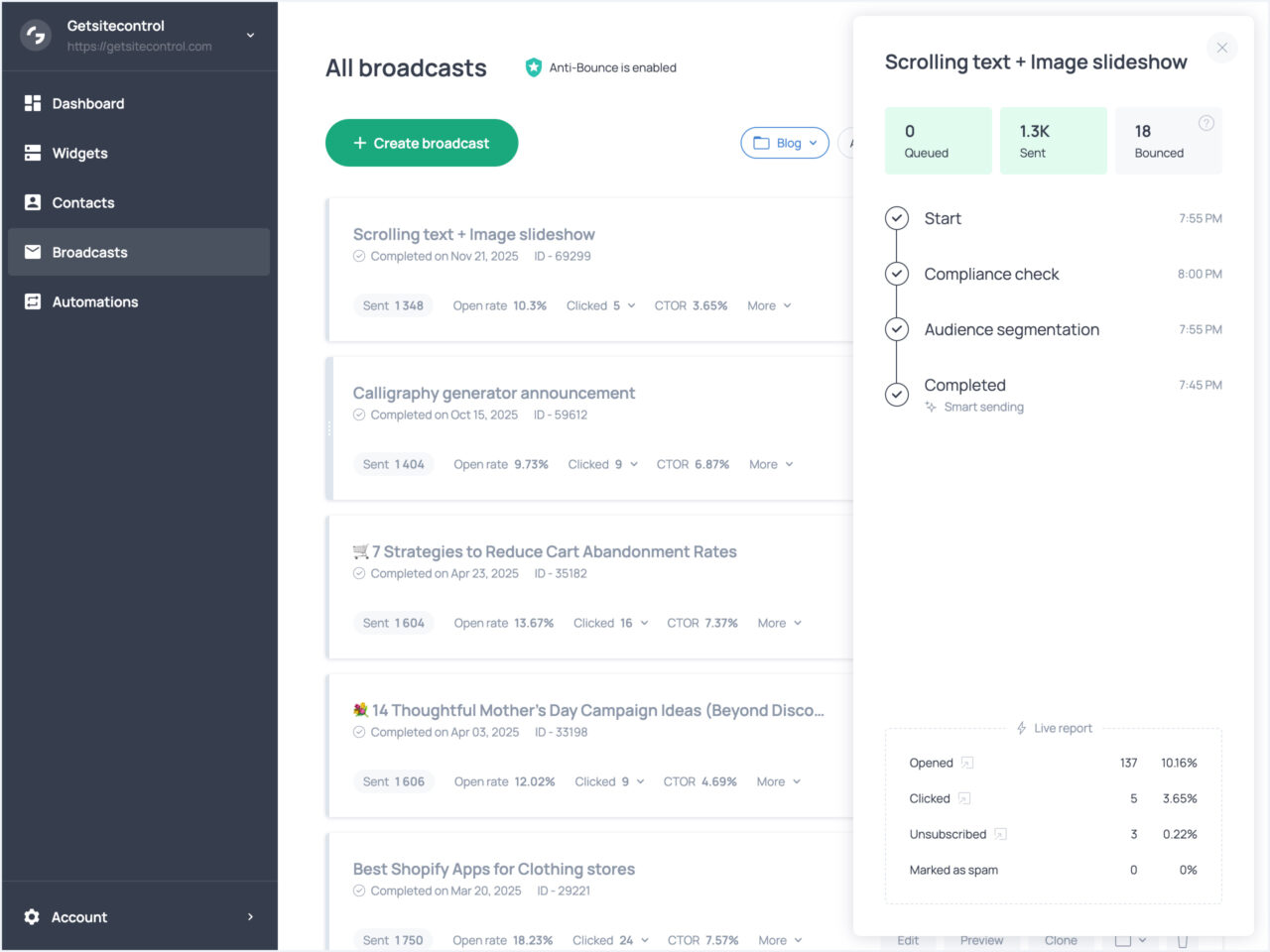
Once an email broadcast is launched, Getsitecontrol shows real-time delivery progress, including queued, sent, and bounced emails. Engagement metrics such as opens, clicks, unsubscribes, and spam reports update as emails reach inboxes, giving you immediate visibility into how a campaign is performing.
With Pulsetic you’ll be instantly notified the moment your website, API, or server becomes unavailable. Monitor uptime from multiple global locations and respond to incidents before your users are affected.
Create beautiful status pages in minutes to keep customers informed during outages and build trust with transparent communication.
Start Monitoring for FreeThe platform also tracks your sender reputation over time, highlighting critical thresholds like high bounce rates (5%+) or spam complaints (0.2%+) so you can address issues before they seriously impact email deliverability.
Build Email Marketing Automations
Pre-designed Automations
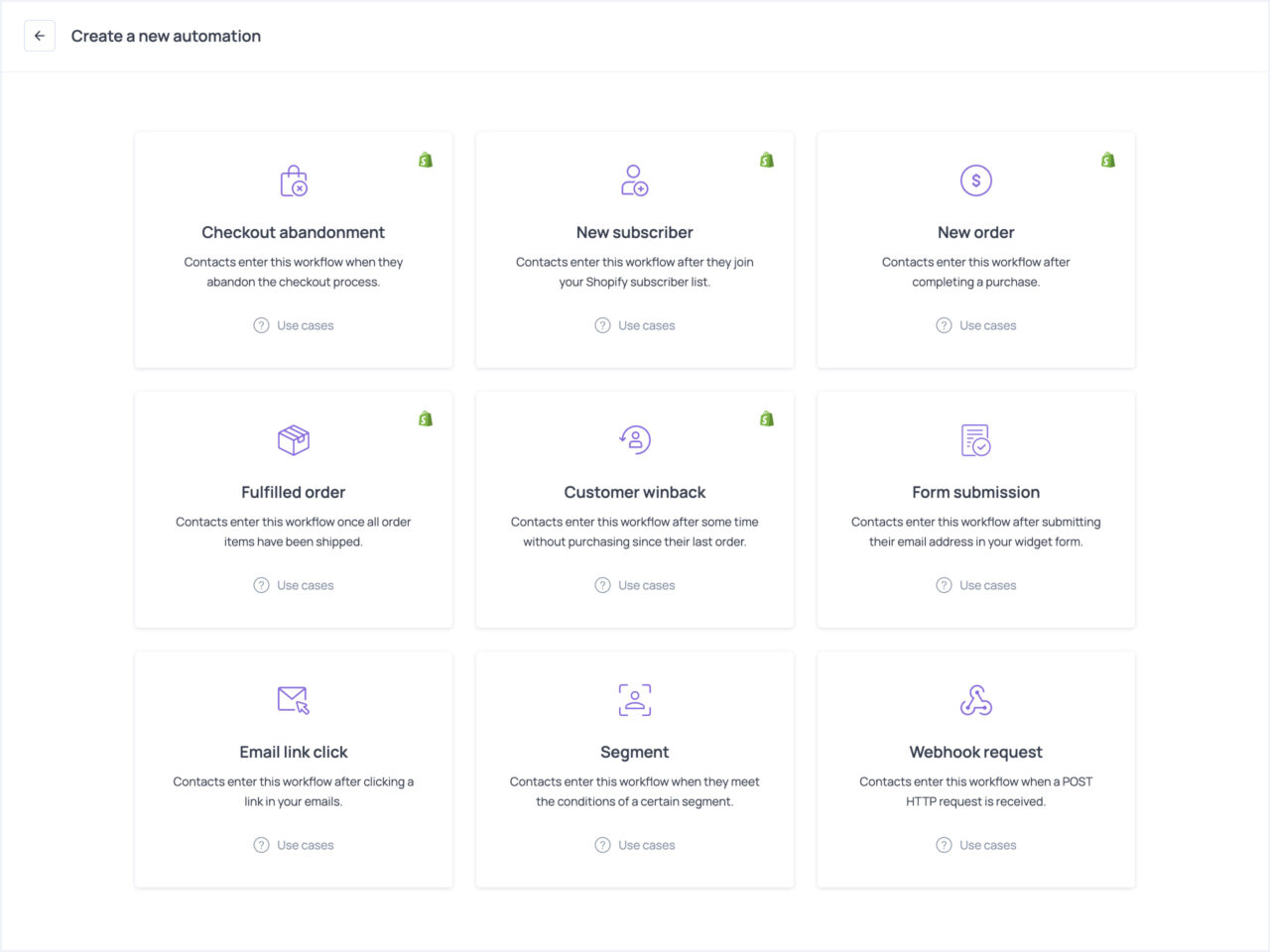
Beyond one-off broadcast campaigns, Getsitecontrol lets you build email marketing automations based on contact behavior. For example, when a contact submits a form, clicks an email link, becomes inactive, or joins a segment, this event automatically triggers the appropriate workflow. Shopify stores can also use order-related events like purchases, cart abandonment, and fulfillment to trigger automations.
Automation Actions and Logic
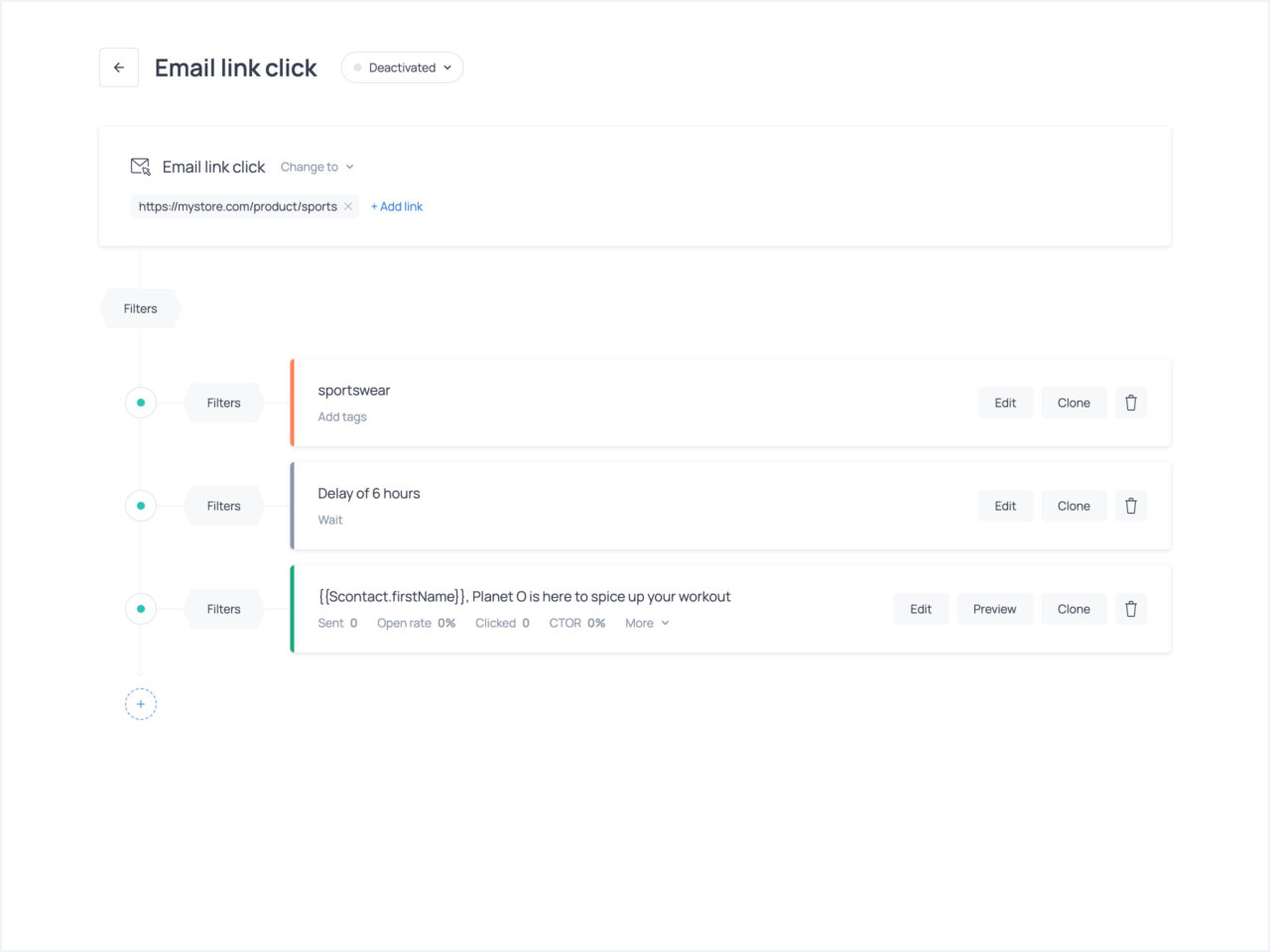
Automations are built as sequences of actions of your choice: send an email, wait a set period, apply or remove tags, or run a workflow. For example, when someone fills out your email subscription form to join your list, you can send an immediate confirmation email, wait for a few hours, and launch a pre-built welcome workflow with a sequence of emails introducing your brand.
The builder keeps automations simple while providing enough flexibility to send targeted messages using filters for each action. For instance, if a contact clicks through a link to a specific product collection in your email, you can launch an automation that will tag that contact and send an email with product recommendations based on that engagement signal.
Performance Visibility
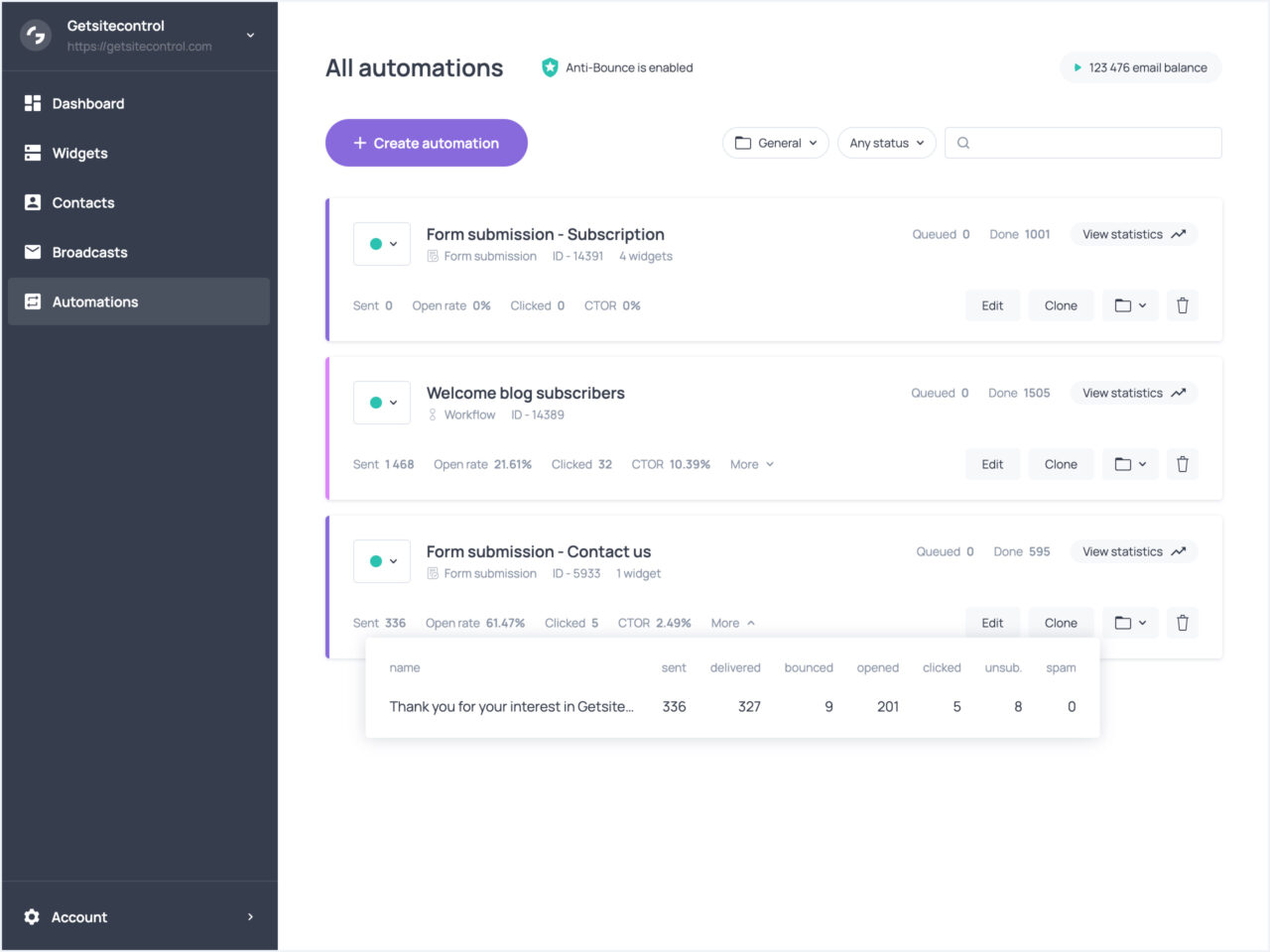
Once an automation is live, you can track detailed metrics: how many emails have been sent within automation, how many have been delivered, bounced, opened, clicked; how many contacts have unsubscribed or reported spam.
Performance overview helps you spot where contacts engage or drop off and identify deliverability issues, so you can refine timing, messaging, or email list-building approach.
Collect Emails and Run On-site Campaigns
Pop-up and Inline Form Templates
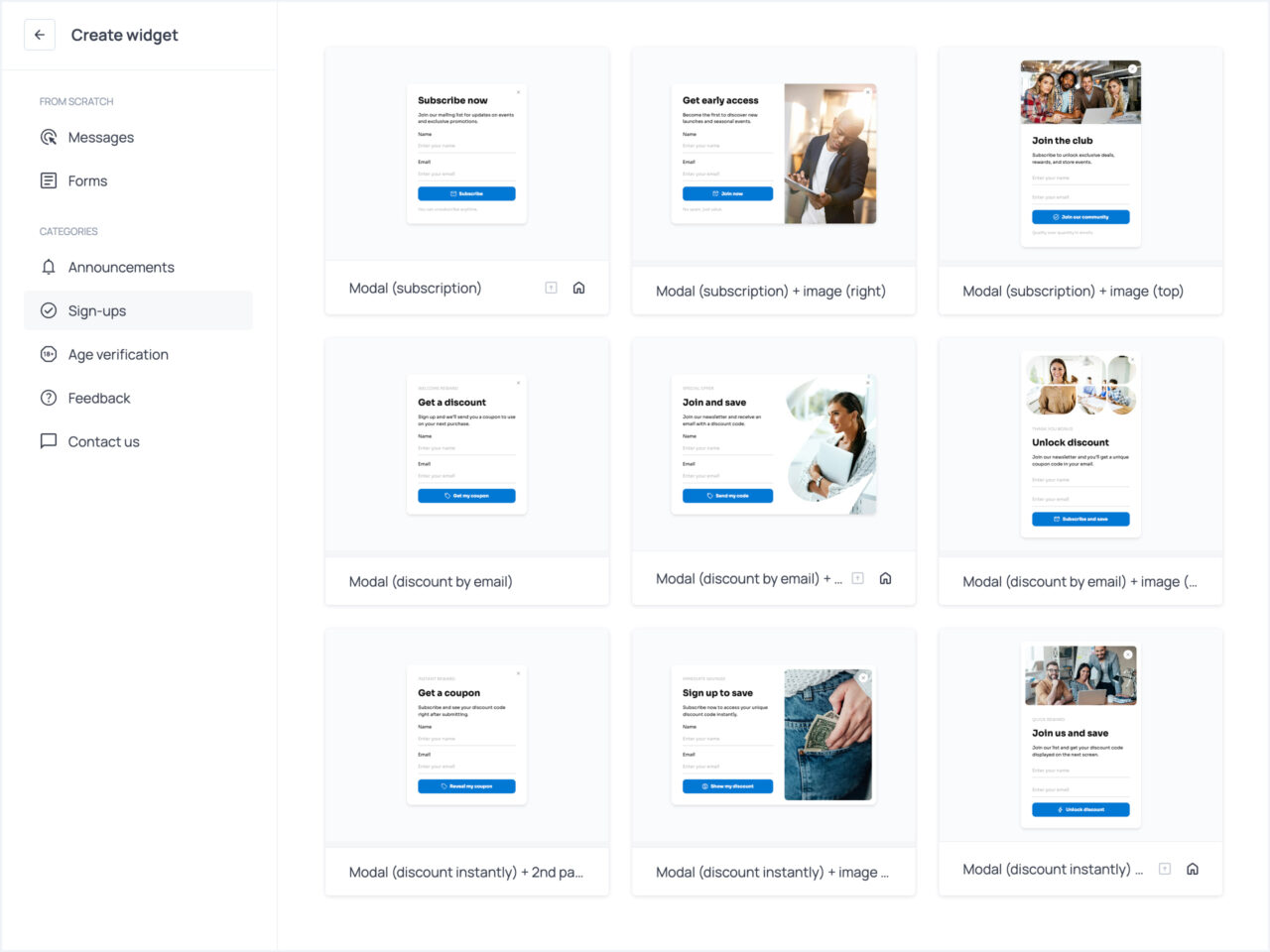
Email marketing starts long before the first campaign is sent. That’s why Getsitecontrol includes highly versatile email signup forms, so list growth is part of the same workflow as broadcasts and automations.
The platform includes a library of pre-designed widget templates, including signup forms, that you can customize. Depending on context and intent, you can use modal popups, slide-ins, sticky bars, fullscreen overlays, and embedded email opt-in forms.
Customization and Mobile
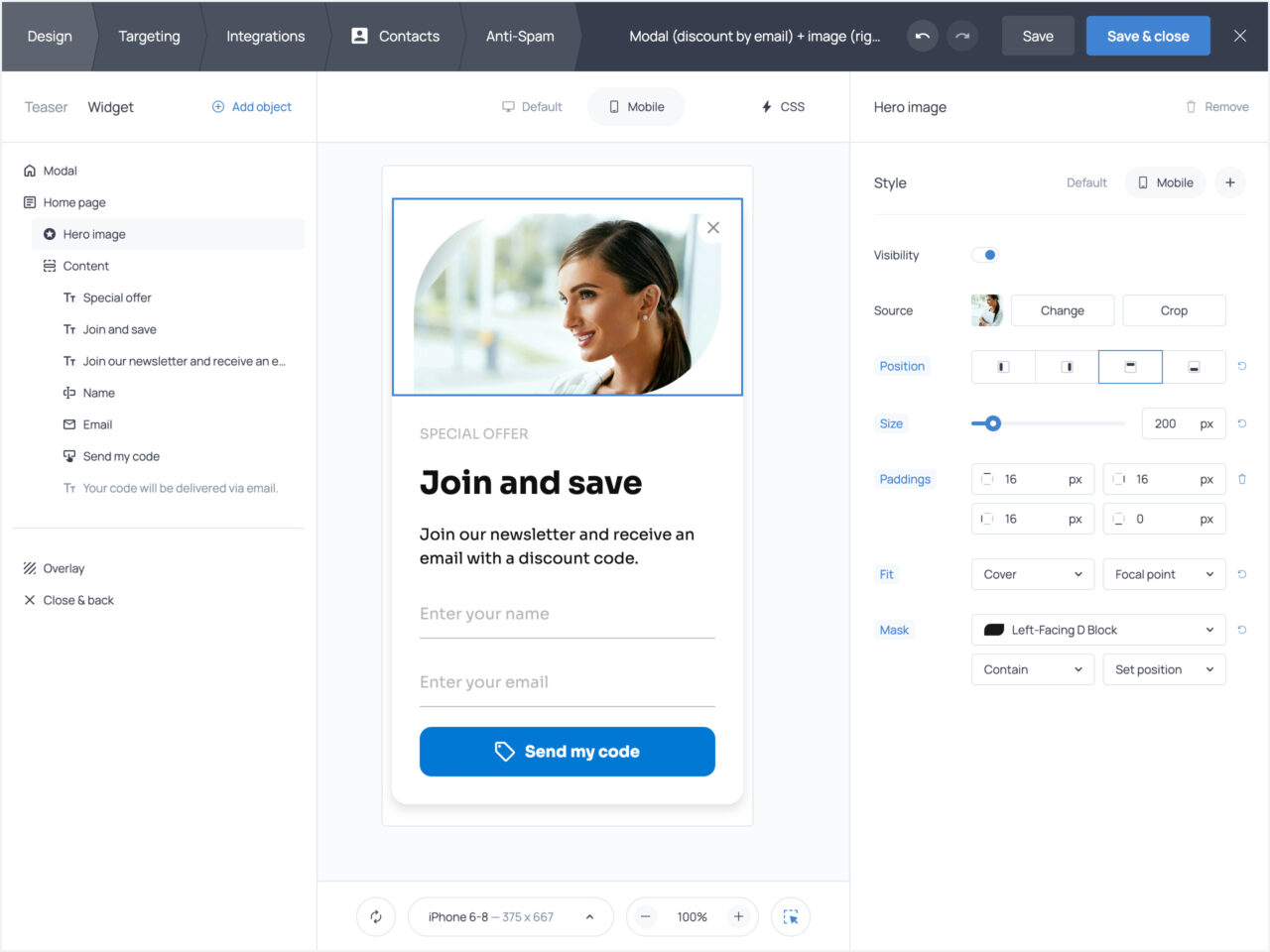
The widget editor provides pixel-level design control with layouts that automatically adapt to different screen sizes. To tailor forms to your needs, create additional pages, add custom fields, buttons, and checkboxes.
You can also create a teaser, so that a popup only expands if a visitor clicks on a compact floating button. This is particularly useful when you want to keep your offer visible without interrupting browsing.
For a smoother experience on mobile, you can adjust mobile versions by changing image positioning, hiding the image entirely, or adjusting spacing — and preview the result across multiple devices before publishing. Advanced users can apply custom CSS for fine-grained styling control.
Anti-spam Features
To maintain list quality and protect deliverability, Getsitecontrol includes built-in safeguards for on-site forms. You can enable CAPTCHA verification to block automated submissions and use double opt-in confirmation for newsletter signups, ensuring only genuine contacts enter your email list.
Display Rules and Targeting
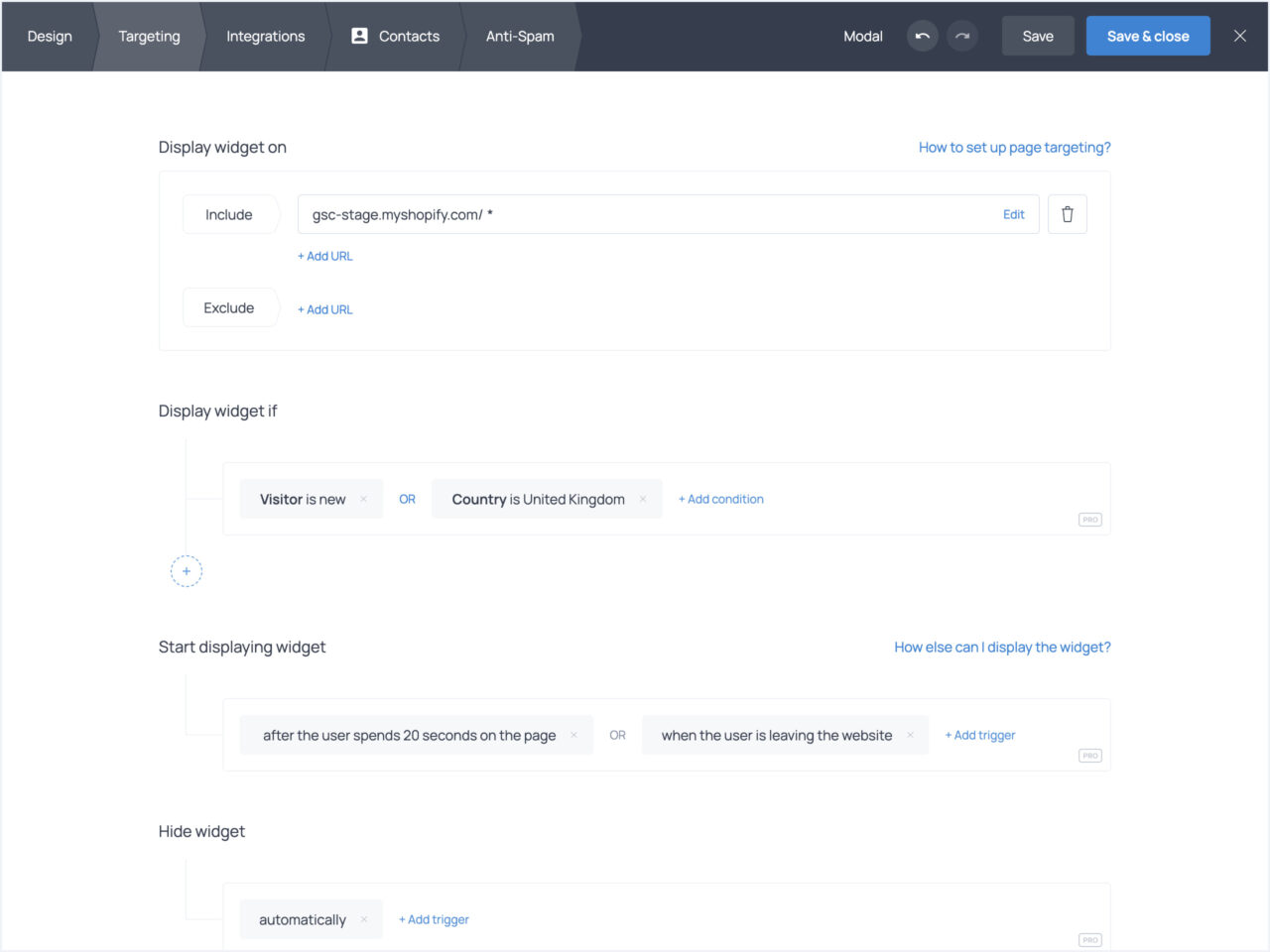
Getsitecontrol allows you to decide when and where signup forms will appear using behavioral triggers (scroll depth, time on page, exit intent, element clicks), audience filters (location, device type, traffic source, visitor status, pages viewed), upon click, or programmatically. If you’re on Shopify, you can also target website visitors based on the products they’re viewing or adding to the shopping cart.
Stack multiple conditions with AND/OR logic to get precise. For example, you can show an email newsletter signup form with a welcome offer only to first-time US visitors who’ve spent 15+ seconds on a product page. This precision helps popups feel relevant rather than disruptive. You can also A/B test different signup form designs, copy, or offers to identify which variations drive the highest conversion rates.
Promotional and Feedback Popups

While email signup forms are the primary use case for email marketing, Getsitecontrol offers widgets for multiple on-site campaign types. For instance, the template library features announcement bars, click-to-copy coupon boxes, contact buttons, survey forms, and more.
The same behavioral triggers and targeting rules apply. This means you can announce shipping schedule updates for people in specific locations, display a post-purchase survey to customers who just completed checkout, offer a coupon to cart abandoners, or ask what stops them from completing checkout.
Tag Contacts and Build Segments
Automatic Contact Tagging
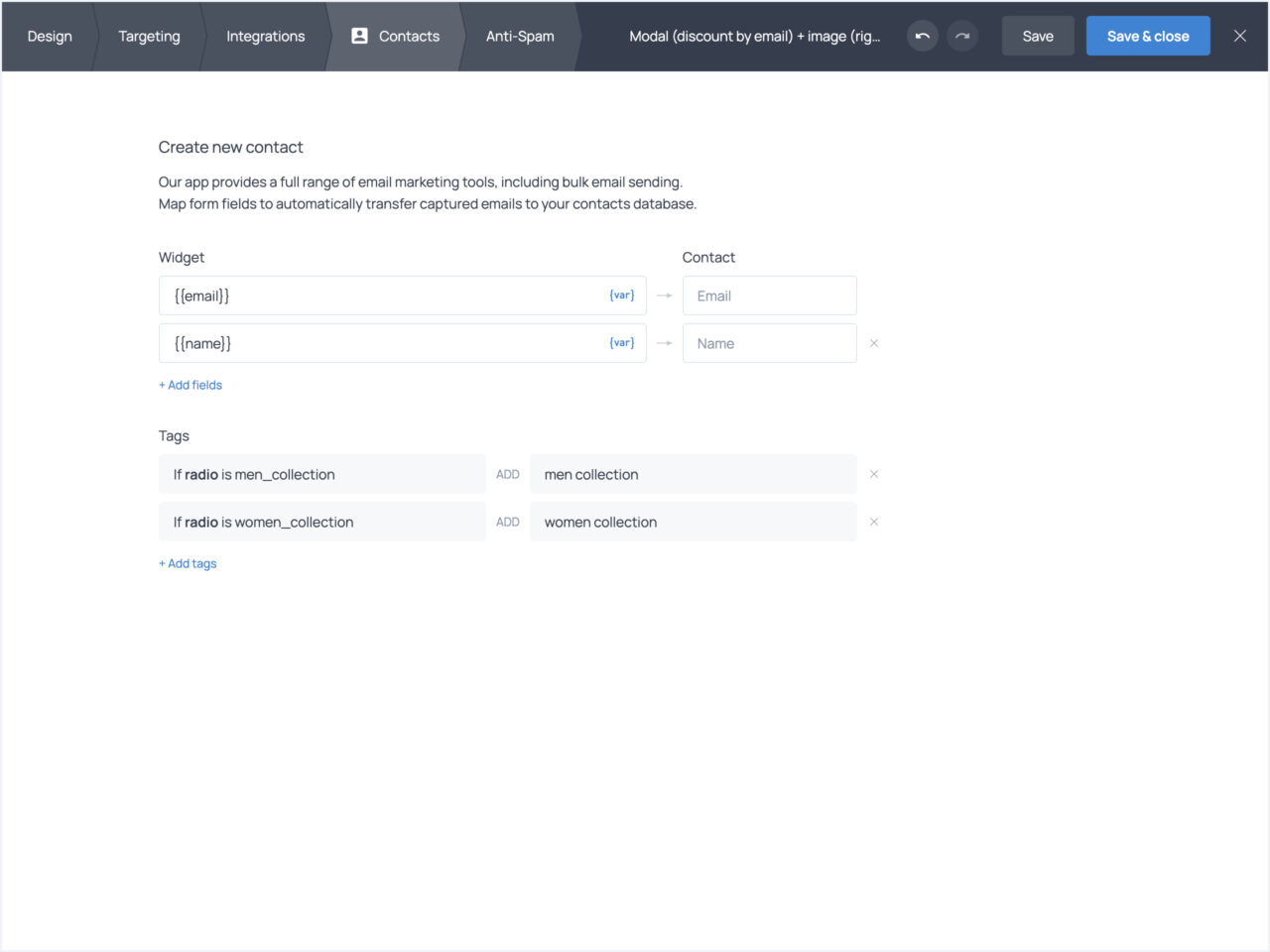
In Getsitecontrol, you can tag contacts manually or automatically based on rules you configure through signup forms or automation workflows. You can tag contacts based on the email links they clicked, products they purchased on your Shopify store, or options they selected when joining your list.
For example, if your email signup form has product preference checkboxes, you can use them to set up automated tagging right in the widget editor.
Pre-built and Custom Segments
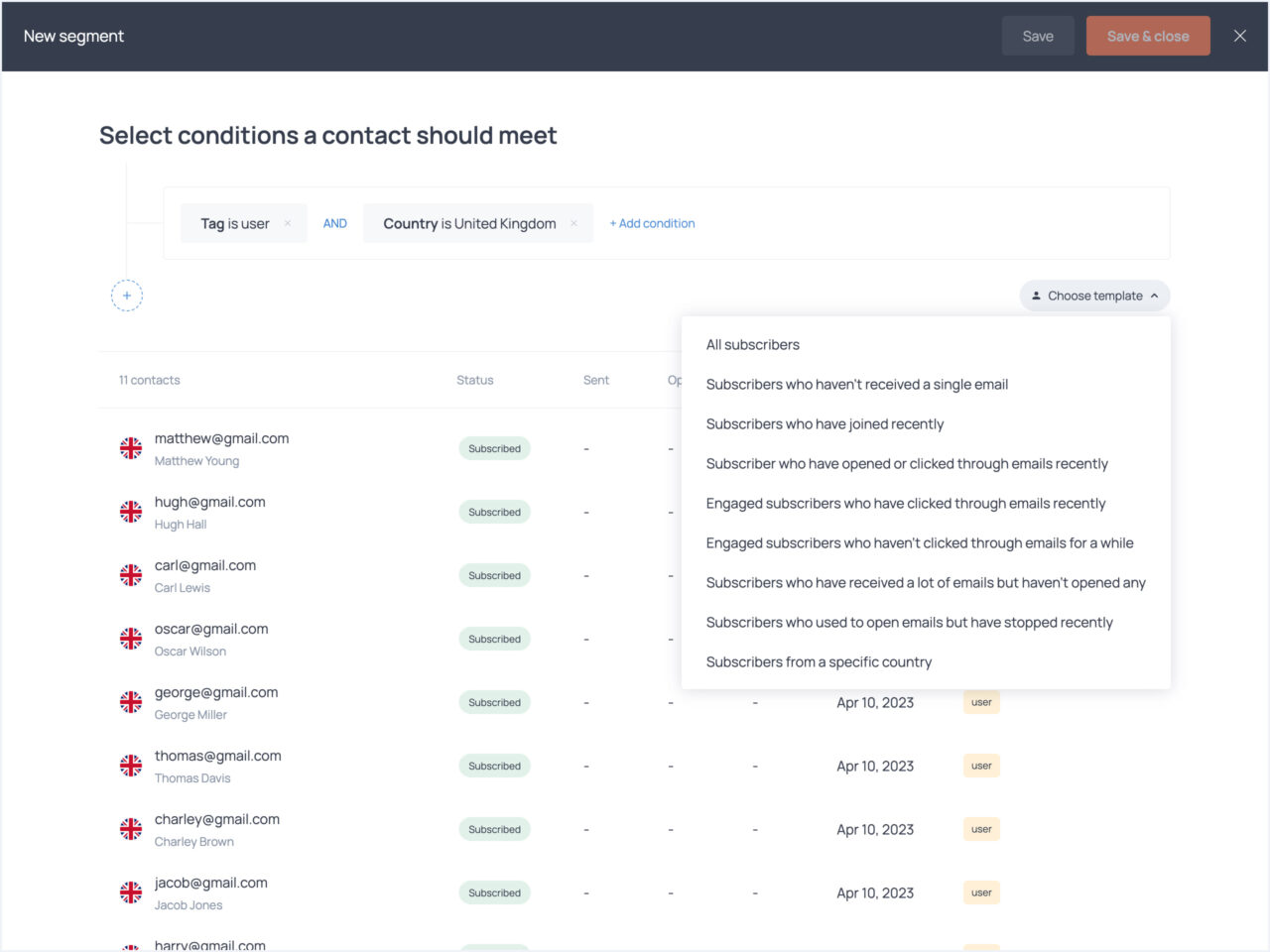
The platform includes ready-made segment templates. For example, you can adjust your definition of new subscribers, highly engaged subscribers, those who used to be engaged but stopped opening your emails, and so on.
Beyond the built-in templates, you can create custom segments using tags, data collected by the platform, and their engagement with specific email campaigns. For Shopify stores, segments can also include purchase history and product interests indicators, with multiple conditions combined using AND/OR logic.
Segment-triggered Automations
Segments are helpful when launching email broadcasts, but Getsitecontrol also lets you trigger automation workflows when contacts enter specific segments. For example, when someone becomes inactive based on your definition, they automatically start receiving a re-engagement email sequence.
On Shopify, when high-spenders are identified based on purchase value, they automatically receive VIP offers. This turns segmentation from a static filter into an active trigger for personalized communication.
As contacts move between segments — becoming active again, making purchases, or changing engagement patterns — they automatically enter and exit the appropriate workflows without manual intervention.
Pay-per-email Pricing with Unlimited Contacts
Getsitecontrol offers three plans: Free, Pro ($19/month), and Pro Max ($29/month) – all with unlimited contacts. Email sending is billed separately based on volume.
The free plan includes access to the full platform — popups, forms, email campaigns, and automations — with no time limit or credit card required. New accounts also get 2,000 free emails when importing contacts.
The main trade-offs are branding on widgets and emails, along with limited access to advanced targeting and optimization features. Email sending costs $2 per 1,000 emails after the initial free credits.
Pro and Pro Max include the same advanced feature set: behavior-based targeting, A/B testing, CSS customization, reCAPTCHA, and advanced sending modes.
The difference is in widget monthly view limits: Pro supports 100,000 widget views per month, while Pro Max offers unlimited views. Emails are $1.60 per 1,000 sends on Pro and $1.40 per 1,000 sends on Pro Max.
Is Getsitecontrol Right For You?
Getsitecontrol fills a specific gap: it’s more sophisticated than basic email marketing tools – offering sender reputation tracking, flexible sending modes, and advanced popup targeting – but simpler and more transparent than enterprise-level platforms.
It works particularly well for lean teams that want to handle both lead capture and email marketing in one platform. The combination of behavioral popup targeting, segment-triggered automations, and deliverability controls covers the core workflows most small teams need.
The functional free plan makes it easy to thoroughly test the platform. Custom template imports (including from Postcards) give design-focused teams flexibility, while the pay-per-send pricing model benefits businesses with growing lists who send periodically rather than daily.
Creating an account with Getsitecontrol takes seconds, and you can start with the free plan with no time limit. A dedicated Shopify app is also available in the Shopify App Store.