AI Email Assistants: 3 Best Tools and How to Choose the Right One
80% of marketers now use AI for content creation. AI email assistants are a big part of that shift; they draft campaigns, write subject lines, sort inboxes, and trigger follow-ups that used to eat hours every week.
We’ll explore everything you need to know about AI email assistants in this article.
What Are AI Email Assistants?
AI email assistants are software tools that help you write, sort, and manage emails, using artificial intelligence to handle the repetitive parts of your inbox so you can focus on work that actually needs your attention.
They:
- Draft emails and replies based on the incoming message and your writing style
- Sort and prioritize your inbox by urgency or topic
- Summarize long email threads so you don’t have to read every message
- Flag follow-ups you might have missed
Unlike traditional email automation, which follows fixed rules you set up in advance (like “move all newsletters to this folder”), AI assistants learn and adapt. They understand the context of conversations and make decisions the way a smart human assistant would.
The primary difference is that traditional automation does exactly what you tell it to, but AI assistants figure out what you probably need and get better at it over time through machine learning. This means the tool improves the more you use it.
With Postcards Email Builder, you can create and edit email templates online without any coding skills! It includes more than 100 components and the AI Suite, which builds and translates full templates from a single prompt.
Free Email BuilderFree Email TemplatesHow AI Email Assistants Work
AI email assistants connect to your inbox, like Gmail and Microsoft Outlook, through your email provider’s official API. Once you grant access, they read your emails, learn from your habits, and start making suggestions tailored to how you communicate.
They do this using natural language processing (NLP), which allows the AI to understand the context of emails and suggest a relevant reply.
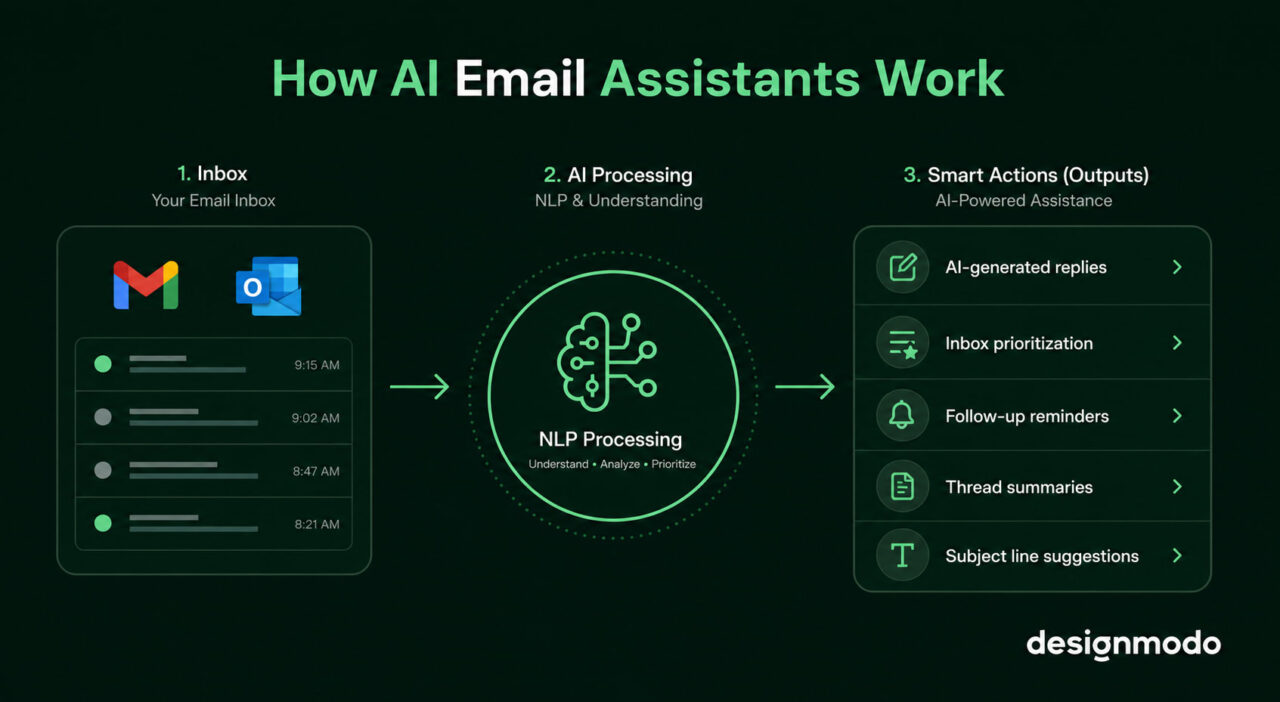
Some AI assistants also work directly inside email design platforms. For example, Postcards AI Suite helps users generate and edit complete email templates inside the app using simple prompts, making design and content creation much faster.
Let’s look at some common use cases of different types of AI email assistants:
AI Email Drafting
An AI assistant can write emails from a short prompt. You describe what you need, including the context, the recipient, and the goal, and it produces a ready-to-send draft.
Some tools even pull from your past emails to match your tone and vocabulary, so the draft sounds like you wrote it.
To generate subject lines specifically, try Designmodo’s free AI Subject Line Generator. Describe your campaign and set the audience stage. Shortly, it will produce optimized options in seconds.
But remember, AI drafts still need a read-through before they go out. So check the tone and verify any facts.
With Pulsetic you’ll be instantly notified the moment your website, API, or server becomes unavailable. Monitor uptime from multiple global locations and respond to incidents before your users are affected.
Create beautiful status pages in minutes to keep customers informed during outages and build trust with transparent communication.
Start Monitoring for FreeSmart Inbox Management
Smart inbox management automatically sorts and prioritizes your emails so you spend less time looking and more time on actual work.
AI assistants can:
- separate urgent emails from promotions
- highlight messages that need replies
- summarize long threads
- mute low-priority notifications
Suppose you’re running launches for three clients at once, and the assistant flags the two client emails waiting on your approval. As soon as you open your inbox, the urgent stuff is already at the top.
AI-Powered Analytics and Insights
AI assistants can track your sending and response patterns to surface what’s affecting your results. You can see metrics like which subject line styles get faster replies and which threads have gone quiet longer than they should.
For example, if you sent a sponsorship pitch six days ago and haven’t heard back, the assistant flags it; you don’t have to remember to follow up.
Latest AI Email Assistant Tools
Designmodo, Superhuman, and Gemini are some of the best AI email assistants. Which one you choose among these depends on your needs.
1. Postcards AI Suite by Designmodo
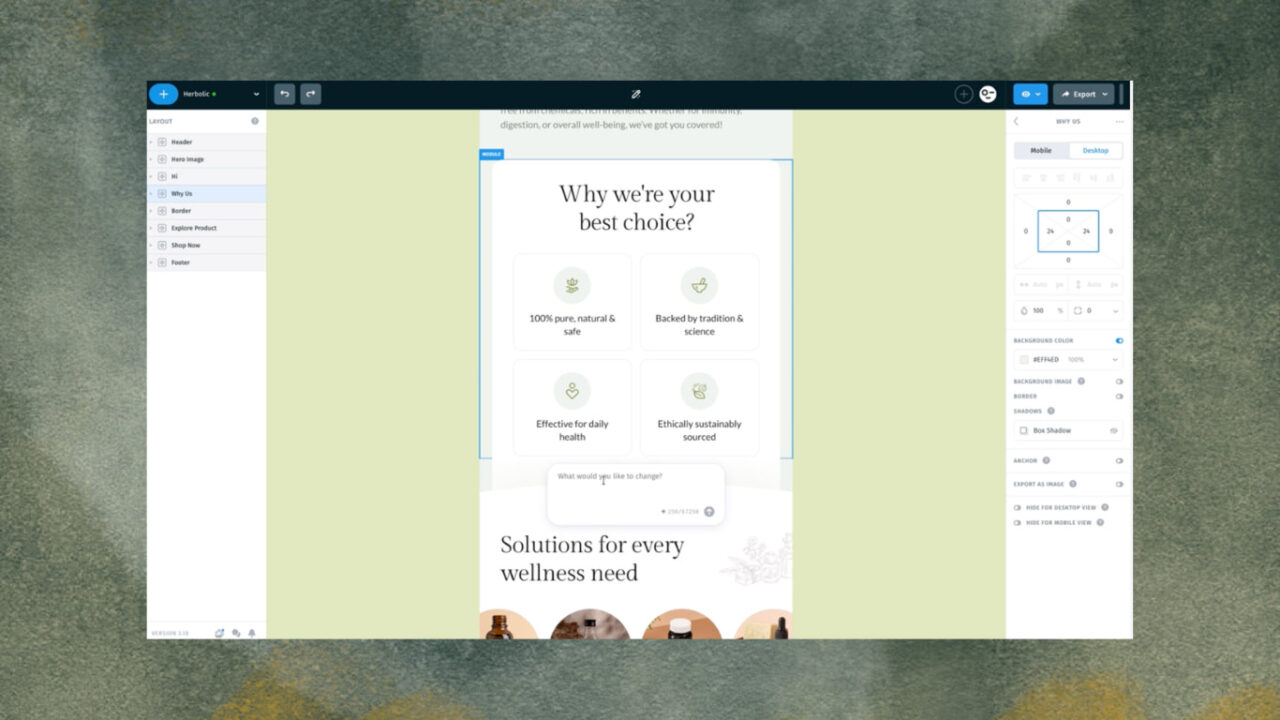
Postcards AI Suite is built directly into the Postcards HTML email builder. It covers the part of your workflow that most AI assistants skip entirely: actually designing and building the email itself.
To use its AI feature, click the pencil icon at the top; a prompt box opens. From there, you can build a complete template from scratch by describing what you need or edit an existing one through simple commands.
For example:
- Type “add two new feature blocks,” and they appear.
- Type “convert this to a password reset email,” and the template restructures with the right headline, copy, and layout for a transactional format.
- Type “add one more button, red color,” and it’s there.
You can also change the color theme, adjust spacing, and translate the entire email into another language, all without touching the drag-and-drop editor.
The AI chat and the classic editor work side by side, so you use whichever fits the task. For tighter copy edits, the AI Assistant in the right sidebar lets you highlight any text element and rewrite it to a specific word count, anywhere between 4 and 100 words.
After you’ve done everything, directly export your emails to Mailchimp, HubSpot, Klaviyo, Campaign Monitor, Salesforce, Shopify, or any other email service provider (ESP).
2. Superhuman
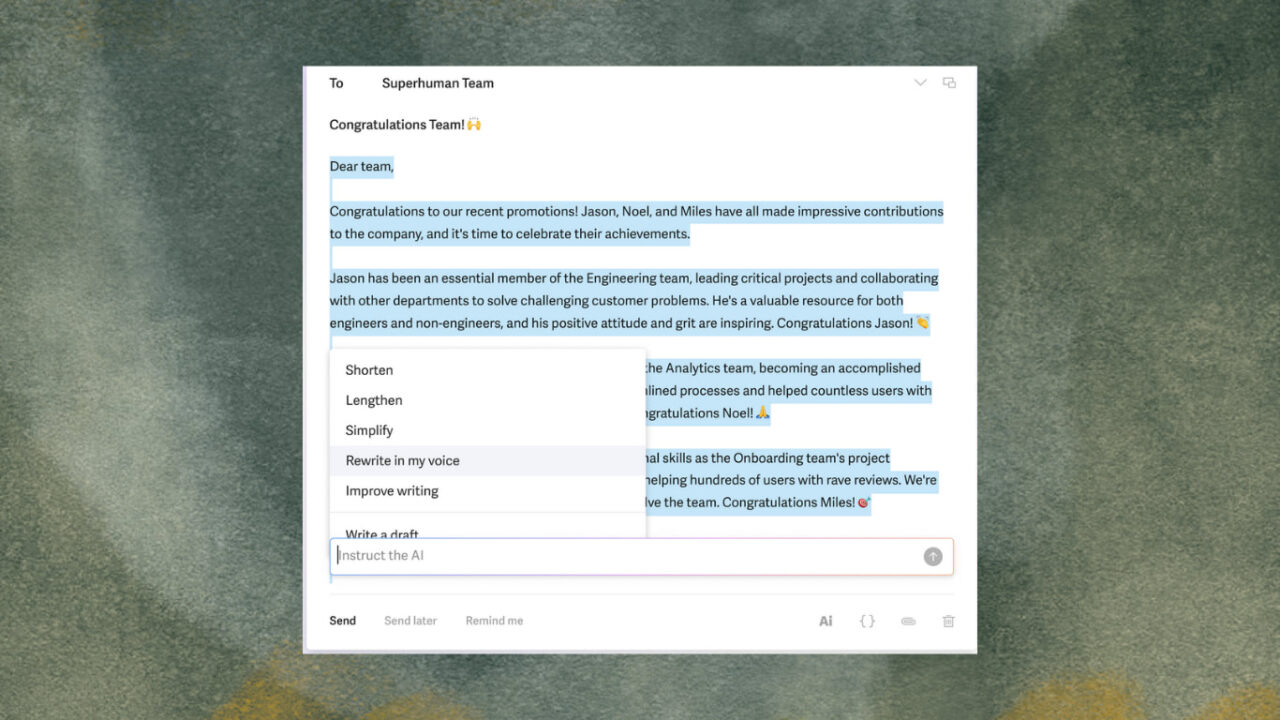
Superhuman is a premium email client built on top of Gmail or Outlook. It processes your inbox faster rather than handing everything off to AI.
Here’s what it does:
- Drafts replies based on thread context
- Collapses long threads into one-line summaries
- Categorizes incoming messages automatically
- Lets you query your inbox in plain language
In October 2025, Superhuman launched Auto Drafts. It is an AI feature that automatically writes follow-up emails in your voice without prompting, appearing ready to edit and send.
Note: Superhuman was acquired by Grammarly in mid-2025 and is now bundled into Grammarly’s product suite. New users who want Superhuman’s email features need the Business plan, which starts at $33/month, billed annually.
3. Gemini
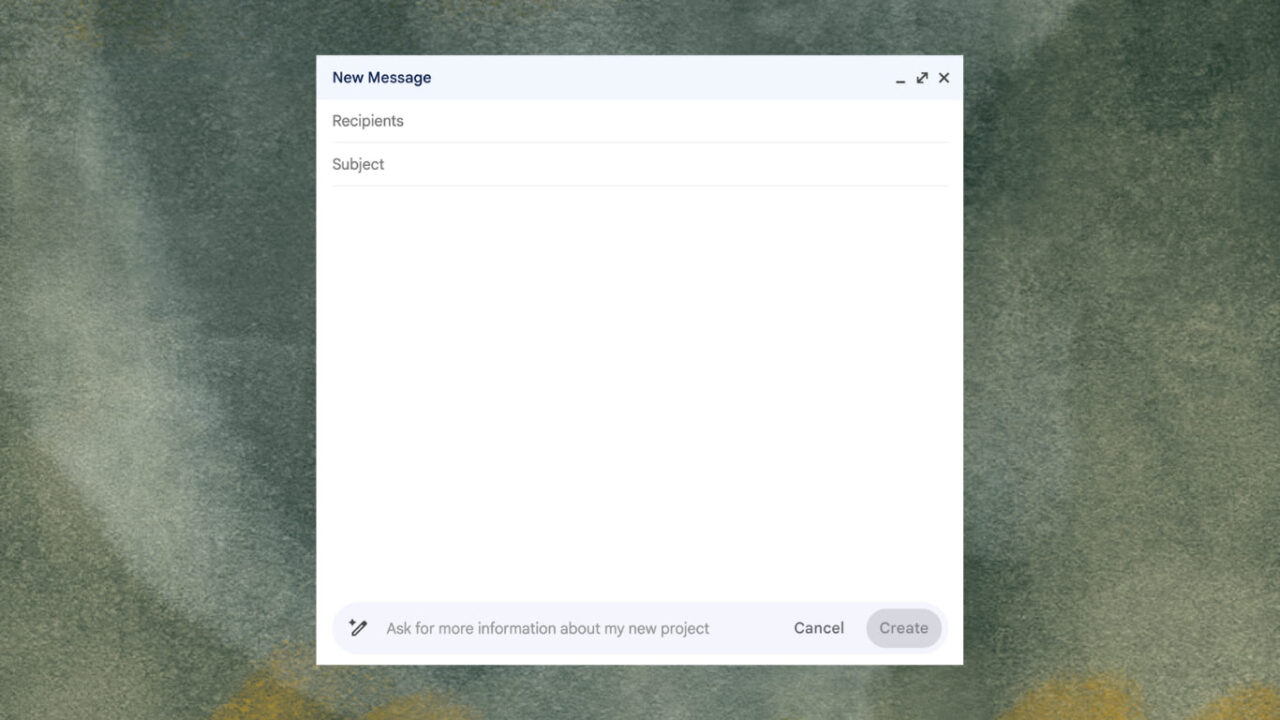
Gemini is Google’s AI assistant integrated directly into Gmail and Google Workspace. It can draft marketing emails, generate subject line options, summarize threads, and rewrite messaging in different tones without leaving your inbox.
If your team already works inside Google Workspace, there’s no need to switch tools or copy text between windows. The AI is right where the email is.
Limitations to Know Before You Start
AI email assistants save time, but their drafts can include incorrect information. So review before sending, every time.
Most tools also need access to your inbox to work. To confirm this, check whether the provider is GDPR-compliant and how they handle your data before granting access.
⚠️ Caution: The more you hand off work to AI, the more generic your emails can sound.
If you have a frustrated client, they definitely need a human response, not a templated one.
How to Choose the Right AI Email Assistant
To choose the right AI assistant that aligns with your needs:
- Define what your team needs: Not every team uses email the same way. A marketing team needs campaign writing and personalization at scale, while a sales team needs outreach automation and follow-up sequences. So choose based on your actual workflow, or you’ll end up paying for features you never use.
- Check your existing integrations: The tool has to work with Gmail or Outlook, your CRM, and your marketing platform. Test it for at least two weeks before committing.
- Do the privacy check: AI email assistants access your inbox and often your customer data. Confirm where your data is stored, whether the tool is GDPR-compliant, and what permissions it requests because this affects your clients, too.
Future of AI Email Assistants
The average knowledge worker spends 11.7 hours every week just processing emails. That’s nearly a third of a standard work week gone before any real work starts. But that number is about to drop significantly because 40% of enterprise applications will include task-specific AI agents by the end of 2026.
Start With the Email Itself Using Designmodo
Most AI email tools help you write faster or manage your inbox better. Postcards AI Suite does the part that comes before any of that: building an email that looks right.
Open the editor, describe what you need in plain English, and the template takes shape. Change the layout, adjust the copy, and translate it into another language.
When it’s ready, export directly to Mailchimp, HubSpot, Klaviyo, or wherever your campaigns are.
That’s it, and you’re good to send emails.
FAQs
Are AI email assistants safe to use?
A lot of AI email assistants may use encrypted connections and follow security standards like GDPR compliance. Still, you should review what inbox permissions the tool requests before connecting your email accounts.
Can AI email assistants write full emails?
Yes. Most AI email assistants can generate full email drafts, subject lines, replies, and follow-up messages from a short prompt or existing conversation thread.
Do AI email assistants work with Gmail and Outlook?
AI email assistants like Designmodo integrate directly with Gmail, Google Workspace, Microsoft Outlook, and other ESPs.
Are AI-generated email replies accurate?
Not always. AI-generated replies can sometimes include incorrect details or awkward phrasing, so review every draft before sending.
What should businesses check before choosing an AI email assistant?
Businesses should check integrations, privacy policies, pricing, inbox permissions, and whether the tool supports their existing workflow and email platform.