Halloween Email Timeline: When to Send Each Campaign in 2026
Halloween is the one date in the autumn calendar you cannot move, and in 2026 it falls on Saturday, 31 October. That matters more than it sounds. In 2025 Halloween landed on a Friday, which pushed parties and last-minute shopping into the preceding evening. A Saturday Halloween puts the parties on the night itself and gives you a full weekend - 24 and 25 October - as the peak shopping window. If you reuse last year's send schedule without shifting it, your best email will arrive a day late.
Here is a timeline that works for most retail, hospitality and service businesses. Adjust the volume to your list, but keep the shape.
Six weeks out - mid-September
This is early, and for most senders it is too early to mention Halloween at all. The exception is anything made to order: custom costumes, printed decorations, personalised gifts, catering. If your production time is longer than a week, your customers need to hear from you now, and your first email should be about lead times rather than discounts.
Four weeks out - the first weekend of October
Send the teaser. Do not lead with a discount here; lead with the fact that something is coming. A short email announcing that your Halloween range is live, or that a sale drops on a specific date, does two useful things: it warms the list before the inbox gets crowded, and it lets you segment by who opened, so your main promotion goes to a more interested audience. Include a single link to browse and nothing else.
Three weeks out - around 10 October
This is where the shopping actually begins for costumes, decorations and party supplies. Send your main Halloween promotion now, with the offer stated in the subject line and repeated in the first visible block of the email. Anyone buying an outfit or planning a party is making those decisions in mid-October, not in the last week.
Two weeks out - around 17 October
A good slot for a seasonal newsletter rather than a hard sell: costume ideas, recipes, a party-planning checklist, a gift guide by price. This email earns clicks from people who are not ready to buy yet, keeps your engagement rate healthy going into the busiest week, and gives you a second chance at anyone who ignored the promotion. It is also the send that tends to get forwarded, which a discount rarely does.
The weekend before - 24 and 25 October
The commercial peak, and in 2026 it is a full weekend rather than a single day. Send Saturday morning if you sell physical goods, because this is the last realistic window for standard shipping to arrive before the 31st. State your shipping cut-off explicitly - a date, not "order soon" - and put it somewhere it cannot be missed.
The final week - 26 to 30 October
Switch from shipping to immediacy. Digital products, gift cards, in-store collection, same-day service and table bookings all belong here, because the shipping conversation is over. If you run a restaurant, bar or venue, this is your most important email of the season, and it should go out on Wednesday 28 or Thursday 29 at the latest.
Halloween itself - Saturday 31 October
Send in the morning if you are selling anything at all: last-minute costume pieces, a party menu, a flash discount, a walk-in offer. Because Halloween is on a Saturday in 2026, the day itself carries real commercial weight rather than being a working Tuesday that everyone spends at their desk.
The day after - Sunday 1 November
Clear seasonal stock, thank people who bought, and pivot. The gap between Halloween and Black Friday is under four weeks, and the audience that just engaged with you is the warmest list you will have going into it. A short "thanks, and here's what's next" email does more for November than another discount does for October.
How many emails is too many?
Five to seven across the six weeks suits most senders. If that feels like a lot, remember that a Halloween campaign is not one message repeated - it is a teaser, an offer, a piece of content, a deadline reminder and a last chance, each with a different job. What causes unsubscribes is sending the same discount five times, not sending five different emails.
Halloween Newsletter Ideas, Subject Lines and Design Specs
Not every Halloween email is a sale. Newsletters, party invitations and workplace announcements all use the same seasonal design language, and they are often the easiest emails to get right because the expectations are lower and the tone can be looser.
Halloween newsletter ideas that are not discounts
A Halloween newsletter gives you something to say when you have nothing to sell, and the examples below all work as a standalone send. Costume ideas built from things people already own. A recipe or a drinks menu. A neighbourhood guide to trick-or-treating or local events. Staff photos in costume, which tend to outperform polished brand photography on engagement. A short "how we're decorating the office" note. A playlist. A roundup of the best customer photos from last year, with permission.
For business-to-business senders, the lightest touch usually works best: a single seasonal image, a one-line greeting and a link back to your normal content. The goal is warmth, not a themed sales pitch.
Writing Halloween subject lines
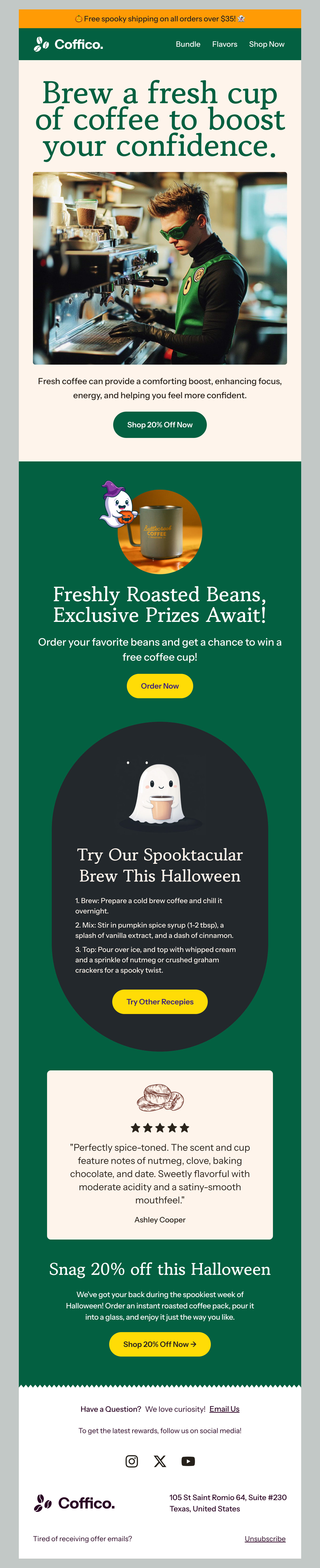
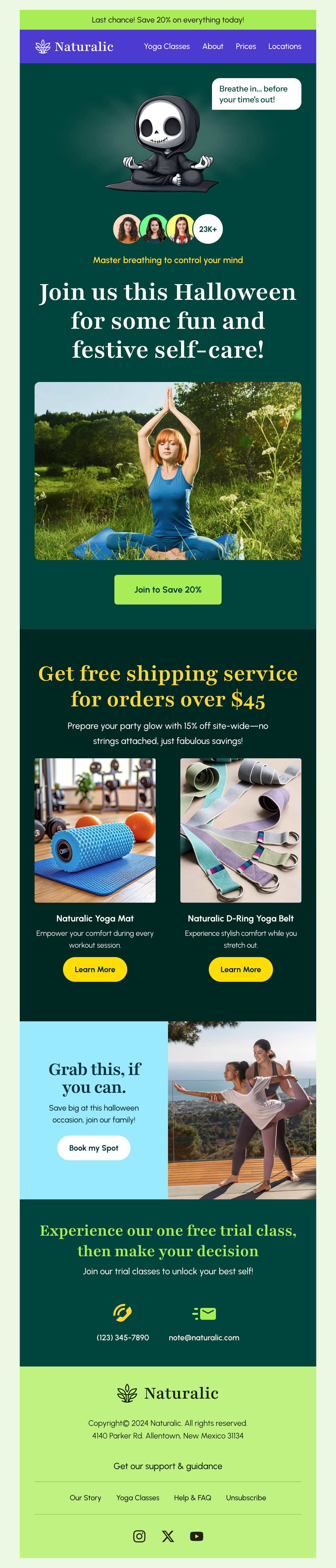
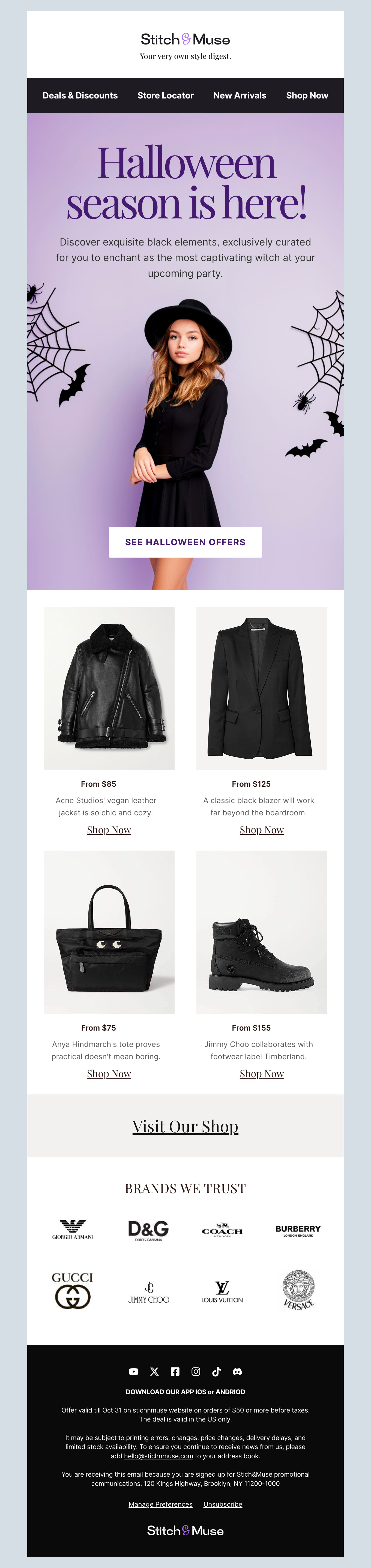
Halloween is one of the few times of year when playful subject lines are not just tolerated but expected, and emoji genuinely help - the ghost, pumpkin, spider and bat are all widely supported across clients.
Keep it to roughly 40 characters so it survives on a phone. Lead with the offer if there is one, because a pun that hides the discount will beat a plain subject line on opens and lose to it on revenue. Some patterns that hold up: a straight offer with seasonal dressing ("30% off, this weekend only"), curiosity with a real payoff ("Something wicked drops Friday"), urgency tied to a genuine deadline ("Last day for Halloween delivery"), and the plainly useful ("Five costumes you can make tonight").
Avoid anything that reads as alarming out of context. Subject lines built on "warning", "urgent" or "your account" get opened, then resented, and spam complaints in late October are expensive going into Black Friday.
Test one variable at a time. If you want to move opens, test the subject line; if you want to move revenue, leave the subject line alone and test the offer.
Halloween email banners, headers and images
Most seasonal emails live or die on the header image, so it is worth getting the dimensions right rather than cropping something at the last minute.
Email bodies are conventionally 600 pixels wide, so build the banner artwork at 1200 pixels and set it to display at 600. That keeps it sharp on high-density screens. Keep the displayed height around 300 to 400 pixels - a taller hero pushes your offer below the fold on a phone, which is where most of your list will open it.
Keep text out of the image wherever possible. Some subscribers have images off by default, others are on a slow connection, and if your offer exists only inside the banner then those people see an empty box. Put the headline in live HTML text above or below the image and use the banner for atmosphere.
Watch two different weights, because they are separate problems. Gmail clips a message once the HTML itself passes roughly 102KB, hiding everything below the cut behind a "view entire message" link - that is markup, not imagery, and bloated nested tables are the usual cause. Image weight is the other: a dark, detailed Halloween illustration can easily reach a megabyte and will crawl on mobile data. Compress hero images to a few hundred kilobytes at most, and use JPEG for photography with PNG only where you genuinely need transparency.
If you use an animated GIF, make the first frame meaningful. Outlook shows only the first frame of an animation, so a GIF that reveals the offer at the end shows Outlook readers nothing at all.
Dark backgrounds and how they break
Halloween is the season of black, purple and orange, and dark designs are where seasonal emails most often go wrong.
Dark mode is the main culprit. Several clients invert or adjust colours automatically, which can turn a carefully built dark layout into something muddy, or flip your dark logo into an invisible one. Test in dark mode before you send, and give logos and icons a background rather than relying on transparency.
Outlook is the other. Background images are unreliable across Outlook versions, so if your design depends on one, set a solid background colour underneath as a fallback and make sure the text is readable against that colour alone. It is worth sending yourself a test and opening it in Outlook specifically - the query volume for Outlook-compatible Halloween templates every October suggests plenty of people discover this the hard way.
Accessibility is not optional in October
Orange text on a black background is the classic Halloween look and one of the harder combinations to read. Check your contrast, keep body text at 14 pixels or larger, and write real alt text for every image so the email still makes sense when images are blocked or read aloud. A spooky email that nobody can read is just a broken email.
Party invitations and workplace emails
If the email is an invitation rather than a promotion, the rules change. Put the practical details - date, start time, address, dress code, whether to RSVP and by when - in live text near the top, before any decorative flourish. People will come back to that email on the night to check the address, usually on a phone, and they should not have to hunt for it.
For internal or workplace Halloween emails, keep participation optional in the wording. Not everyone celebrates, and an invitation that assumes otherwise lands badly. "Join us if you'd like" costs nothing and reads better than "everyone must dress up".