Free HTML Email Templates for SendGrid

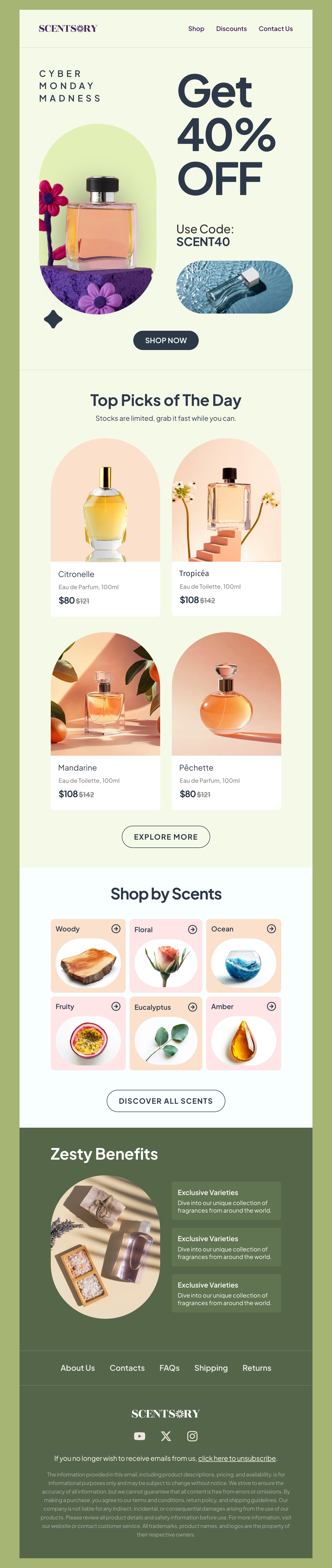
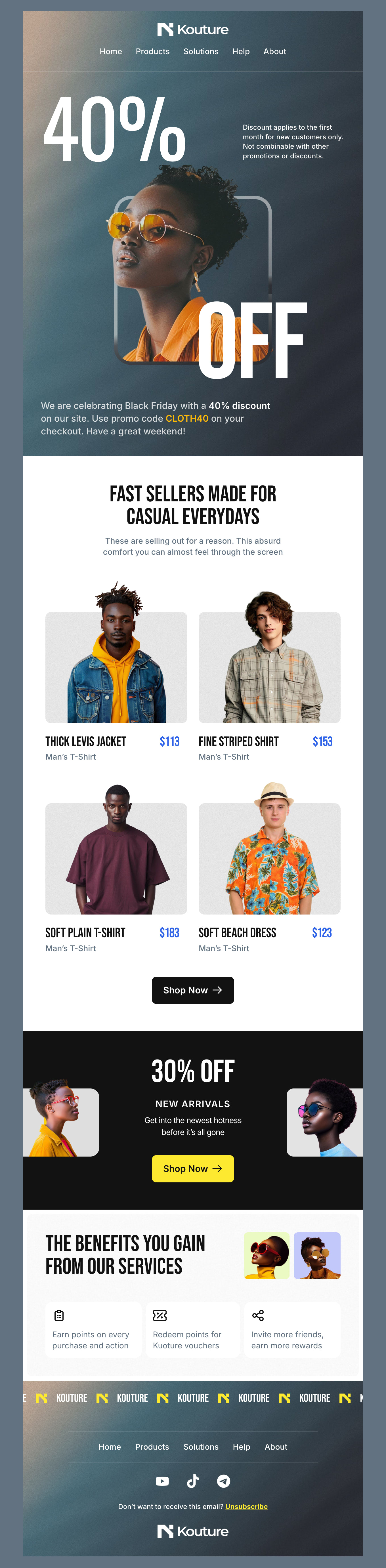
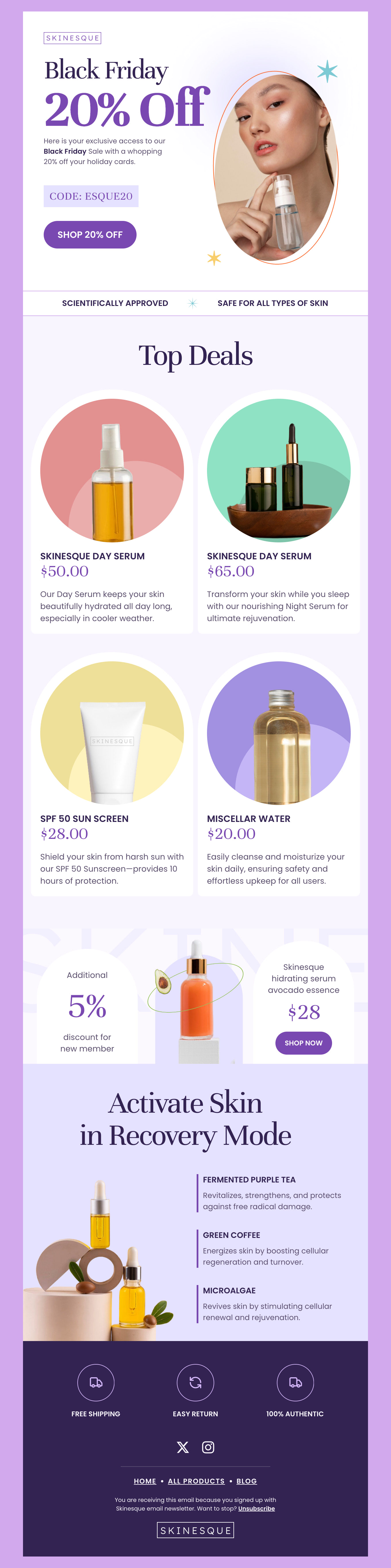
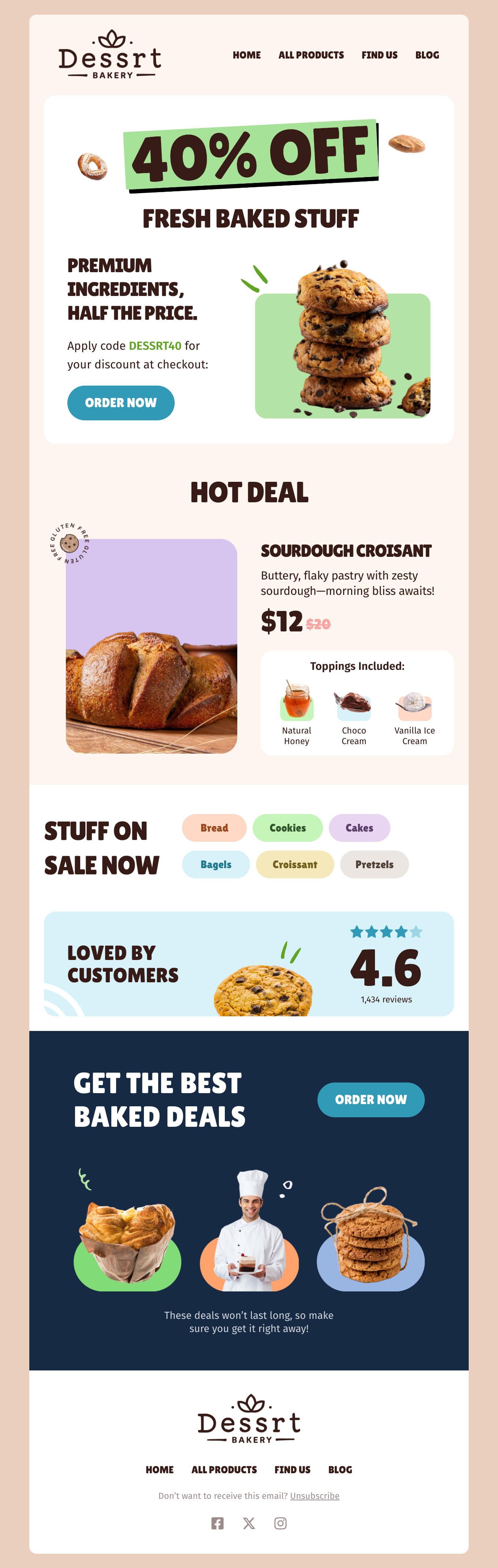
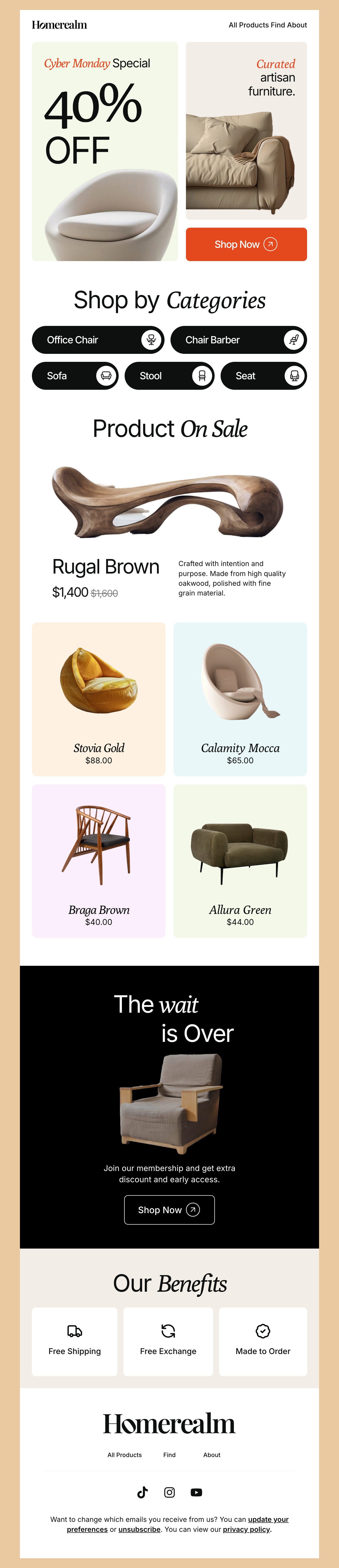
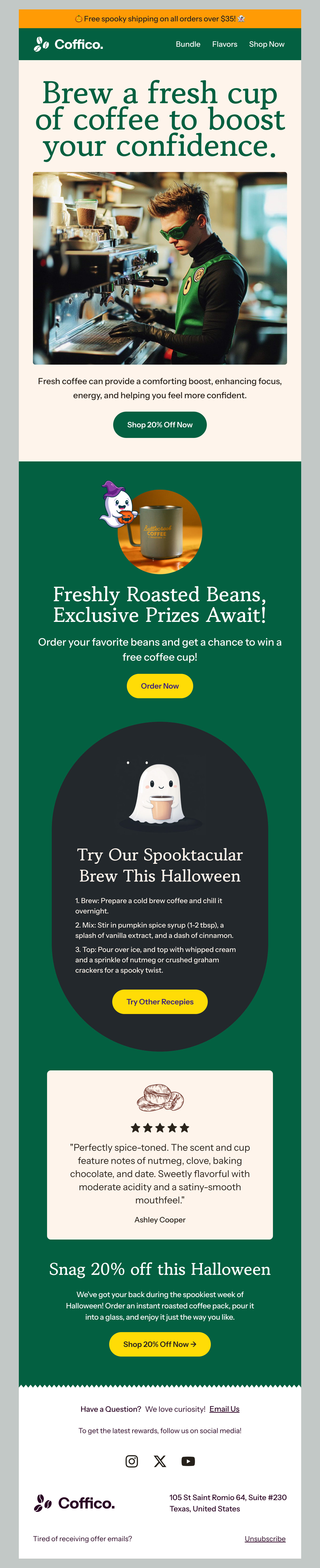
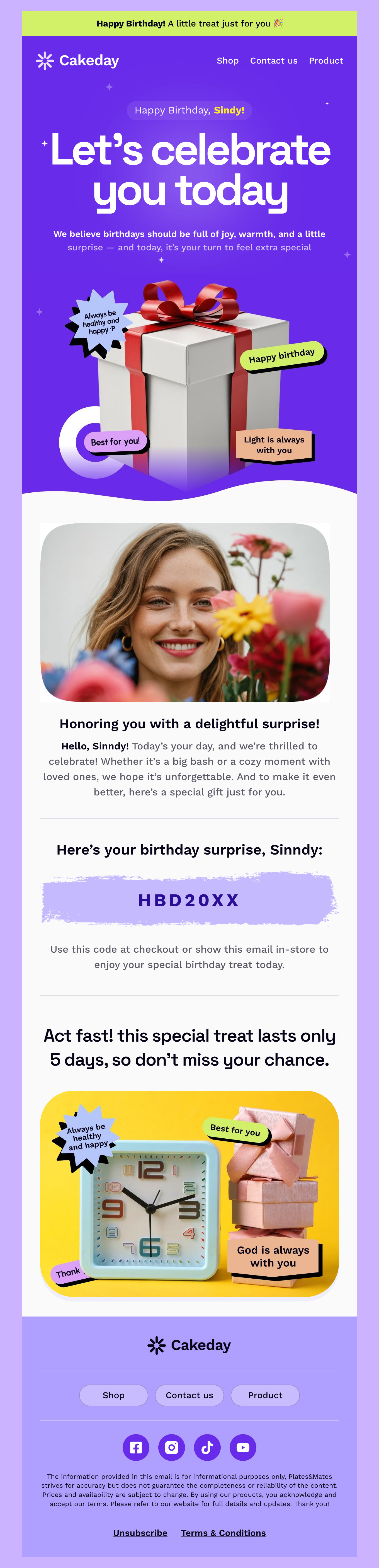
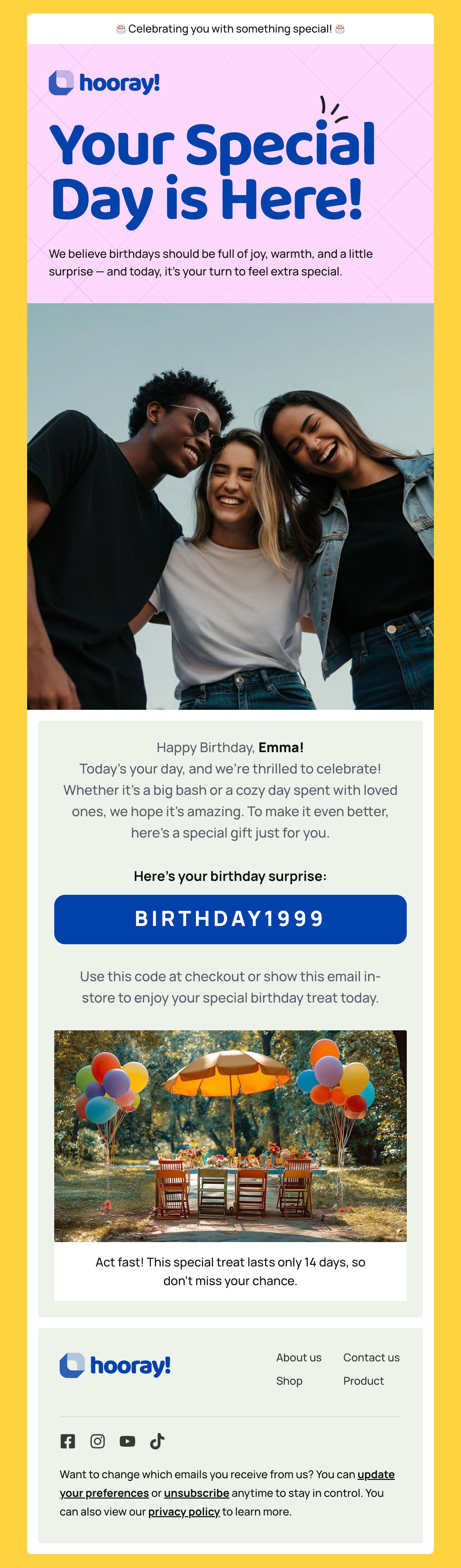
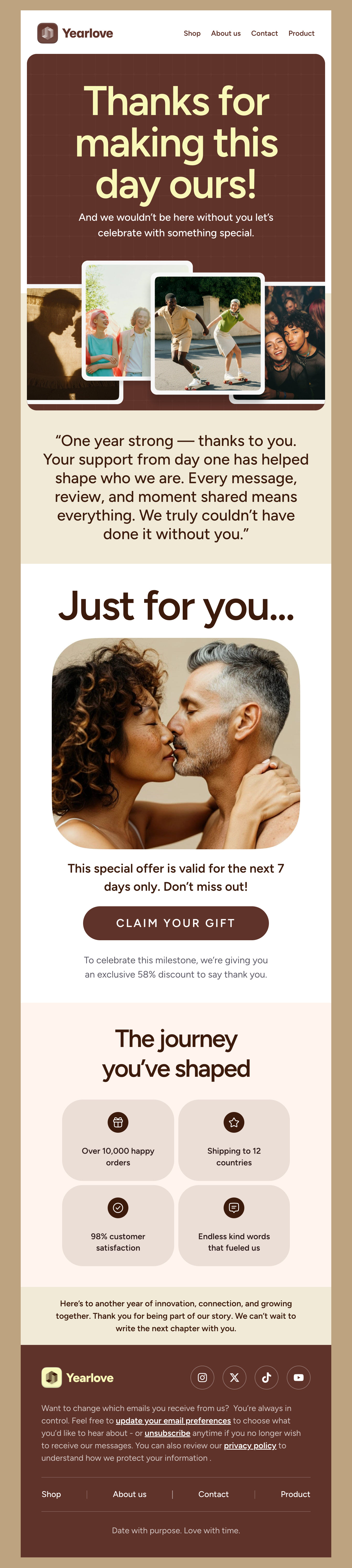
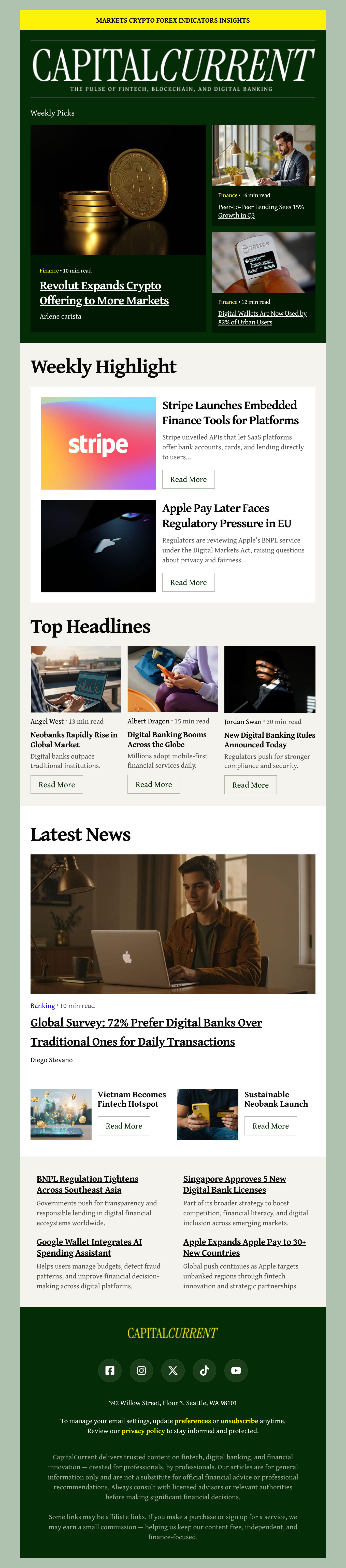
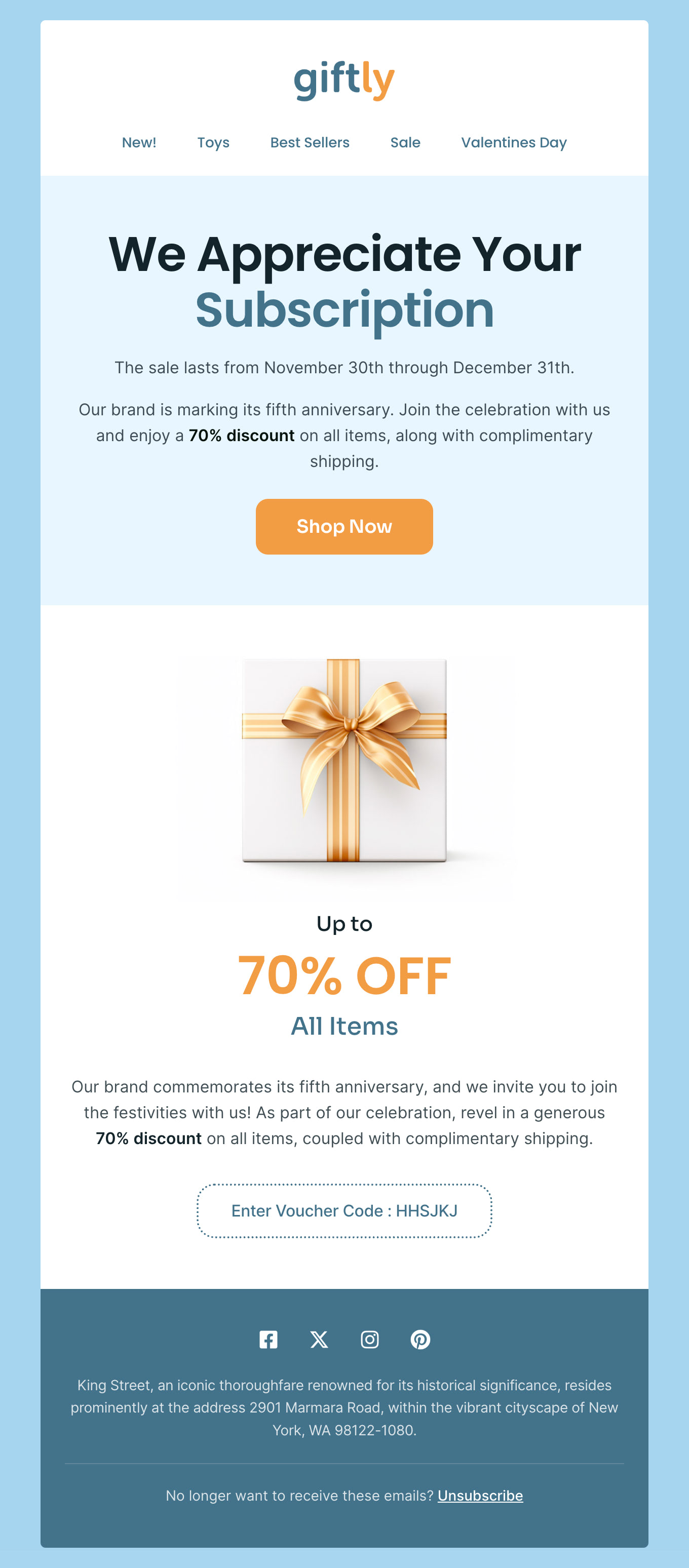
Browse Designmodo’s library of free and professionally designed HTML email templates to design SendGrid email campaigns quickly. Customize them with Postcards, a drag-and-drop email editor. Modify content blocks, add your branding, and upload product images without coding or design expertise. Integrate easily to export your email designs to your SendGrid account with one click. Click on your preferred newsletter template to preview and customize it right away!

Where to Edit SendGrid Email Templates?

Postcards gives you all the tools you need to start building and customize your SendGrid email template for free - from zero to the finished product in just a few minutes.

    • Start from a prompt

      Describe the email you want and AI Suite builds the whole template in seconds: layout, copy, and clean HTML.

    • Your brand, built in

      Import your logo, colors, and fonts straight from your website URL, so every template starts on-brand.

    • Translate, rewrite, restyle

      Ask AI Suite to translate the whole template into any language, or rewrite and restyle any part of it.

    • Export clean code anywhere

      Preview it in Gmail, Outlook, Apple Mail and Yahoo, then one-click export to your email platform or clean HTML.

  • Ready for action.

    Postcards works with SendGrid. We’ve tested all our email templates in SendGrid! Export in one click and save hours on HTML coding.

    Try It Now - It’s Free!

  • No-Code Email Design and Development

    Postcards is a fully no-code SendGrid email template builder. All tools within the Postcards editor are visually intuitive and easy to use.

  • Drag & Drop Online Email Editor

    We offer 100+ pre-made email modules and essential email components that you can drag and drop into your editor and modify.

  • SendGrid Responsive Email Templates

    We offer built-in and pre-made SendGrid responsive email templates, but if you want to customize how your email template appears on mobile devices, you can do this using our mobile controllers.

  • Speed-up Email Template Production

    Our SendGrid HTML email templates will accelerate your email design production by 9x. Postcards saves time, allowing you to focus on other email marketing tasks.

Why Postcards + SendGrid Is the Perfect Combination for Email Campaigns

Postcards is a drag-and-drop email editor that offers pre-made email elements like buttons, headers, forms, etc., to simplify designing stunning SendGrid email campaigns that boost engagement.

From visual editing and responsive designs to SendGrid integration and collaboration features, you get everything you need to create responsive HTML emails without coding or design expertise!

Here’s why Postcards is perfect for designing SendGrid emails:

  • Postcards offers a drag-and-drop interface, reusable content blocks, branding features, and advanced customization options to create on-brand campaigns easily.
  • Every SendGrid template is responsive. This means that each newsletter you design with Postcards will look good on mobile, desktop, or any other device.
  • Postcards lets you invite and collaborate with team members in real time to customize newsletter templates, with Real-Time Collaboration available on the Pro plan.
  • Postcards integrates with SendGrid directly, so you can export messages to SendGrid in one click and send them to your subscribers from SendGrid.
  • We’ve tested all our newsletter templates in SendGrid and different email clients, so you can feel confident that your emails will render consistently whether your subscribers view them in Gmail, Outlook, Apple Mail, or Yahoo.

Email Marketing Tips for SendGrid Users

SendGrid is a powerful, cloud-based email marketing platform with advanced tools to manage email campaigns easily. Follow these email marketing tips to optimize your campaigns and help improve deliverability.

Customize SendGrid Templates in Postcards

Create branded emails and save them for later use. This way, you can reuse them whenever needed without much effort.

More Email Marketing Tips for SendGrid Users

Avoid Spam Triggers

Avoid spammy practices like excessive exclamation marks, all caps in text, and overly salesy language to protect yourself from unnecessary spam filter triggers. Be diligent and helpful to your subscribers to improve your sender reputation over time.

Prevent Email Spoofing by Authenticating Your Emails

Use Sender Policy Framework (SPF) and DomainKeys Identified Mail (DKIM) to authenticate your emails and verify they come from your domain. This helps prevent email spoofing and improves deliverability.

Ensure Accessibility

Always check your emails for accessibility, readability, deliverability, and responsiveness before sending them. We’ve compiled a list of tools to test email content so you don’t have to.

Leverage SendGrid’s Personalization Features

SendGrid’s dynamic content and personalization tags features help you create memorable emails. For example, you can address your subscribers by name and pull content from different sources to personalize their experience.

Find the Perfect Time to Send Emails

Test different time slots to find the perfect time to send newsletters that work with your audience. SendGrid provides the tools to schedule sends and track engagement metrics, helping you test and discover the best time to reach your audience.

Integrate SendGrid with Your Existing Tools

SendGrid connects seamlessly with various platforms, including CRMs, survey tools, and marketing automation systems, which makes it easier for you to streamline workflows, centralize data, and save valuable time.

Want to take it a step further? Here’s a bonus guide on measuring the success of your email campaigns. Discover how to track key metrics, analyze performance, and refine your strategy to improve open rates, click-throughs, and conversions.

Hey there 👋 Friends from designmodo are here to help!