Invoice Email Templates & Billing Designs
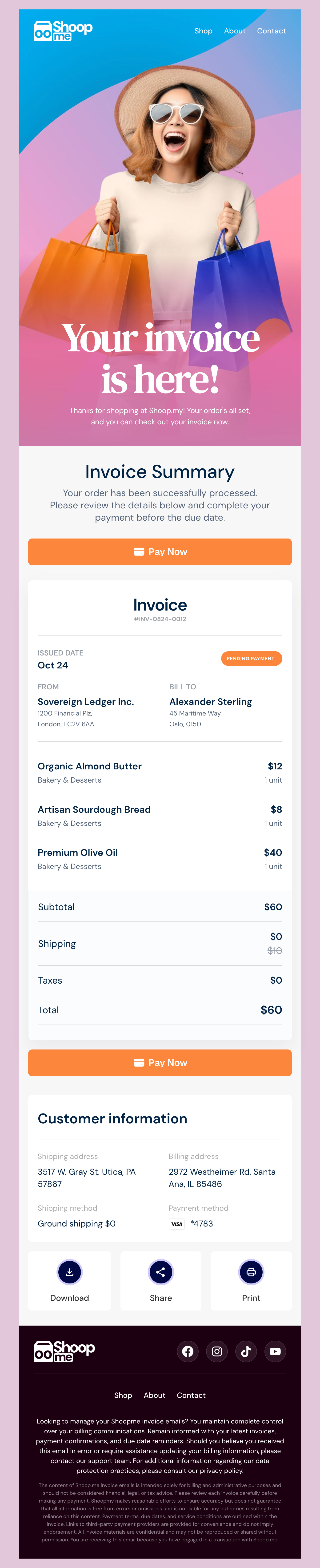
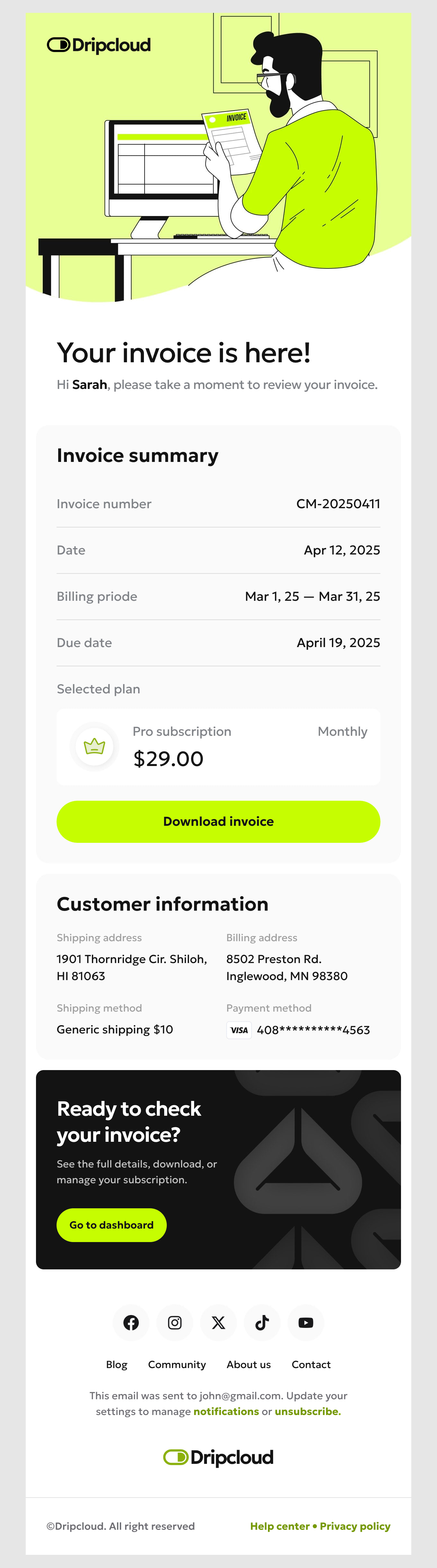
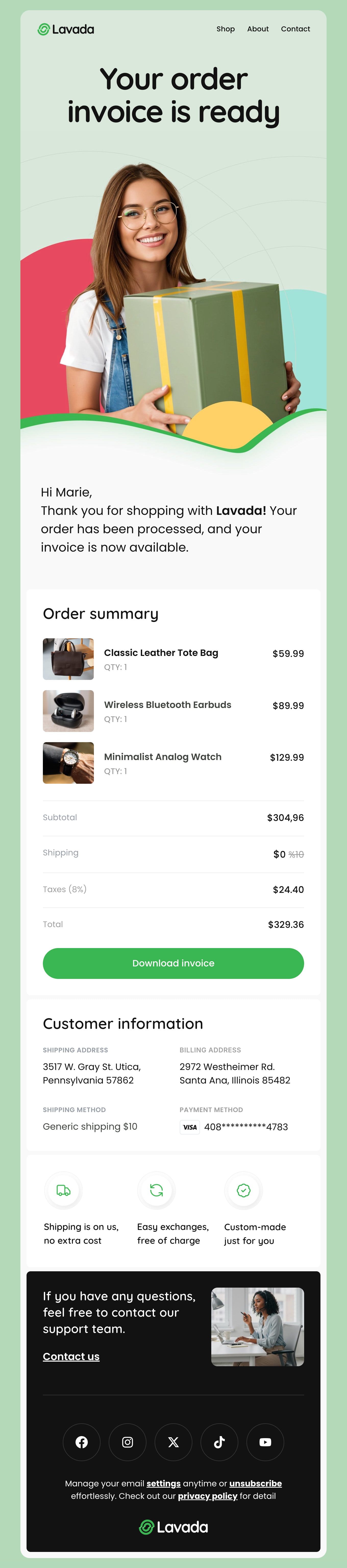
Get paid faster with our free invoice email templates. Built for freelancers, agencies and finance teams, each responsive HTML template puts the amount due, the due date and a single pay button where a client will actually see them — above the fold and readable on a phone. Line items stay legible on narrow screens, and every design works whether or not the PDF attachment survives a corporate mail filter.
-
InvoiceIndustryUsageSeasonBrand
- Create Your Email Template
- All Templates
- Abandoned Cart
- Alerts & Notifications
- Announcements
- B2B
- Birthday
- Confirmation
- CV & Resumes
- Cybersecurity
- Deal & Discount
- Ecommerce
- Email Signatures
- Events
- Invoice
- Marketing
- Newsletter
- Onboarding
- Order Confirmation
- Plain Text
- Product Promotion
- Promotional
- Subscription
- Survey & Feedback
- Thank You
- Transactional
- Trial
- Update
- Webinar
- Welcome
- All Templates
- ActiveCampaign
- Amazon SES
- AWeber
- Braze
- Brevo
- Campaign Monitor
- Constant Contact
- GetResponse
- Gmail
- HubSpot
- iContact
- Intercom
- Kit
- Klaviyo
- Mailchimp
- Mailgun
- Mailjet
- MailUp
- Mailwizz
- Mandrill
- Marketo
- Mautic
- Moosend
- Ongage
- Ontraport
- Oracle Eloqua
- Outlook
- Pabbly
- Pepipost
- Postmark
- Salesforce Marketing
- SendGrid
- Sendloop
- SendPulse
- Sendy
- Shopify
- Zapier
- Zoho Campaigns
Where to Edit Invoice Email Templates?
Postcards gives you all the tools you need to start building and customize your Invoice email template for free - from zero to the finished product in just a few minutes.
-
-
-
-
Start from a prompt
Describe the email you want and AI Suite builds the whole template in seconds: layout, copy, and clean HTML.
-
Your brand, built in
Import your logo, colors, and fonts straight from your website URL, so every template starts on-brand.
-
Translate, rewrite, restyle
Ask AI Suite to translate the whole template into any language, or rewrite and restyle any part of it.
-
Export clean code anywhere
Preview it in Gmail, Outlook, Apple Mail and Yahoo, then one-click export to your email platform or clean HTML.
-
-
Ready for action.
Postcards works with your email marketing platform. We’ve tested all our email templates! Export in one click and save hours on HTML coding.
Try It Now - It’s Free! -
-
-
No-Code Email Design and Development
Postcards is a fully no-code email template builder. All tools within the Postcards editor are visually intuitive and easy to use.
-
Drag & Drop Online Email Editor
We offer 100+ pre-made email modules and essential email components that you can drag and drop into your editor and modify.
-
Invoice Responsive Email Templates
We offer built-in and pre-made Invoice responsive email templates, but if you want to control how a line-item table or payment button appears on mobile devices, you can do this using our mobile controllers.
-
Speed-up Email Template Production
Our HTML email templates will accelerate your email design production by 9x. Postcards saves time, allowing you to focus on other email marketing tasks.
Invoice Emails People Actually Pay
The amount due and the due date are the email. Put both above the fold, in text rather than inside an image, and make the amount the largest thing on the screen after the logo. A client scanning on a phone should be able to answer “how much, by when” without opening an attachment.
Give the invoice one button. Pay now, going straight to a payment page with the invoice already selected — not a login wall, not a portal homepage. Every extra click between the email and the payment form is a day added to your average collection time.
Keep the line-item table readable on a narrow screen. Description, quantity, rate, amount is four columns that will not survive 375px, so collapse to a stacked row per item on mobile and keep the running total pinned at the bottom of the list.
Attach the PDF, but never depend on it. Corporate filters strip attachments, and plenty of people forward your invoice to an accounts inbox that will not open one. The email body has to carry the full invoice on its own.
State the terms plainly near the total — payment window, accepted methods, late fee if you charge one, and the invoice number that accounts payable will quote back at you. Ambiguity here is what turns a thirty-day invoice into a sixty-day one.
5 Emails in the Billing Cycle
Most billing setups send one email and hope. These five cover the cycle end to end.
- Invoice issued - The full invoice, the amount, the due date and a direct payment link. Send it the moment the work is billable, not at month end.
- Payment reminder - A short, friendly nudge a few days before the due date. This one email prevents more late payments than any chasing you do afterwards.
- Payment received - A receipt with the invoice number and the amount settled. It closes the loop and gives the client something to file.
- Overdue notice - Firm, factual, no apology. Restate the amount, the original due date, and the payment link. Escalate the tone across a short series rather than in a single email.
- Card expiring or payment failed - For anything recurring, this is pure recovered revenue. Make updating the card a one-click action.
Designmodo Inc. 169 Madison Ave, #79627, New York, NY 10016, United States
Copyright © 2010-2026